I’ve had several folks ask me how to to this in the last month so here goes.
*Fair notice – I don’t use or like iTunes, ‘why’ is beyond the scope of this article.
There are many applications that allow you to manage iTunes and your Android phone. I’m only going to recommend 2.
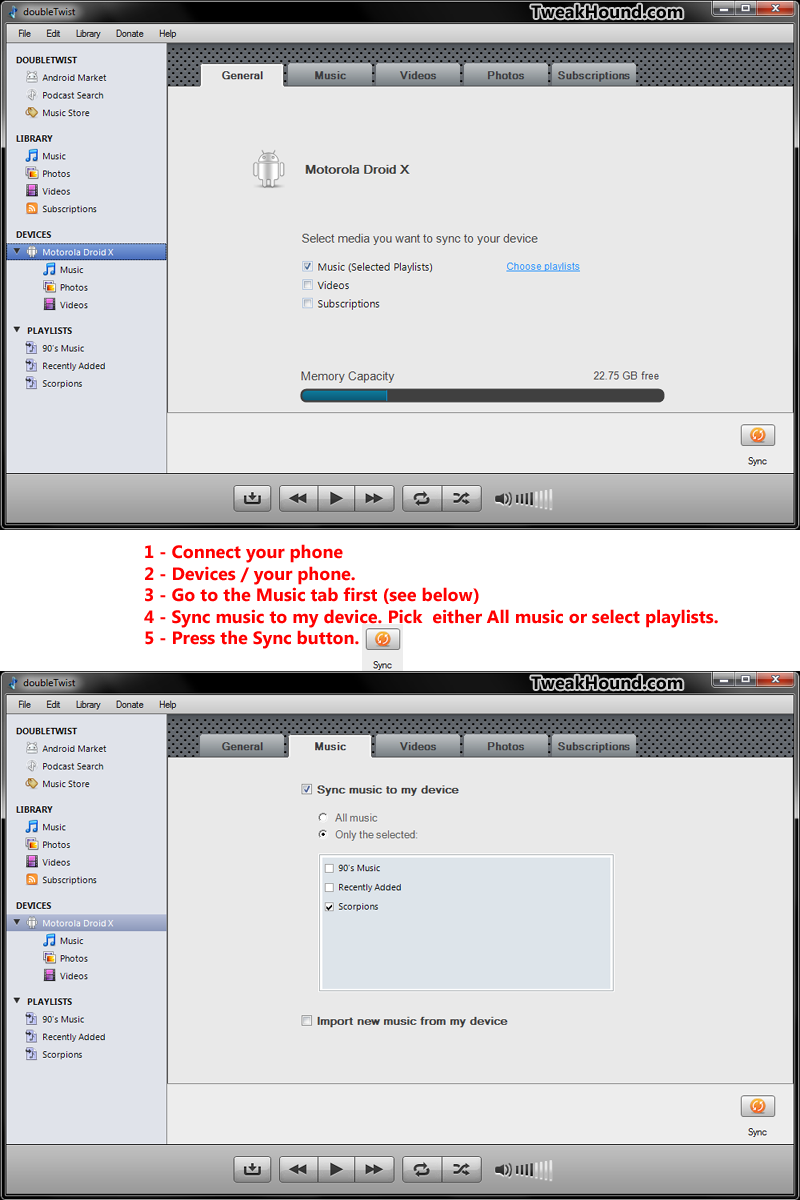
The first application I recommend is doubleTwist. (download it here).
There is also an application in the market: doubleTwist in the Android Market
Directions:
1 – Connect your phone via USB cable, then start doubleTwist.
2 – In the left-hand screen choose Devices then your phone.
3 – Click in the Music tab near the top of the window.
4 – In the Sync music to my device section choose your options.
5 – When ready click the Sync button in the lower-right of the window.
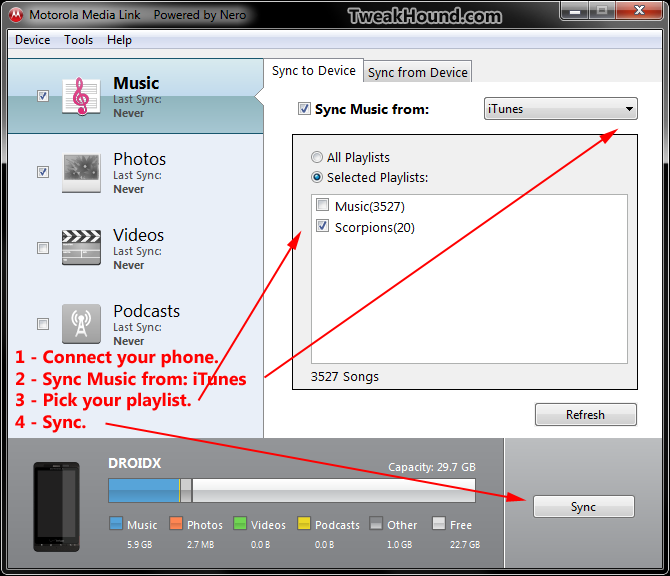
The second application I recommend is Motorola Media Link. ( Windows version and Mac version )
I’ve no way to tell if this only works with Motorola phones. (I’m a poor boy, I’ve only got my Droid X.)
It is the most simple application for transferring your iTunes music and playlists to your Android phone.
It’s advantage is that you don’t need to install anything on your phone.
Directions:
1 – Connect your phone via USB cable.
2 – Choose Sync Music from: iTunes.
3 – Choose all your music and / or all or some of your playlists.
4 – Press the Sync button.
If you have non-Motorola Android phone and use another FREE method of syncing iTunes and Android phones (preferably a manufactures or carriers app) please consider contributing to this article ( contact me ).