Using Cobian Backup 10
Cobian Backup is a free data backup program with lots of features including; scheduling, compression, and encryption.
Download Cobian Backup 10 and install it. (see also Cobian Backup FAQ’s and Cobian Backup Forums)
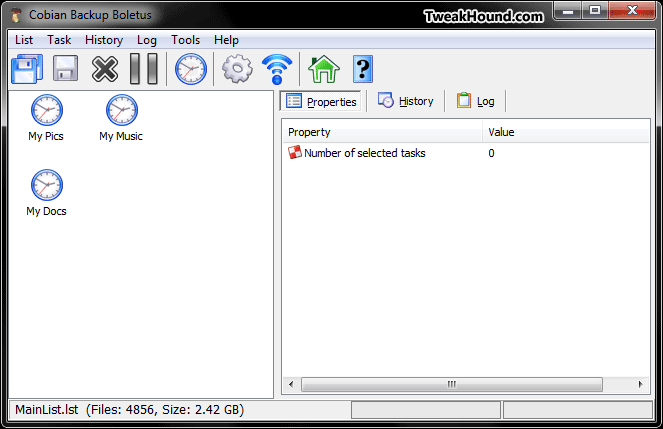
Start Cobian Backup. From the menu choose Task > New task, or click the clock icon.
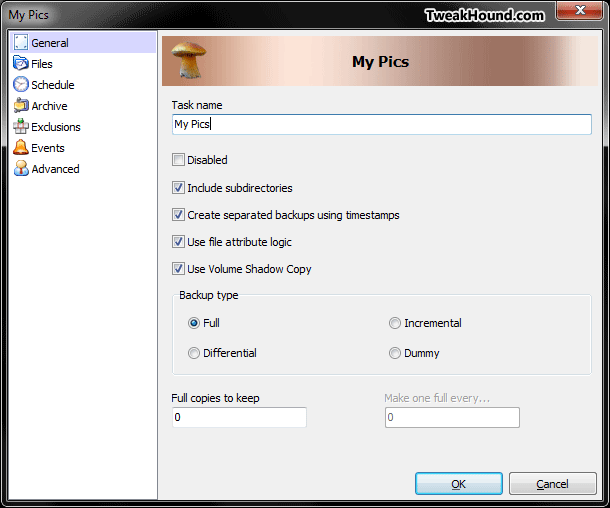
In the General section (left side), choose a name.
You can also choose a Backup type (see here for description of backup types) then click Files (left side).
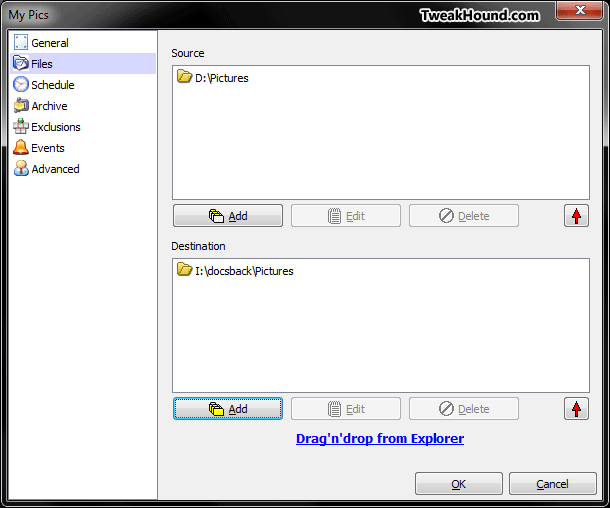
Under Source and Destination choose what you want to backup.
One feature I love is that you can just open Explorer and Drag’n’Drop a folder into the appropriate window.
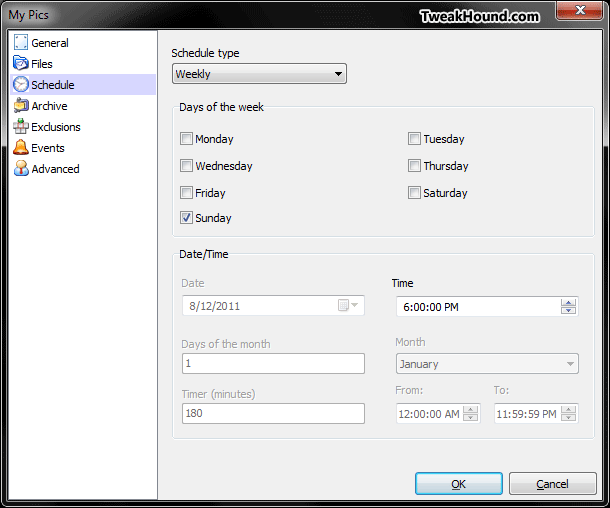
When finished click Schedule (left side)(if you wish to schedule it).
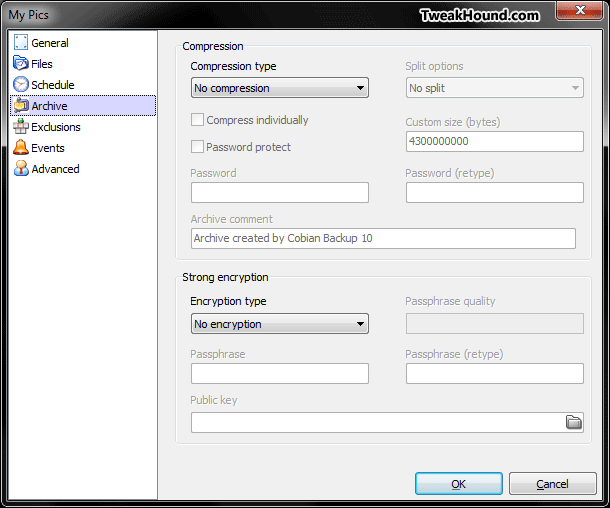
Lots of options here. Carefully select your schedule and then click on Archive (left side).
Since space isn’t an issue I’ve choosen not to use compression.
If you have stuff you want to keep from prying eyes the you can also encrypt your backup.
Most users won’t need the remaining options. You can click OK (bottom right) and you’re done.
-END-