TweakHound Logo

 *** Stop by my new BLOG for the latest computer news! ***


 Main Menu 

Home

Articles

Windows XP

Windows Vista

Linux

Site Info

My Blog, Computing News and Notes


 Recent Articles 

***New & Hot***

Windows Vista Backup Strategies For Home Users


Updated!

Tweaking Windows Vista


Updated!

Installing Windows Vista


Windows XP Backup Strategies For Home Users


The Right Way To Install Windows XP


Installing Suse Linux 10.1


How To Samba With Suse 10.1 And Windows XP


iTunes, iPod File Types & Quality


Super XP Tweaking Guide Version 2.0


Suse - Initial Configuration


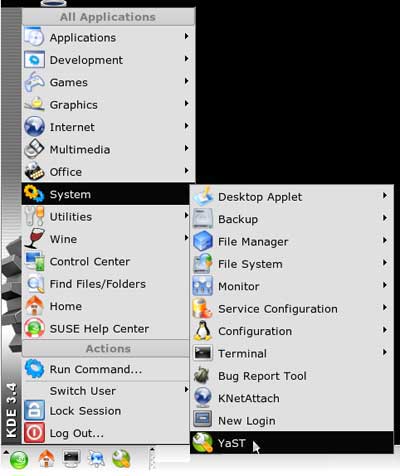
From your Suse box, open YaST (type in Root password).


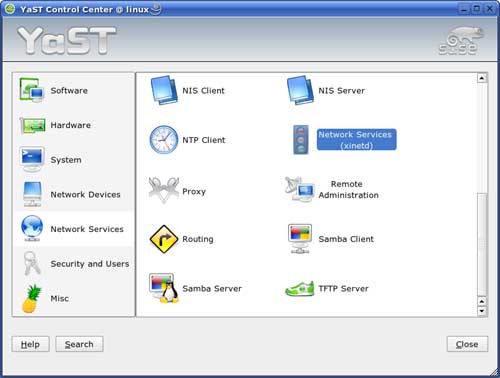
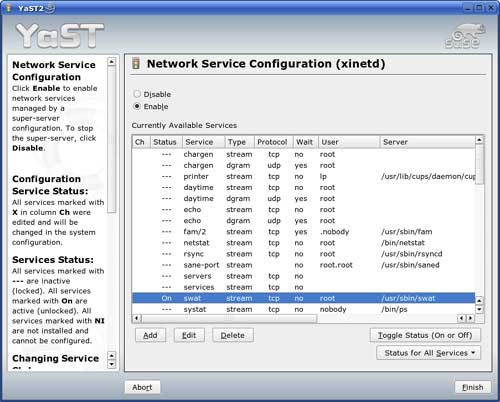
Next go to Network Services > Network Services (xinetd)


Find the swat service, highlight, and click the Toggle Status (On or Off) button to toggle on. Then click Finish.


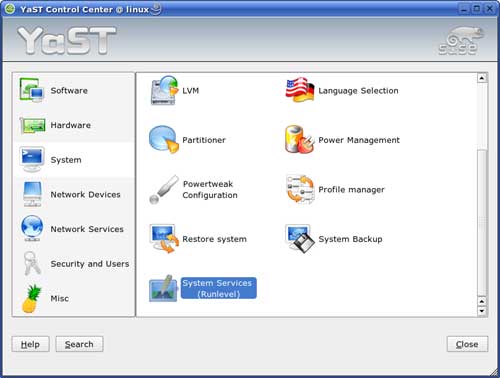
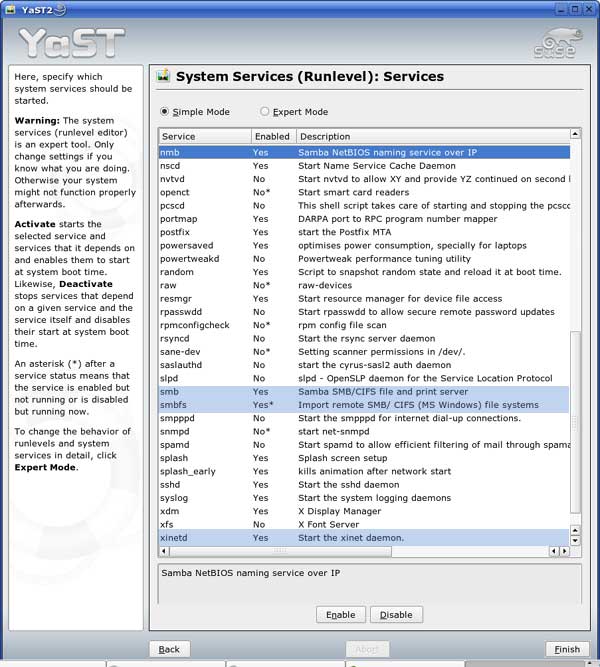
Now back in the YaST Control Center click on System then System Services (Runlevel)


Highlight and then click the Enable button for the following services:

nmb

smb

smbfs

xinetd

Then click Finish.


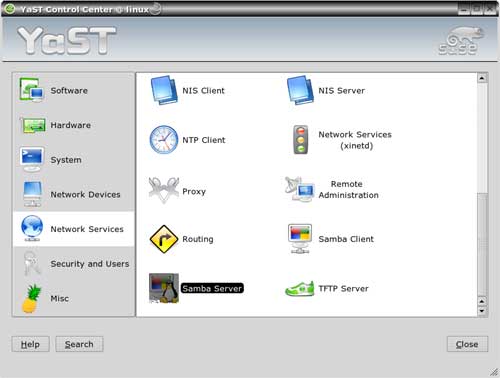
Now back in the YaST Control Center click on Network Services then Samba Server.


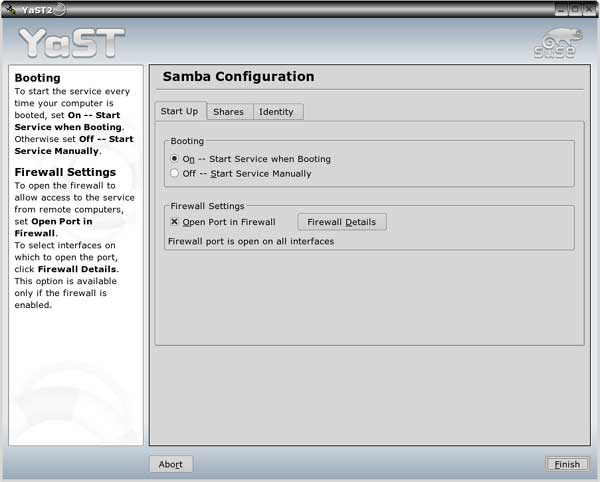
Under the Start Up tab ensure that On -- Start Service when Booting is checked. If you are using the Suse firewall also check Open Port in Firewall.


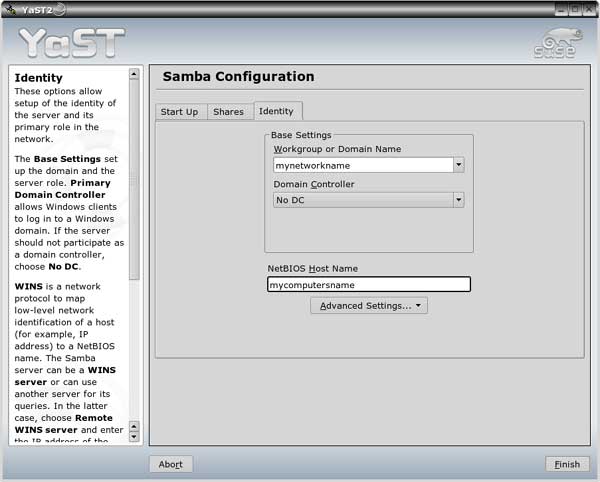
Next click on the Identity tab. Fill in your Workgroup or Domain Name (the exact same name as your Windows workgroup). Next make sure the box under Domain Controller says NO DC. Then, in the box NetBIOS Host Name enter the name you want for your computer. Click Finish when done.


<<<BACK     NEXT>>>


 Cool Web Sites 

*Warp2Search*

[H]ardOCP

Dailyrotation

Freshnews.org

FreewareFiles


 Software I Use 


I use True Image 11.0

for all my OS backups and Disk Director 10.0 for all my partitioning and dual-boot requirements.

TweakHound

readers get a

10% discount!

off Acronis Products.

acronis disk director


TweakHound - Optimize Your Computing Experience!


Copyright 2002-2008 by Eric Vaughan
All material contain here is the property of the materials owner.
Windows, Windows XP, Windows Vista, Microsoft, and all associated logos are trademarks/property of Microsoft.
You may not use or copy any material from tweakhound.com without expressed written permission.
Hotlinking to any material within this site is forbidden.