How to backup and restore your computer with Acronis True Image Home.
If you have spent any time here at TweakHound.com you know Acronis True Image Home (TI for short) is my favorite backup program.
In the course of tweaking and testing Windows and programs I wreak havoc on my computers. I do so without fear because of TI.
I’m going to show you exactly how I use it.
First and foremost, I do not install it. Yep, you read that right. I only use the boot CD.
Why? After many years of backup and restoring Windows and Linux I have seen just about every method fail at one time or another.
It is my belief that the only way to do an Operating System backup and restore is:
1 – Only use system images.
2 – Not to be using that OS. This is referred to as being offline.
I do not use the boot CD you can make with the program but instead use the boot CD supplied by Acronis.
Getting The Boot CD
First you have to purchase Acronis True Image Home.
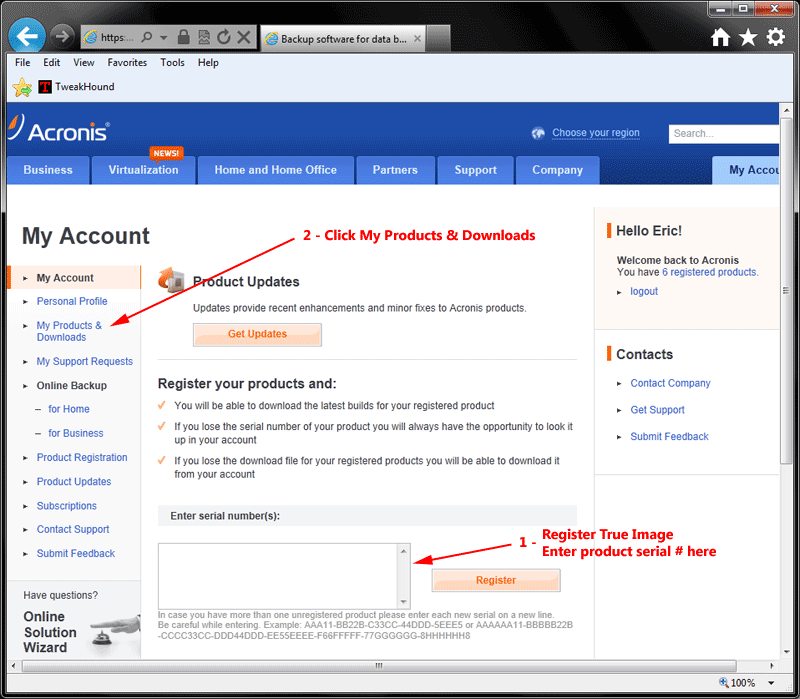
Next go HERE and create a user account at Acronis and register TI.
Once that is done go to My Products & Downloads.
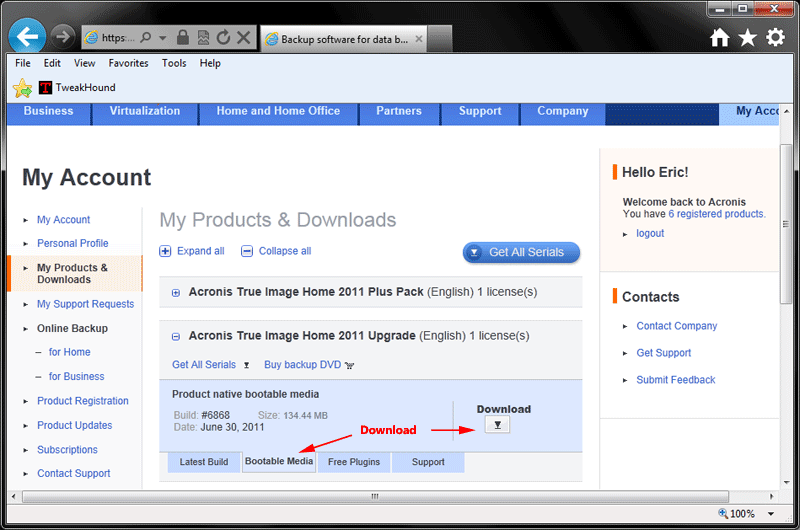
Once there go to your Product, click the Bootable Media tab, and download the ISO. I recommend CDBurnerXP for this.
Using The TI Boot CD
I will be showing you how to backup. You’ll understand how to restore after going through these steps.
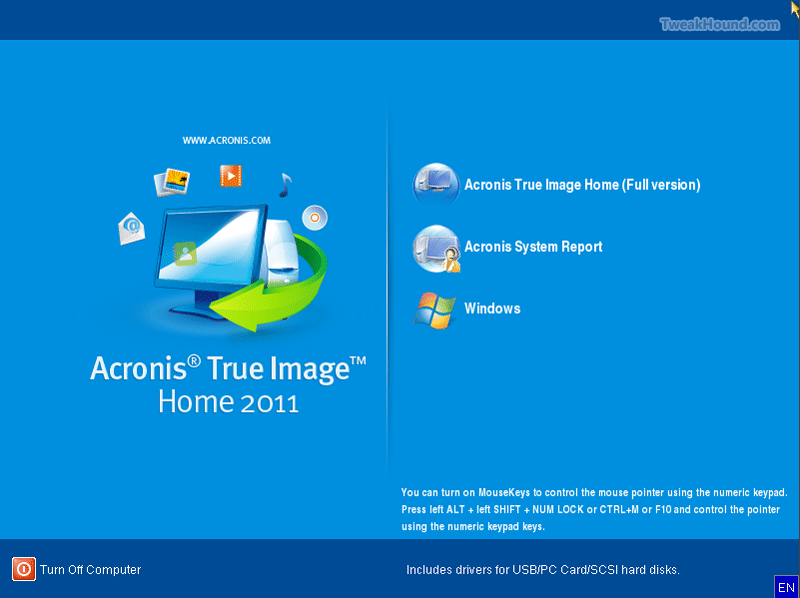
Insert the CD and restart your computer.
In this screen you’ll choose Acronis True Image Home (Full version)
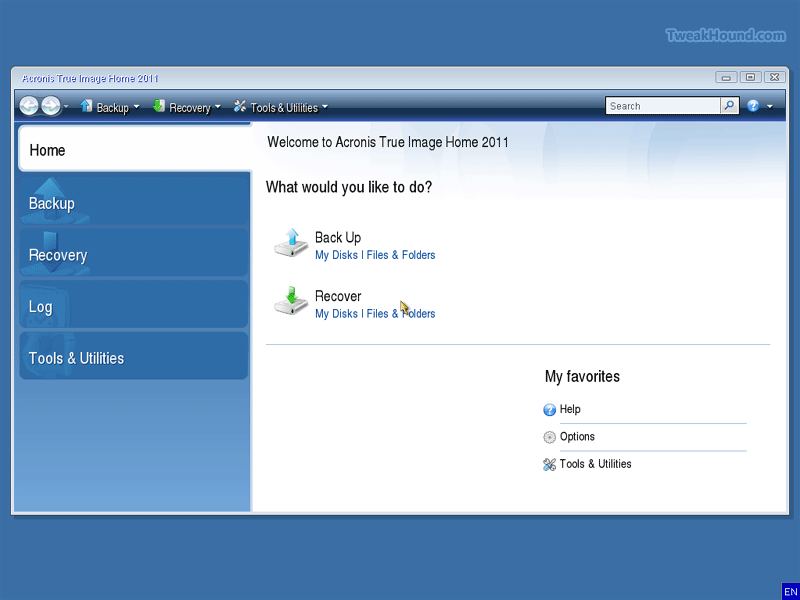
For backup we will choose Back Up > My Disks
Choose the partition Windows is installed on (usually C:) and click Next
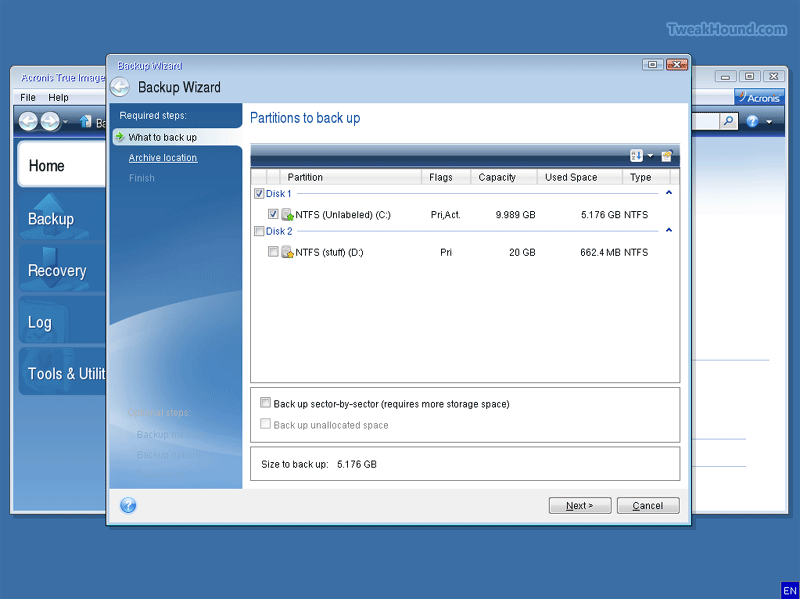
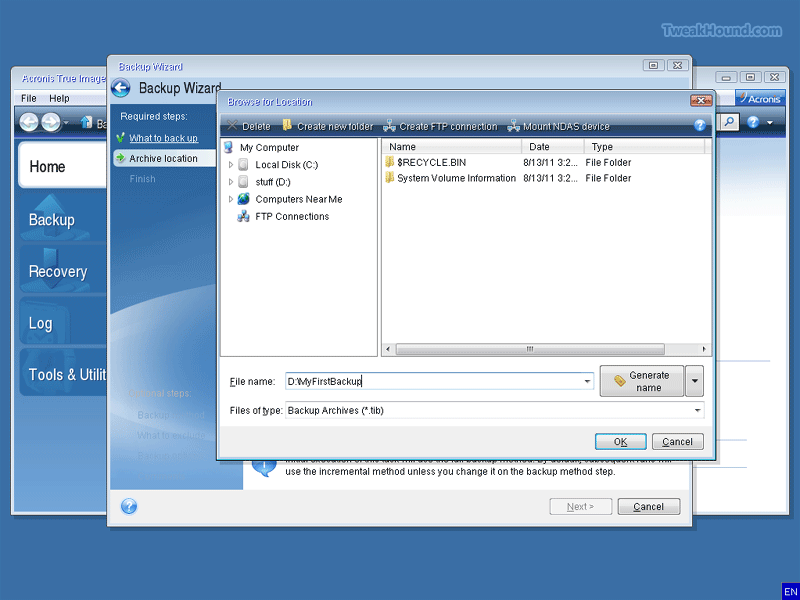
Browse to where you want to save the backup and name it, then click OK
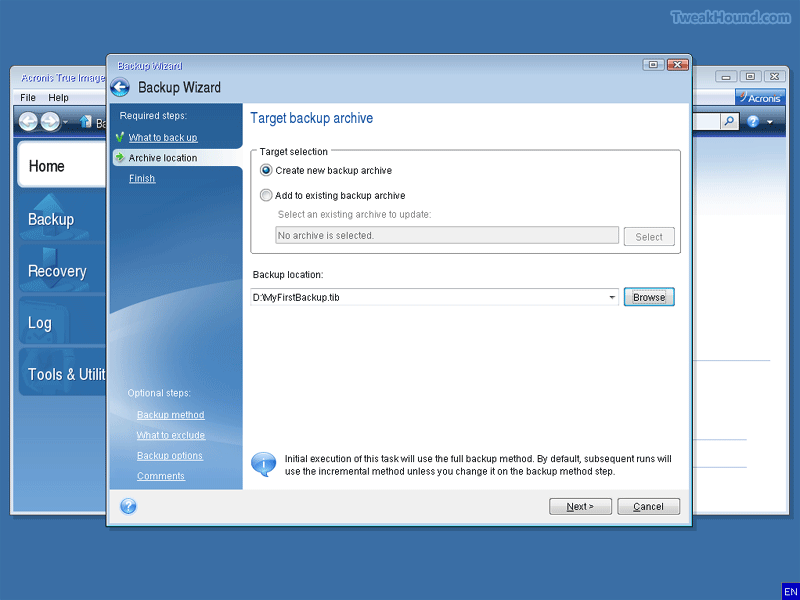
I only use full backups so I choose Create new backup archive, then click Next
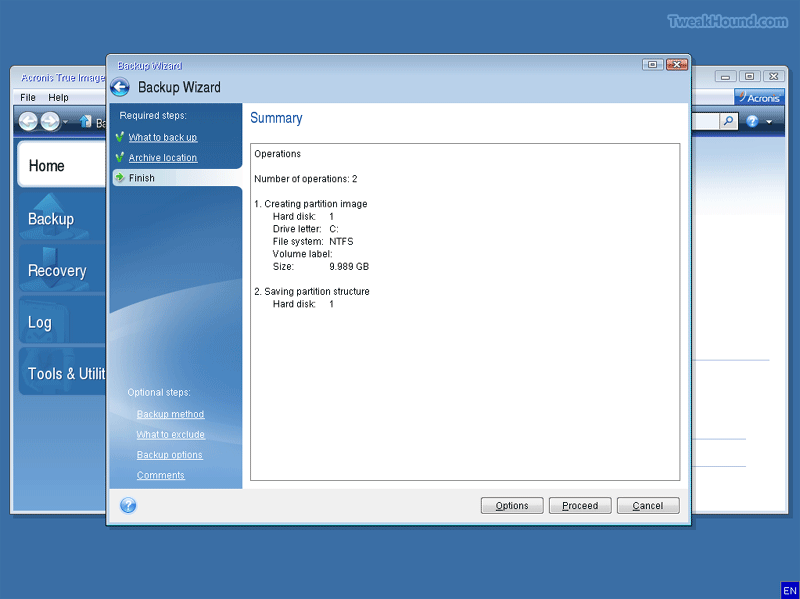
If everything looks OK click Proceed
I have found TI to be faster at backup and restore than any other program.
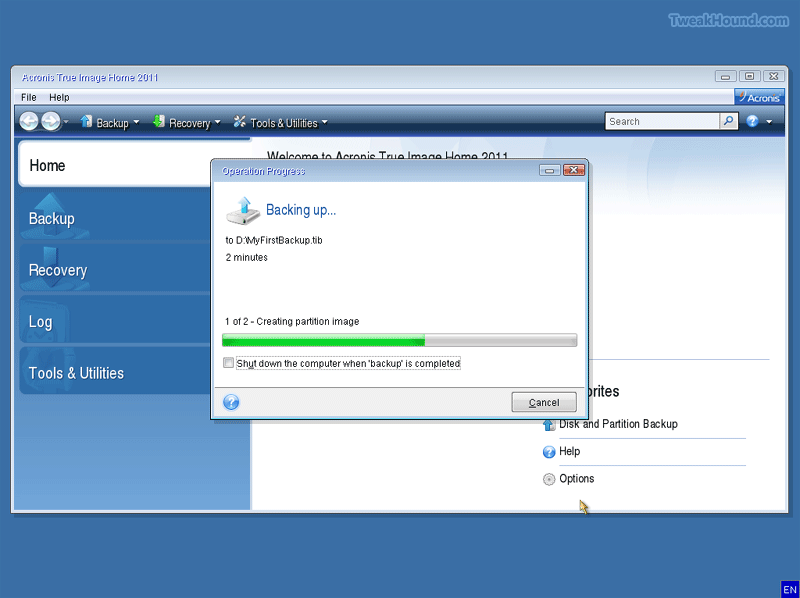
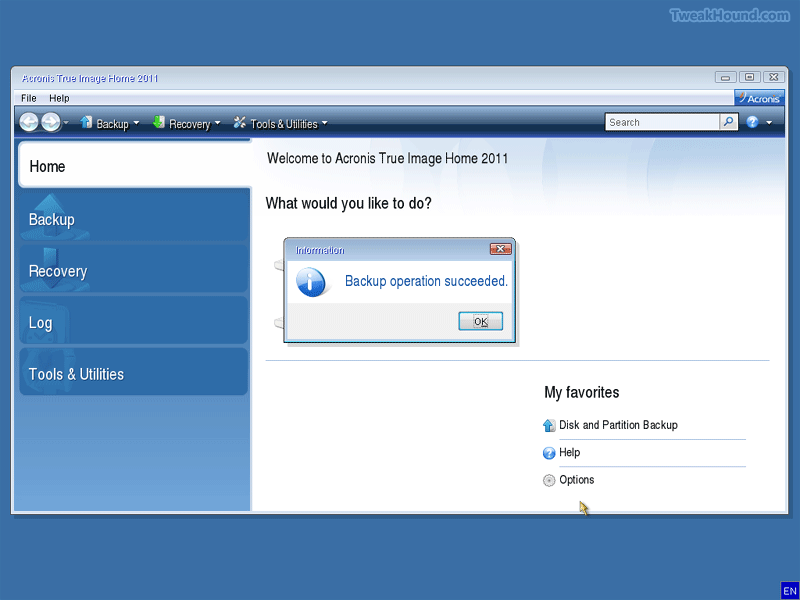
Success!
Quick Video
FAQ’s and Explanations
What is the advantage of Acronis True Image Home over Windows 7’s System Image?
For me it is the following:
1 – Offline backup and restore. Windows System Image only restores offline.
2 – Speed. TI is much faster.
3 – Size – TI’s default compression is half the size of Windows System Image and can actually go smaller.
4 – Networking. TI will backup and restore over the network. Only Windows 7 Pro and Ultimate will do that.
5 – Linux. TI’s boot disk does Linux partitions.
Why to you only use offline backups?
I will ask you this. Would you rather take a picture of a meadow during a storm:
A – Take the picture with the fury of the storm effecting you and the meadow?
or
B – If you could freeze that instant in time (like in a sci-fi movie) and snap the picture.
Why do you only use full backups?
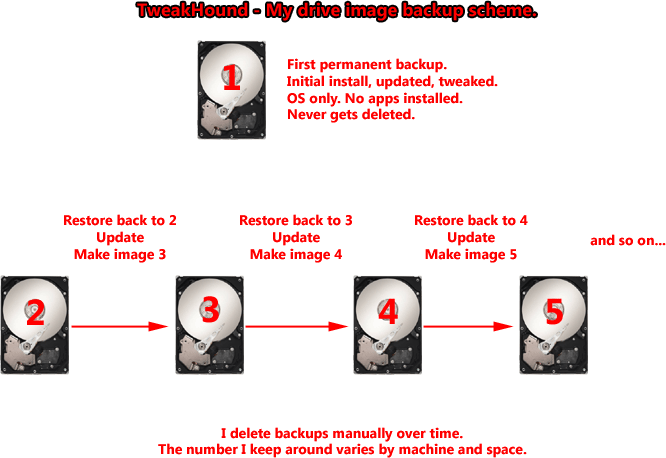
I don’t see the point of incremental or differential backups. I use the following scheme. It leaves me with perfect images:
-END-