• Skip to primary navigation
  • Skip to main content
  • Skip to primary sidebar

TweakHound

Computer stuff...

  • Home
  • Windows XP
  • Windows Vista
  • Windows 7
  • Windows 8
  • Windows 10
  • Windows 11
  • Linux
  • Tweak Guides
  • Site Info
    • About
    • About Me
    • TweakHound’s World
    • Contact
    • My Computers
    • Old Articles
    • Privacy Policy
    • Old Index
    • Advanced Search

Win10 Clean Install On My Main PC

thpinpostlogo

November 22, 2015, 17:31(EST) By Eric (a.k.a. TweakHound)

thpinpostlogoI had done a few clean installs on my main rig but was waiting for TH2 for my “final”. This PC had previously been a dual-boot Windows 8.1 / Window 7 PC. I had upgraded 8.1 to Win 10.

Here are the steps I took:
1 – I made sure I had my drivers and the latest versions of all my programs.
2 – Made a bootable Win10 flash drive. See here for how, and here to find TH2 ISOs.
3 – Next I backed up the entire OS drive using Acronis True Image.
4 – Unpluigged all drives except my OS drive.
5 – Booted from flash drive and used Repair/Troubleshoot/Command Prompt/Diskpart to wipe disk.
6 – Rebooted and installed Win10. DO NOT ENTER KEY, Local account, customized settings all options off.
7 – Post install: Installed drivers, ran Windows update, tweaked, installed apps. Windows activated automagically.
8 – Shrunk drive to 60GB.
9 – Rebooted, put Windows 7 partition back on OS drive behind Win10 partition via Acronis True Image.
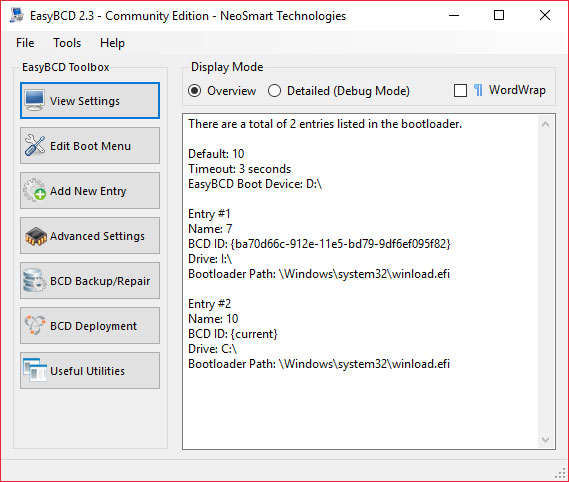
10 – Installed EasyBCD and added Windows 7 to boot order.

th10part
EasyBCD
 
Result
IMHO it was a waste of time. My upgrade to Win10 from 8.1 was running OK. So is the clean install.
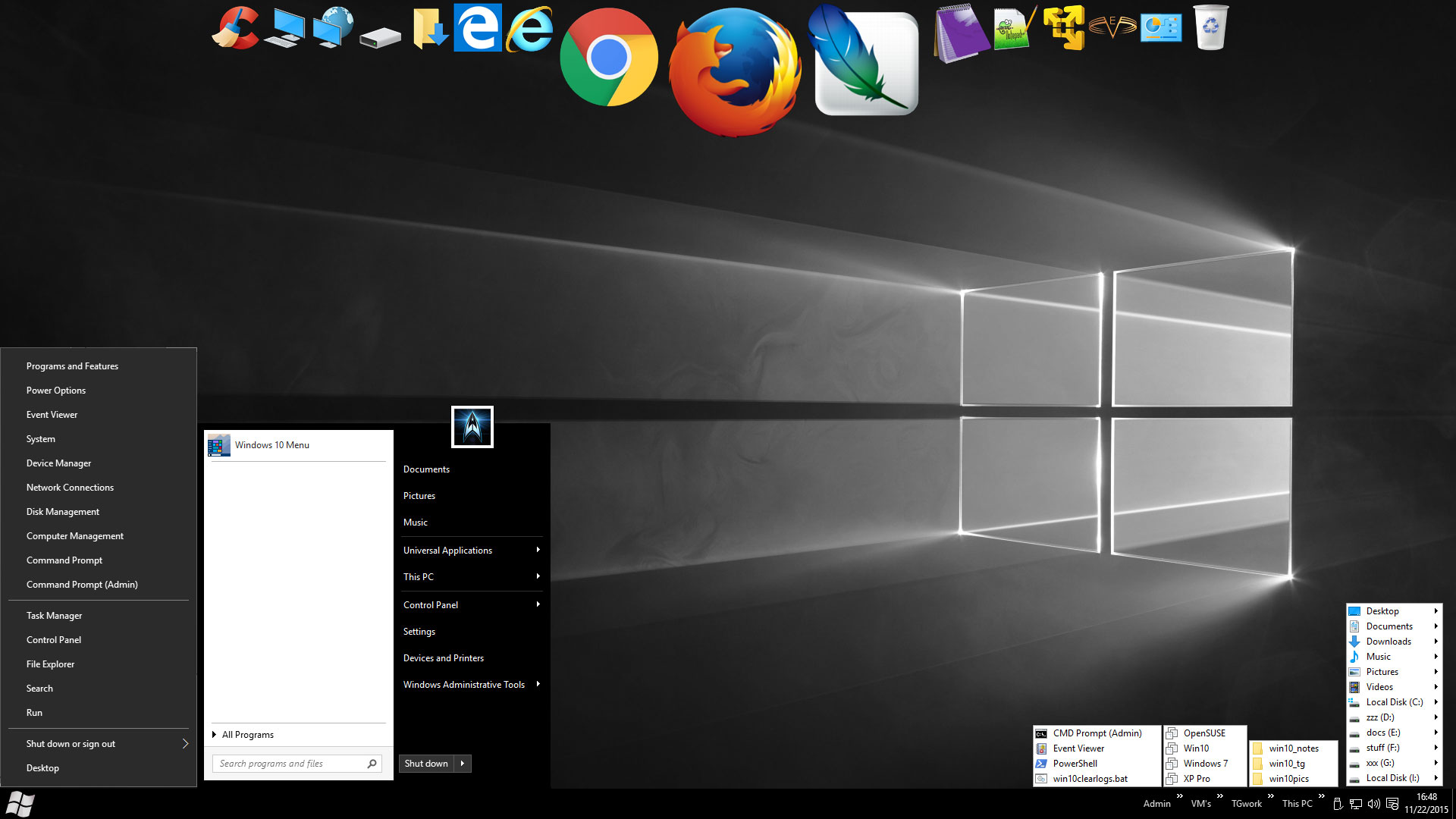
Desktop Pic (click on it for full size)
th_win10desk_nov2015_s

Tagged With: Windows 10

Reader Interactions

Comments

  1. GG says

    November 23, 2015, 07:12(EST) at 07:12

    whats on your G: drive 🙂

    • Eric (a.k.a. TweakHound) says

      November 23, 2015, 12:39(EST) at 12:39

      gdrive

  2. Hipnotyzer says

    November 23, 2015, 16:26(EST) at 16:26

    Just a small question out of a pure curiosity – how did you move your taskbar icons to the top of the screen? I’m not sure if it’s a Win10 feature – I guess it’s an additional program to make it that way?

    • Eric (a.k.a. TweakHound) says

      November 23, 2015, 16:37(EST) at 16:37

      RocketDock!

      • Hipnotyzer says

        November 24, 2015, 07:35(EST) at 07:35

        Thank you!

  3. Anonymous says

    November 27, 2015, 10:14(EST) at 10:14

    This TH2 is having problem where BitLcoker is unable to use E-Drive facility in SED SSDs. It shows “the parameter is incorrcect” error while enabling it.
    People have tried every solution under the Sun, no resolve.

  4. Hipnotyzer says

    December 12, 2015, 18:26(EST) at 18:26

    I have one more question: during fresh install of Windows 10 (1 HDD, MBR) installer creates one system reserved partition (500 MB) and one normal partition with system files. There is no recovery partition but it seems everything is stored on system reserved partition in \Recovery folder. I found a few opinions about this behaviour of W10 and some point out it’s a bad thing for keeping everything clean and ready to recover. Could you dispel doubts or point some reliable resource and comment if it affects recovery methods you described in your guide? I’m sorry if this question is trivial – I wanted to start using Windows tools and I’m not sure what to expect (and suddenly having problems because of lack of dedicated recovery partition wouldn’t be nice). Also – I wasn’t able to find this topic on this site so I’m writing here as it seems to be the most fitting place for this question.

    PS: Okay, there will be one very small question. On your desktop screenshot you have both win+x menu and standard menu open. Is it a photo manipulation or a setting I keep missing?

    • Eric (a.k.a. TweakHound) says

      December 13, 2015, 08:54(EST) at 08:54

      Your setup is fine. See the Hard Drive Partitions section here: https://technet.microsoft.com/en-us/library/hh825173.aspx
      re: PS – Photoshop

Primary Sidebar

Popular Articles

Windows 10

Tweaking Windows 10

My Windows 10 Tweaks

Windows 10 Privacy Settings

Win10 Diagnostics Tracking Service Gone?

Windows 10 Advanced Disk Cleanup

Win10 Customize Installation Options

Windows 10 Dark Theme

Win10 Wallpapers, Graphics, etc.

All Windows 10 Articles

Windows 8

Tweaking Windows 8.1

Advice On Installing Windows 8.1

Clean Install Windows 8.1

Cleanup After Windows 8.1 Upgrade

Create Shutdown, Restart, Logoff Tiles For Windows 8

Tweaking Windows 8

Install Windows 8 – Clean Install With Upgrade Media

Install Windows 8 – Upgrade

Windows 8 – Cleaning Up After You’ve Upgraded

Windows 8 Freeware Machine

Windows 8 SSD Settings, Etc.

How To Resize Your Windows 8 Partition

Create Windows 8 Recovery Media

Windows 8 – Elevated Command Prompt

How To Fix The Windows Bootloader

Windows 7

Installing Windows 7

Tweaking Windows 7

Windows 7 Diagnostics Tracking Service

The Windows 7 Freeware Machine

The Windows 7 Pagefile And Running Without One

Bad Tweaks

SSD Tweak Guide (sort of)

The noguiboot (no GUI Boot) Tweak

NtfsMemoryUsage=2 Tweak

More Windows 7 articles here.

Windows Vista

Installing Windows Vista

Tweaking Windows Vista

More Windows Vista articles here.

Windows XP

eXPired - The Last Windows XP Guide You'll Ever Need

The Right Way To Install Windows XP

Super XP Tweaking Guide

The Freeware XP Machine

Bad Tweaks

More XP Articles here and here.

Backup

Backup Article Greatest Hits – Vol. 1

Other

Cataloging Your Music Collection

Finding Good Album Art

Converting Vinyl Records To Digital Music – A Non-Audiophiles Guide

Windows All-In-One Recovery Flash Drive

SSD Tweak Guide (sort of)

Raidmax Blackstorm Case Review

Disk Partitioning

Ditch Those CD's! A Guide To Using USB Flash Drives

Checking Your Disks For Problems

Bad Tweaks

More articles here

Tags

Android Backup Beer Computer Hardware Computer News Cool Tools Freeware How-To's Linux Off Topic openSUSE Playlists Privacy Security Software This Site vacation Veterans Windows 7 Windows 8 Windows 10 Windows 11 Windows Vista Windows XP

TweakHound - Optimize Your Computing Experience! TweakHound - Optimize Your Computing Experience!

Copyright 2002-2025 by Eric Vaughan All material contain here is the property of the materials owner. Windows, Windows XP, Windows Vista, Windows Seven, Windows 8, Windows 10, Windows 11, Microsoft, and all associated logos are trademarks/property of Microsoft. You may not use or copy any material from tweakhound.com without expressed written permission. Hotlinking to any material within this site is forbidden. Privacy Policy