
The WinSxS Folder
The topic of the Windows Side-by-side assembly folder (aka WinSxS or Component Store) has been the source of much discussion and misinformation since it first appeared in Windows Vista.
Overly simplified, the WinSxS folder is the folder that holds the Windows Component Store. The Windows Component Store holds files that are “used to support the functions needed for the customization and updating of Windows.”
All the info you need is here:
Microsoft – Clean Up the WinSxS Folder
&
Microsoft – Manage the Component Store
Suffice it to say the WinSxS folder is very important.
Do you need to clean up the WinSxs folder? Nope:
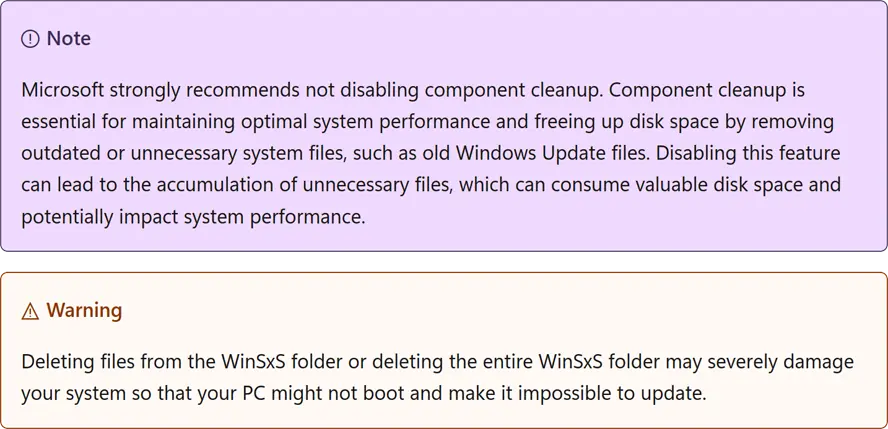
The operating system automatically reduces the size of the WinSxS folder by using methods similar to the ones described in this topic. Windows also uses internal processes to reduce the size of the WinSxS folder, such as uninstalling and deleting packages with components that have been replaced by other components with newer versions. Previous versions of some components are kept on the system for a period of time, allowing you to rollback if necessary. After a period of time, these older components are automatically removed from the installation.
Heed the Warnings!
Why I Clean The WinSxS Folder
Simple, to reduce the size of my system images as much as possible. Not only does this save space but speeds up creating and restoring images.
Although the ability to do this is in some of the third party tools below I prefer to do this manually.
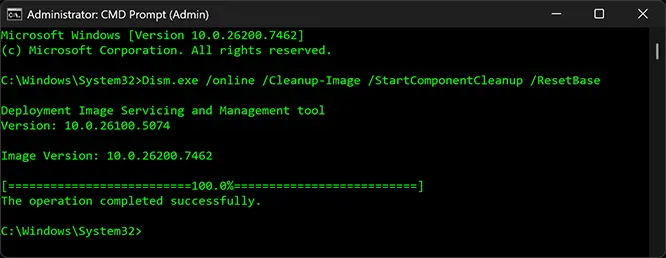
The command I use from an elevated command prompt(see links above):
Dism.exe /online /Cleanup-Image /StartComponentCleanup /ResetBase
This, “removes all superseded versions of every component in the component store.”.
-END-
Manage the Component Store
Microsoft – Clean Up the WinSxS Folder
Comment Policy:
-You do not need an account or login to anything to comment.
-Comments are not posted until moderated and are filtered using Akismet among other things.
-NO POLITICS (unless post is political in nature.)
-Comments are closed after a time to cut down on spam.
-In addition the following comments will be deleted: trolling, posted in the wrong topic, bashing other people, profanity, links to adult or other questionable sites.
-Once you click submit your IP address is recorded (it is NOT posted...unless, perhaps, you violate the rules). FYI - All sites do this, I just tell you about it.
-The comment section is not a way to contact me. See here for that.
-In the end it is my site and not a public forum. I will decide what I do and do not want posted here.