
• Skip to primary navigation
  • Skip to main content
  • Skip to primary sidebar

TweakHound

Computer stuff...

  • Home
  • Windows XP
  • Windows Vista
  • Windows 7
  • Windows 8
  • Windows 10
  • Windows 11
  • Linux
  • Tweak Guides
  • Site Info
    • About
    • About Me
    • TweakHound’s World
    • Contact
    • My Computers
    • Old Articles
    • Privacy Policy
    • Old Index
    • Advanced Search

Win10 April Update Download Is Live

win10_logo

April 30, 2018, 13:05(EDT) By Eric (a.k.a. TweakHound)

https://www.microsoft.com/en-us/software-download/windows10

*edit 14:00hrs
Folks are reporting this is available via Windows Update. Hasn’t showed up on my laptop.

*edit 14:04hrs
Windows Blog
What’s new in the Windows 10 April 2018 Update
How to get the Windows 10 April 2018 Update
“The April 2018 Update is available today if you go to Windows Update and manually check for updates. We will begin the global rollout out via Windows Update on May 8. As with previous rollouts, we will use real-time quality feedback to smartly update your device when we have data that shows your device is ready and will have a great experience. You don’t have to do anything to get the update; it will roll out automatically to you through Windows Update if you’ve chosen to have updates installed automatically on your device. Once the download is complete and the update is ready to install, we’ll notify you, so you can pick the right time to finish the installation and reboot, so the update does not disrupt you.”

I am currently running the 2 available methods:
Update now button (IMHO if you are doing one machine use this)
&
Create Windows 10 installation media
(IMHO if you are upgrading more than one machine use this, download iso, extract with 7-zip, run setup.exe)

*edit 13:31hrs
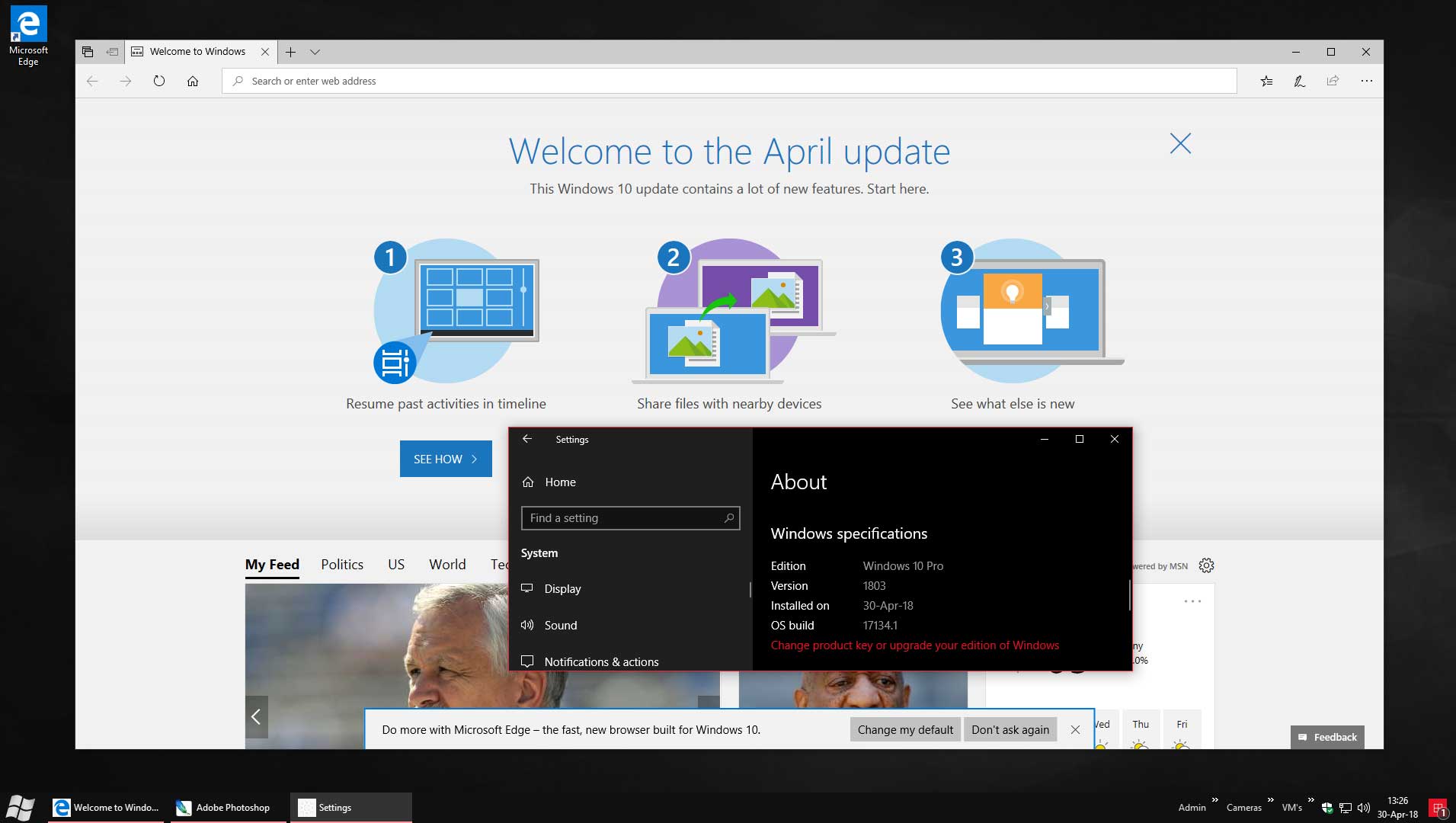
Done (click pic for larger version)
Tagged With: Windows 10

Reader Interactions

Comments

  1. Kelly says

    April 30, 2018, 14:18(EDT) at 14:18

    Got er installed without a hitch.

  2. Nick Swarfega says

    April 30, 2018, 17:43(EDT) at 17:43

    Mum’s machine updated this evening via WU.

    • Eric (a.k.a. TweakHound) says

      April 30, 2018, 17:54(EDT) at 17:54

      Hope it went well.

  3. Steve B says

    May 3, 2018, 22:50(EDT) at 22:50

    FFS! Install of 1803 was fine, but many of my privacy settings were “relaxed” + some new sketchy looking services that I have to Google and probably disable.

    Nice benchmark BTW Tweak, saw it first on Woody, I’ll do my benchmarks tonight and report back, still on my faithful 3770K so it will be interesting to see how older processors respond to 1803.

    Steve

Primary Sidebar

Popular Posts

Tweaking Windows 10

Software I Use – 2021 Edition

Timer Tweaks Benchmarked

Win10 – Get Auto-Login Back

Recent Posts

  • Patch Tuesday
  • Using Wise Disk Cleaner
  • Using Cleanmgr+
  • O&O ShutUp10++ 2.2.1024
  • Friday News
  • Windows 11 OOB Update
  • Using BleachBit
  • Weekend News
  • Windows 11 – Cleaning WinSxS
  • Windows 11 Disk Cleanup
buywin10th2

Tags

  • Android
  • Backup
  • Beer
  • Computer Hardware
  • Computer News
  • Cool Tools
  • Freeware
  • How-To's
  • Linux
  • Off Topic
  • openSUSE
  • Playlists
  • Privacy
  • Security
  • Software
  • This Site
  • vacation
  • Veterans
  • Windows 10
  • Windows 11
  • Windows 7
  • Windows 8
  • Windows Vista
  • Windows XP

Catagories

  • Android
  • Backup
  • Beer
  • Computer Hardware
  • Computer News
  • Cool Tools
  • Freeware
  • Freeware Machines
  • How-To's
  • Linux
  • News From The Web
  • Off Topic
  • openSUSE
  • Privacy
  • Security
  • Software
  • Tweak Guides
  • Veterans
  • Windows
  • Windows 10
  • Windows 11
  • Windows 7
  • Windows 8
  • Windows Vista
  • Windows XP

TweakHound - Optimize Your Computing Experience! TweakHound - Optimize Your Computing Experience!

Copyright 2002-2025 by Eric Vaughan All material contain here is the property of the materials owner. Windows, Windows XP, Windows Vista, Windows Seven, Windows 8, Windows 10, Windows 11, Microsoft, and all associated logos are trademarks/property of Microsoft. You may not use or copy any material from tweakhound.com without expressed written permission. Hotlinking to any material within this site is forbidden. Privacy Policy