
All currently supported Win10 versions have updates except 1903.
This is a massive update with a up to a dozen “Updates an issue” and a dozen to over 3 dozen “Addresses an issue”.
1809 – September 24, 2019—KB4516077 (OS Build 17763.774)
1803 – September 24, 2019—KB4516045 (OS Build 17134.1039)
Windows 10
Latest Windows Fixes, etc.

Some fixes and some info.
[Read more…] about Latest Windows Fixes, etc.
PowerToys Returns

Started with Windows 95, PowerToys became really useful under Windows XP. A new release of PowerToys for Windows 10 contains only two apps right now:
[Read more…] about PowerToys Returns
Bad Win10 1903 Update
There are reports around the web that the latest update for Win10 1903 is causing Cortana to have abnormally high CPU usage:
August 30, 2019—KB4512941 (OS Build 18362.329) is the update in question.
Solutions and “workarounds” include registry editing and deleting of files. IMHO this is utter folly. The solution is this:
1 – Uninstall KB4512941.
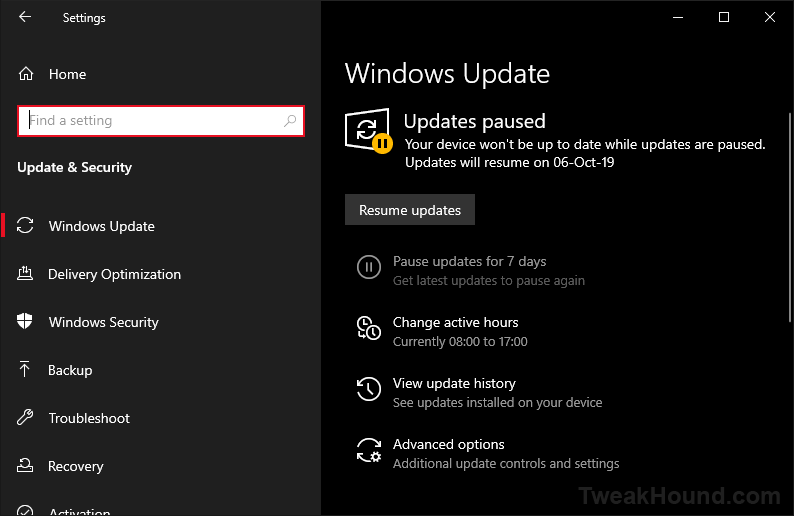
2 – Pause updates for a month or so.
(Settings > Windows Update > Advanced Options > Pause Updates > Pause until > max time)
3 – Wait for Microsoft to fix it.
If you’ve not installed KB4512941 yet then just do steps 2 & 3.
If you are using Windows 10 Home. I’ve repeatedly said to upgrade to Pro. IT IS CHEAP
The Never Ending Train Wreck That Is Windows 10

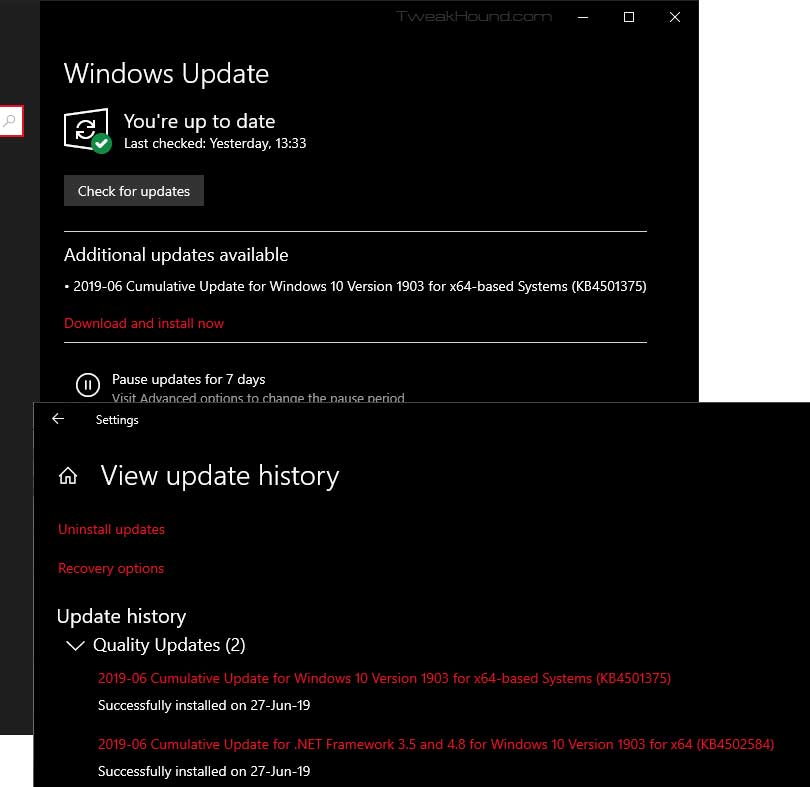
KB4501375 is installed. Win10 doesn’t seem to know and wants to do it again. This isn’t the first time it has happened.
Hey Microsoft, Your Windows 10 model isn’t working. Fix it.
Win10 1903 Stuff
Win10 1903 Stuff
I rarely re-post Windows changes and known issues. Microsoft posts this and we’re all most of us are literate adults. As such you don’t need me or anyone else regurgitating this for you.
Windows 10 release information: has “Known issues and notifications” and “Resolved issues” of every Win10 version.
Features removed or planned for replacement starting with Windows 10, version 1903
How to get the Windows 10 May 2019 Update
Get the Windows 10 May 2019 Update
What’s new in Windows 10, version 1903 IT Pro content
Windows 10 and Windows Server 2019 update history
What’s new in recent Windows 10 updates
Windows lifecycle fact sheet – “The lifecycle begins when a product is released and ends when it’s no longer supported.”
Windows 10 and reserved storage
“Starting with the next major update we’re making a few changes to how Windows 10 manages disk space. Through reserved storage, some disk space will be set aside to be used by updates, apps, temporary files, and system caches. Our goal is to improve the day-to-day function of your PC by ensuring critical OS functions always have access to disk space. Without reserved storage, if a user almost fills up her or his storage, several Windows and application scenarios become unreliable.”
Improving the Windows 10 update experience with control, quality and transparency
Win10 1903 Available Now
Well…kinda sorta…
Saw over at Neowin that some people have 1903 showing up via “check for update”. Not for me. All I had was May 21, 2019—KB4497934 (OS Build OS 17763.529). 1903 is available for download:
https://www.microsoft.com/en-us/software-download/windows10
I’ll wait and see if it shows up tomorrow.
Patch Tuesday

Windows 7-10 updated.
This may or may not be the last update before the May 2018 feature update.
Windows 7
May 14, 2019—KB4499175 (Security-only update)
May 14, 2019—KB4499164 (Monthly Rollup)
Windows 8.1
May 14, 2019—KB4499165 (Security-only update)
May 14, 2019—KB4499151 (Monthly Rollup)
Windows 10
1809 – May 14, 2019—KB4494441 (OS Build 17763.503)
1803 – May 14, 2019—KB4499167 (OS Build 17134.765)
1709 – May 14, 2019—KB4499179 (OS Build 16299.1146)
Other Software:
Audacity 2.3.2
Download | Release Notes | Home Page
CCleaner 5.57
A whole lotta ‘meh’. I’d skip it.
Download (I use portable) | Release Announcement
See also: Blocking A Programs Internet Access Via The Windows Firewall
Adobe Reader Updated
Download en-US | All Downloads | Security Bulletin | Release Notes
Win10 1903, Are You Ready?
Windows 10 May 2019 Update
Win10 1903 brings several changes, most of which the average user won’t care about. Two changes of note are supposed increased performance and improved control of Windows Update. The best breakdown I’ve seen to date is:
Neowin – The Windows 10 May 2019 Update is coming – here’s what’s new
Release Date
– “Official” date unknown at this time. “End of May” often quoted. Expect it somewhere between tomorrow and hell freezing over.
– ISOs are floating around now
Blocking 1903
– Easy way: Use O&O ShutUp10
See also: Windows Update section of the Tweak Guide.
(1903 will bring major changes to this.)
Preparing for 1903
– Update all your apps and drivers.
– Backup everything. Make a system image. I use the free Macrium Reflect. This is also a good time to backup everything else.
See also: Windows 10 Backup And Recovery Options
My Recommendation
– Put off installing 1903 at least one month.
– Better safe than sorry. Microsoft will, at some point, state that 1903 is “safe for business”. The October 2018 Update was declared safe on March 28th, 2019.
Tweaking Windows 10
It will be at least a month after release before the Win10 Tweak Guide is updated.
Bad Tweak – Optimize USB Storage
I don’t know why but a setting introduced in Win10 1809 is just recently making the rounds as a performance tweak.
[Read more…] about Bad Tweak – Optimize USB Storage