• Skip to primary navigation
  • Skip to main content
  • Skip to primary sidebar

TweakHound

Computer stuff...

  • Home
  • Windows XP
  • Windows Vista
  • Windows 7
  • Windows 8
  • Windows 10
  • Windows 11
  • Linux
  • Tweak Guides
  • Site Info
    • About
    • About Me
    • TweakHound’s World
    • Contact
    • My Computers
    • Old Articles
    • Privacy Policy
    • Old Index
    • Advanced Search

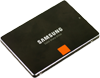
Samsung Magician 5.0

samsung_ssd

November 29, 2016, 12:59(EST) By Eric (a.k.a. TweakHound)

The Samsung Magician SSD management utility has been updated.
Version 5 brings a new interface. It also removes the ability to manually run trim (even under Windows 7).
The main download page is here.
Major Geeks download: Major Geeks – Samsung SSD Magician 5.0.0

New Samsung Magician
Samsung Magician software, up until the version 4.9.7, has been an end-user application with a collection of features to help manage Samsung branded SSDs. With New Samsung Magician, it is aimed at providing a better user experience with a new GUI, feature-level update schemes. Samsung Magician software is developed and distributed exclusively for owners of Samsung Solid Sate Drives (SSDs).
New Features
New Samsung Magician features a number of improvements over version 4.9.7:
– Completely re-designed and more intuitive user interface
– New Models support : Samsung SSD 960 PRO, 960 EVO
– System Compatibility guide
– SSD model specific feature installation system : only required feature components are
installed and updated.

sammy_magician_5

Tagged With: Computer Hardware

Reader Interactions

Comments

  1. Edward Kiefer says

    November 29, 2016, 18:39(EST) at 18:39

    why would anyone use this except novice.

    IMO its buggy and not needed, though I have not tried ver5 but I don’t see anything really it gives.

  2. Eric (a.k.a. TweakHound) says

    November 30, 2016, 13:49(EST) at 13:49

    I never thought too highly of that: https://www.tweakhound.com/2015/12/09/tweaking-windows-10/11/

    • Edward Kiefer says

      December 1, 2016, 18:20(EST) at 18:20

      right, my comments were not directed at you, but general opinion 🙂

      • David malone says

        December 2, 2016, 17:55(EST) at 17:55

        5.0 won’t work with either of my EVO mSATA 850 1Tb .

        • Eric (a.k.a. TweakHound) says

          December 2, 2016, 18:10(EST) at 18:10

          I will check mine tomorrow.

        • Eric (a.k.a. TweakHound) says

          December 3, 2016, 13:22(EST) at 13:22

          I just checked my laptop. It has dual 850’s. One is a 1TB standard and one is a 250GB M2. Both are detected fine.

  3. Sperks says

    December 3, 2016, 18:55(EST) at 18:55

    Eric I upgraded to SM 5 but i can still run trim manually via the drive optimization in win 10, also the new magician doesnt have any options its just info.. I have 10% OP set from last magician and now in the new one there isnt options for it.. Do we even need OP anymore? ALSO on the samaung website there is a new firmware for my 850 pro but the magician detects that my firmware is up to date…

    • Eric (a.k.a. TweakHound) says

      December 4, 2016, 08:23(EST) at 08:23

      Over provisioning – This is my IMHO. I could be wrong. It is my understanding that newer Sammy SSDs have OP built-in. At various times I tried OP and found no difference in my daily use. (Benchmarks showed a lot of difference.) Obviously Samsung doesn’t think you need it either as it is gone under the new Magician.
      Firmware – It says “Enable hardware support for large capacity SSD(4TB)” Sammy will release this drive at CES.

      • Sperks says

        December 10, 2016, 07:28(EST) at 07:28

        Thanks for the reply. I guess I’ll downgrade to the 4.9 magician, disable the OP then upgrade the magician again..

        • diredhanan says

          December 16, 2016, 09:29(EST) at 09:29

          Just a heads up: Overprovisioning maintains performance and extends life expectancy on SSDs. It does not increase performance. It’s about keeping your SSD healthy. I would highly suggest that you keep SM 5, and keep OP. Here is a link that goes into great detail about OP and why it’s awesome: http://www.kingston.com/us/ssd/overprovisioning

  4. Rudi says

    January 29, 2017, 16:38(EST) at 16:38

    strangely on my PC, 850 pro 512GB not supported with magician 5. with 4.9.7 it works fine.

    • Edward Pease says

      March 11, 2017, 15:06(EST) at 15:06

      I just upgraded the firmware on my drive and it now says the same thing. Any body got a solution

Primary Sidebar

Popular Articles

Windows 10

Tweaking Windows 10

My Windows 10 Tweaks

Windows 10 Privacy Settings

Win10 Diagnostics Tracking Service Gone?

Windows 10 Advanced Disk Cleanup

Win10 Customize Installation Options

Windows 10 Dark Theme

Win10 Wallpapers, Graphics, etc.

All Windows 10 Articles

Windows 8

Tweaking Windows 8.1

Advice On Installing Windows 8.1

Clean Install Windows 8.1

Cleanup After Windows 8.1 Upgrade

Create Shutdown, Restart, Logoff Tiles For Windows 8

Tweaking Windows 8

Install Windows 8 – Clean Install With Upgrade Media

Install Windows 8 – Upgrade

Windows 8 – Cleaning Up After You’ve Upgraded

Windows 8 Freeware Machine

Windows 8 SSD Settings, Etc.

How To Resize Your Windows 8 Partition

Create Windows 8 Recovery Media

Windows 8 – Elevated Command Prompt

How To Fix The Windows Bootloader

Windows 7

Installing Windows 7

Tweaking Windows 7

Windows 7 Diagnostics Tracking Service

The Windows 7 Freeware Machine

The Windows 7 Pagefile And Running Without One

Bad Tweaks

SSD Tweak Guide (sort of)

The noguiboot (no GUI Boot) Tweak

NtfsMemoryUsage=2 Tweak

More Windows 7 articles here.

Windows Vista

Installing Windows Vista

Tweaking Windows Vista

More Windows Vista articles here.

Windows XP

eXPired - The Last Windows XP Guide You'll Ever Need

The Right Way To Install Windows XP

Super XP Tweaking Guide

The Freeware XP Machine

Bad Tweaks

More XP Articles here and here.

Backup

Backup Article Greatest Hits – Vol. 1

Other

Cataloging Your Music Collection

Finding Good Album Art

Converting Vinyl Records To Digital Music – A Non-Audiophiles Guide

Windows All-In-One Recovery Flash Drive

SSD Tweak Guide (sort of)

Raidmax Blackstorm Case Review

Disk Partitioning

Ditch Those CD's! A Guide To Using USB Flash Drives

Checking Your Disks For Problems

Bad Tweaks

More articles here

Tags

Android Backup Beer Computer Hardware Computer News Cool Tools Freeware How-To's Linux Off Topic openSUSE Playlists Privacy Security Software This Site vacation Veterans Windows 7 Windows 8 Windows 10 Windows 11 Windows Vista Windows XP

TweakHound - Optimize Your Computing Experience! TweakHound - Optimize Your Computing Experience!

Copyright 2002-2025 by Eric Vaughan All material contain here is the property of the materials owner. Windows, Windows XP, Windows Vista, Windows Seven, Windows 8, Windows 10, Windows 11, Microsoft, and all associated logos are trademarks/property of Microsoft. You may not use or copy any material from tweakhound.com without expressed written permission. Hotlinking to any material within this site is forbidden. Privacy Policy