Firefox 86 Is Out
Several improvements including:
“Today, Firefox introduces Total Cookie Protection to Strict Mode. In Total Cookie Protection, every website gets its own “cookie jar,” preventing cookies from being used to track you from site to site…Notable performance and stability improvements are achieved by moving canvas drawing and WebGL drawing to the GPU process.”
Security fixes too.
Download | All New Downloads | Release Notes | Security Vulnerabilities fixed in Firefox 86
Related: Mozilla laid off 250 people, and the company overhaul is just beginning
Tails 4.16
“This release fixes known security vulnerabilities. You should upgrade as soon as possible.”
Download | Release Info
WACUP Build #7170
Download & Info | Changelog
GPU-Z v2.37.0
“GPU-Z is a lightweight utility designed to give you all information about your video card and GPU.”
Download & Info
AMD Radeon Software Adrenalin 2020 Edition 21.2.3 Optional
Support for DIRT 5 Energy Content Pack, HDMI fixes
Download | Release Notes
Stuff I bookmarked recently. Some off topic, some not:
Privacy faces risks in tech-infused post-Covid workplace
“But what I would worry about is employers using the pandemic to pluck and store information in a systematic way beyond what is necessary to protect health.”
A Case Against the Peeping Tom Theory of Privacy
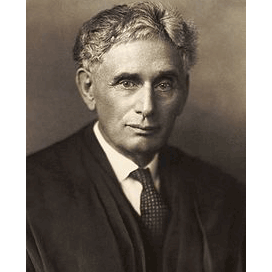
“It is our purpose to consider whether the existing law affords a principle which can properly be invoked to protect the privacy of the individual” Louis D. Brandeis
The topic of privacy has always been important to me. I remember spending hours in the library combing through books and doing a paper for college entitled “The Right To Be Let Alone” based in large measure on Louis Brandeis’s arguments. I think I still have that paper in a box somewhere.
“The Right to Privacy”, Warren and Brandeis, Harvard Law Review. Vol. IV December 15, 1890 No. 5
“Recent inventions and business methods call attention to the next step which must be taken for the protection of the person, and for securing to the individual what Judge Cooley calls the right “to be let alone” Instantaneous photographs and newspaper enterprise have invaded the sacred precincts of private and domestic life; and numerous mechanical devices threaten to make good the prediction that “what is whispered in the closet shall be proclaimed from the house-tops.” For years there has been a feeling that the law must afford some remedy for the unauthorized circulation of portraits of private persons; and the evil of invasion of privacy by the newspapers, long keenly felt, has been but recently discussed by an able writer. The alleged facts of a somewhat notorious case brought before an inferior tribunal in New York a few months ago, directly involved the consideration of the right of circulating portraits; and the question whether our law will recognize and protect the right to privacy in this and in other respects must soon come before our courts for consideration.”
This absolutely brilliant piece of work was written in 1890. EIGHTEEN NINETY folks. Remember that when some talking head says all these issues are new and the law can’t keep up.
To be let alone: Brandeis foresaw privacy problems
https://en.wikipedia.org/wiki/The_Right_to_Privacy_(article)