• Skip to primary navigation
  • Skip to main content
  • Skip to primary sidebar

TweakHound

Computer stuff...

  • Home
  • Windows XP
  • Windows Vista
  • Windows 7
  • Windows 8
  • Windows 10
  • Windows 11
  • Linux
  • Tweak Guides
  • Site Info
    • About
    • About Me
    • TweakHound’s World
    • Contact
    • My Computers
    • Old Articles
    • Privacy Policy
    • Old Index
    • Advanced Search

Weekend Random Stuff…

February 20, 2022, 09:12(EST) By Eric (a.k.a. TweakHound)

Sysinternals Freeware Updates
Autoruns v14.09, ProcMon v3.89, Sysmon v13.33 and ZoomIt v5.10
Download & Info

AMD Radeon Software Adrenalin 22.2.2 Optional Drivers
AMD Smart Access Memory optimizations for Ryzen CPUs with integrated graphics paired with discrete Radeon graphics, New hardware support, Warhammer III support.
Download | Release Notes

Google’s Roboto Serif is a beautiful new font that you can download and use for free right now
Download: https://fonts.google.com/specimen/Roboto+Serif

Windows 11 Pro will soon require a Microsoft Account
You’ll need a Microsoft account to set up future versions of Windows 11 Pro
Windows 11 Pro Will Soon Require a Microsoft Account, and People Are Pissed
Here is the source blog post: Announcing Windows 11 Insider Preview Build 22557
“Similar to Windows 11 Home edition, Windows 11 Pro edition now requires internet connectivity during the initial device setup (OOBE) only. If you choose to setup device for personal use, MSA will be required for setup as well. You can expect Microsoft Account to be required in subsequent WIP flights.”
There are claims that the bypass that we’ve all been using still works. You just unplug from the internet before you get to the new user screen. There are counter claims this doesn’t work. There are claims you can bypass it via semi-convoluted command line actions also. I reckon time will tell.

How You Can Limit Ad Tracking on Android and Chrome—Years Before Google Does
“In your Chrome browser, go to Settings > Security and Privacy > Block third-party cookies.”
“On an Android 12 phone, go to Settings > Privacy > Ads> Delete advertising ID. Now your advertising ID will be zeroed out and that’s what will be shared with apps. Google plans to roll this out to phones running Android 5 or newer in April.”


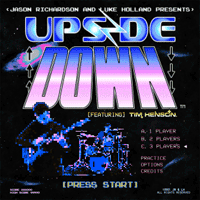
What you get when you cross Stranger Things with metal guitar wizardry.

Reader Interactions

Comments

  1. Doug says

    February 22, 2022, 12:02(EST) at 12:02

    That Win11 announcement has made me decide that I will migrate to Linux by Win10 EOL in 2025…

  2. Dave says

    February 25, 2022, 16:36(EST) at 16:36

    It was 1-5-2022 . I was reinstalling Win10 and went to Microsoft store for Drivers . There was a # and i didn’t google it and i downloaded it. Fine so. Next day went to open laptop and there Win installer , okay one more version wright. After getting in to it ,the word appeared WINDOWS 11. Well go little more .And it email time. See the first thing i did was cut the net off , Do not pass go.no $200.00 , the only way was for me was to kill the power ,break out the USB Win 7 / Win 8.1. I will try to wait it out till Win 11 Pass’s way. I have pick up letter writing .LOL

Primary Sidebar

Popular Articles

Windows 10

Tweaking Windows 10

My Windows 10 Tweaks

Windows 10 Privacy Settings

Win10 Diagnostics Tracking Service Gone?

Windows 10 Advanced Disk Cleanup

Win10 Customize Installation Options

Windows 10 Dark Theme

Win10 Wallpapers, Graphics, etc.

All Windows 10 Articles

Windows 8

Tweaking Windows 8.1

Advice On Installing Windows 8.1

Clean Install Windows 8.1

Cleanup After Windows 8.1 Upgrade

Create Shutdown, Restart, Logoff Tiles For Windows 8

Tweaking Windows 8

Install Windows 8 – Clean Install With Upgrade Media

Install Windows 8 – Upgrade

Windows 8 – Cleaning Up After You’ve Upgraded

Windows 8 Freeware Machine

Windows 8 SSD Settings, Etc.

How To Resize Your Windows 8 Partition

Create Windows 8 Recovery Media

Windows 8 – Elevated Command Prompt

How To Fix The Windows Bootloader

Windows 7

Installing Windows 7

Tweaking Windows 7

Windows 7 Diagnostics Tracking Service

The Windows 7 Freeware Machine

The Windows 7 Pagefile And Running Without One

Bad Tweaks

SSD Tweak Guide (sort of)

The noguiboot (no GUI Boot) Tweak

NtfsMemoryUsage=2 Tweak

More Windows 7 articles here.

Windows Vista

Installing Windows Vista

Tweaking Windows Vista

More Windows Vista articles here.

Windows XP

eXPired - The Last Windows XP Guide You'll Ever Need

The Right Way To Install Windows XP

Super XP Tweaking Guide

The Freeware XP Machine

Bad Tweaks

More XP Articles here and here.

Backup

Backup Article Greatest Hits – Vol. 1

Other

Cataloging Your Music Collection

Finding Good Album Art

Converting Vinyl Records To Digital Music – A Non-Audiophiles Guide

Windows All-In-One Recovery Flash Drive

SSD Tweak Guide (sort of)

Raidmax Blackstorm Case Review

Disk Partitioning

Ditch Those CD's! A Guide To Using USB Flash Drives

Checking Your Disks For Problems

Bad Tweaks

More articles here

Tags

Android Backup Beer Computer Hardware Computer News Cool Tools Freeware How-To's Linux Off Topic openSUSE Playlists Privacy Security Software This Site vacation Veterans Windows 7 Windows 8 Windows 10 Windows 11 Windows Vista Windows XP

TweakHound - Optimize Your Computing Experience! TweakHound - Optimize Your Computing Experience!

Copyright 2002-2025 by Eric Vaughan All material contain here is the property of the materials owner. Windows, Windows XP, Windows Vista, Windows Seven, Windows 8, Windows 10, Windows 11, Microsoft, and all associated logos are trademarks/property of Microsoft. You may not use or copy any material from tweakhound.com without expressed written permission. Hotlinking to any material within this site is forbidden. Privacy Policy