 Below are several benchmarks articles for Win10. They cover general use, gaming, SSD’s, and audio.
In general they found performance on par with Windows 8. Folks running new SSD’s on PCIe NVMe should look at upgrading. Ditto for people working with audio.
For the gaming benchmarks, keep in mind DX12 games are just coming out.
If you know of a benchmark article that should be included let me know.
[Read more…] about Windows 10 Benchmarks Roundup
Creative Sound Blaster Win10 Drivers
 I was hard on Creative for not having Win10 drivers up at launch. They’ve been hard at work on it since then. It seems a couple of new drivers get done every day. To the folks at Creative cranking out those drivers:
Nicely done!

Win10 Threshold 2
 Windows 10 build 10525 (Threshold 2) is out for Fast Ring Windows Insiders.
MS Blog – Announcing Windows 10 Insider Preview Build 10525
Update took about 15-20 minutes on my machine, no issues (except the screen now shows “evaluation copy”)…
Tuesday Site News
 I’ve had a few emails this week the gist of which is that I owe it to readers to:
1 – Put out a Win10 tweak guide quickly.
2 – Have comments enabled.
[Read more…] about Tuesday Site News
Comments
OK, I get it. Lots of you don’t like Disqus.
Please vote in the new poll to tell me why. – – – > > >
Kodi 15.1
 Kodi updated, “Maintenance release“.
Download
I use it and love it.
Kodi (formerly known as XBMC) is an award-winning free and open source (GPL) software media center for playing videos, music, pictures, games, and more. Kodi runs on Linux, OS X, Windows, iOS, and Android, featuring a 10-foot user interface for use with televisions and remote controls. It allows users to play and view most videos, music, podcasts, and other digital media files from local and network storage media and the internet.
Site News
 1 – I have a new poll up in the right sidebar. Please vote! – – – – – > > > > >
2 – I increased this sites page width from 1200px to 1300px.
I also moved the search box to the header.
Please contact me if you have any issues.
3 – I’m considering not publishing the Win10 tweak guide until Threshold 2 is released (ETA October). The reason for this is so I don’t have to rewrite the guide so soon. Previous versions of the guide had a lifetime of the OS free upgrades. Since Win10 is “the last version of Windows” this obviously will not be the case. I haven’t worked out if free upgrades will be by the year or maybe by versions. Please don’t be too hard on me. Writing the guides has always been a labor of love. ROI has been pennies per hour.
Microsoft Forums :-/
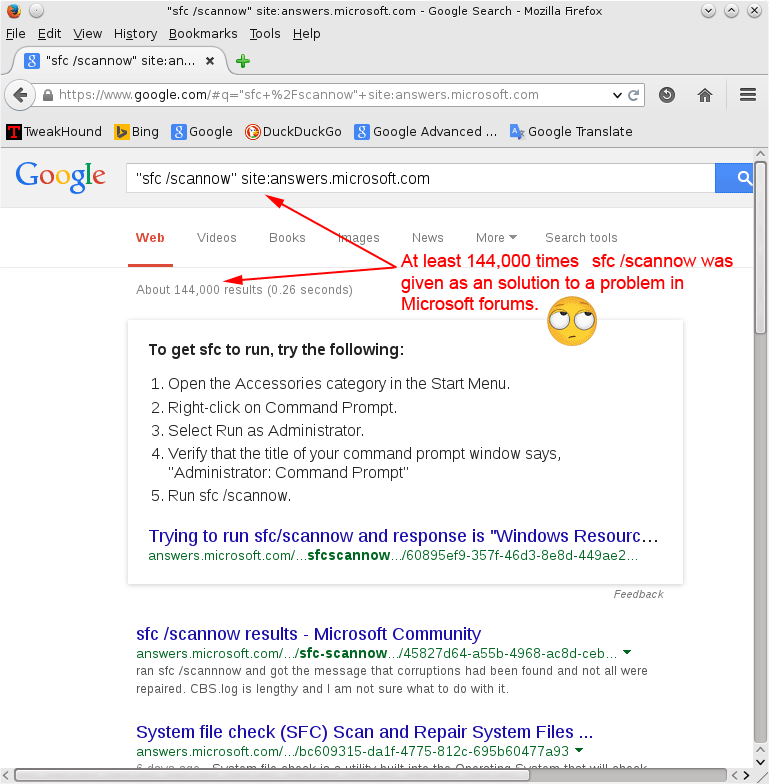
I’m always looking for answers. I’ve learned when searching microsoft.com you need to remove their forums from search results ( -answers ).
Some “experts” post the same insipid, unproductive answer to almost every problem. sfc /scannow is a useful tool but it isn’t this fracking useful:
Hello Mike Tech Show!
My article, Avoiding The OpenCandy Installer, was mentioned on a podcast show called Mike Tech Show.
Thanks for the mention!
Audacity 2.1.1
 Audacity updated. Couple of new features, fixes, etc. Apparently this was out last month, I just missed it.
Download
“Audacity is free, open source, cross-platform software for recording and editing sounds.”
Plugins
LAME mp3 plugin
Audacity Forum