• Skip to primary navigation
  • Skip to main content
  • Skip to primary sidebar

TweakHound

Computer stuff...

  • Home
  • Windows XP
  • Windows Vista
  • Windows 7
  • Windows 8
  • Windows 10
  • Windows 11
  • Linux
  • Tweak Guides
  • Site Info
    • About
    • About Me
    • TweakHound’s World
    • Contact
    • My Computers
    • Old Articles
    • Privacy Policy
    • Old Index
    • Advanced Search

Software

Cool Tool Of The Week: RocketDock

October 25, 2007, 19:35(EDT) By Eric (a.k.a. TweakHound)

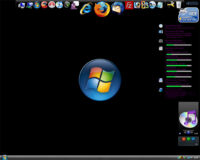
RocketDock is a smoothly animated, alpha blended application launcher. It provides a nice clean interface to drop shortcuts on for easy access and organization. With each item completely customizable there is no end to what you can add and launch from the dock.

[Read more…] about Cool Tool Of The Week: RocketDock

Tagged With: Computer News, Cool Tools, Freeware, Windows Vista, Windows XP

SyncToy v2.0 Beta

October 25, 2007, 09:25(EDT) By Eric (a.k.a. TweakHound)

SyncToy 2.0 Beta for Windows is available as a free download from the Microsoft Download Center. The easy to use, customizable application helps you copy, move, rename, and delete files between folders and computers.

[Read more…] about SyncToy v2.0 Beta

Tagged With: Computer News, Cool Tools, Freeware, Windows Vista, Windows XP

SIW 1.71 is available

October 22, 2007, 20:00(EDT) By Eric (a.k.a. TweakHound)

SIW is an advanced System Information for Windows tool that gathers detailed information about your system properties and settings and displays it in an extremely comprehensible manner.

Download & Info

Tagged With: Computer News, Cool Tools, Freeware, Windows Vista, Windows XP

Firefox 2.0.0.8 Is Out

October 18, 2007, 20:47(EDT) By Eric (a.k.a. TweakHound)

Fixes 8 security issues,
adds Mac OS X 10.5 (Leopard) Support,
New Languages.
Download

Tagged With: Computer News, Freeware

Cool Tool Of The Week: SyncToy

October 10, 2007, 18:17(EDT) By Eric (a.k.a. TweakHound)

SyncToy 1.4 for Windows Vista is available as a free download from the Microsoft Download Center. The easy to use, customizable application helps you copy, move, rename, and delete files between folders and computers.

This is a FREE program from Microsoft. I use this program religiously and highly recommend it.
Works on XP & Vista.
Download & Info
See also: Synchronizing Images and Files in Windows XP Using Microsoft SyncToy

Tagged With: Computer News, Cool Tools, Freeware, Windows Vista, Windows XP

Winamp 5.50 Build 1640 Final

October 10, 2007, 17:14(EDT) By Eric (a.k.a. TweakHound)

Lots of fixes, updates, new features. (see here)
Download it at Major Geeks:
Full
Lite (this is what I use, with just about everything unchecked during install)

Tagged With: Computer News, Freeware

IE7Pro

October 6, 2007, 13:09(EDT) By Eric (a.k.a. TweakHound)

Nice add-on for IE7 users with added script blocker cookies and temp files cleaned automatically.
Please check it out.
http://www.ie7pro.com/

Tagged With: Computer News, Cool Tools, Freeware, Windows Vista, Windows XP

Update and Blog on ProcessMonitor v1.25

October 3, 2007, 17:09(EDT) By Eric (a.k.a. TweakHound)

ProcessMonitor v1.25: Minor bug fixes.
ProcessMonitor Blog on “The Case of the Failed File Copy”: Check out Mark’s new blog where he uses Process Monitor to uncover the root cause for a file copy error. Process Monitor is uniquely useful for exposing file, registry, and process activity within Windows.

More at the Sysinternals Blog

Tagged With: Computer News, Cool Tools, Freeware, Windows Vista, Windows XP

Nero 8 Is Out

October 2, 2007, 18:12(EDT) By Eric (a.k.a. TweakHound)

Nero 8 Ultra Edition, the newest version of the world’s best-selling multimedia suite, brings the digital world to your PC. Now it’s easy to organize and manage all your multimedia files, as well as create and edit new digital content. Nero’s sleek design and user-friendly tools make completing projects fun and enjoyable.
* Direct access to all features from the project launcher
* High Definition format support
* Xbox 360™ and PlayStation® 3 streaming features
* Blu-ray Disc and HD DVD burning support
* SecurDisc data protection support
* Copy a disc with just one click
* Graphics optimized for Windows Vista™
* Continual free updates

Nero 8 Product Page

Tagged With: Computer News, Software

JAlbum – News Flash

October 2, 2007, 14:09(EDT) By Eric (a.k.a. TweakHound)

I just received early news from JAlbum (official announcement will come tomorrow):

PRESS RELEASE
Stockholm, October 3rd, 2007

JAlbum sets your pictures free – for free
Today, JAlbum releases a free hosting alternative for your pictures. With 8 million published albums, the free JAlbum software is one of the most popular tools in the world for producing web photo albums. Up until now, users have needed to have their own web site to put their albums. This new service makes publishing stunning photo albums easier than ever.
Three million photo sharing enthusiasts use JAlbum to publish web photo albums. These users have had to find their own hosting solution for their albums, which has limited the JAlbum user base towards the more tech-experienced. With the new hosting alternative, JAlbum is opening up for a much broader market, simplifying the process of publishing photo albums to a few easy clicks. The free account holds 30 MB and fit 200 pictures to start out with. Users will also be able to upgrade their account for more storage.
A lot more expression
Most photo sharing sites have only one album look. With JAlbum, you set the look and feel of the album to fit your photos and the rest of your web site. Everything is customizable; you can resize thumbnails, write descriptions to every picture the way you want, choose color themes, add music and more.
“- This is a big step for JAlbum, enabling anyone to publish web albums. I believe people who care about the appearance of their photo albums will find JAlbum a great fit for their needs”, says founder David Ekholm.

Pretty nifty. You can signup here.
***UPDATE – I quickly threw together a couple and pics and uploaded the album to the new service.
You can see it here: http://tweakhound.myjalbum.net/thtest/
Again, it was done very quickly and with basically the default settings. I just wanted you to see it in action.

Tagged With: Computer News, Freeware

« Previous Page
Next Page »

Primary Sidebar

Popular Articles

Windows 10

Tweaking Windows 10

My Windows 10 Tweaks

Windows 10 Privacy Settings

Win10 Diagnostics Tracking Service Gone?

Windows 10 Advanced Disk Cleanup

Win10 Customize Installation Options

Windows 10 Dark Theme

Win10 Wallpapers, Graphics, etc.

All Windows 10 Articles

Windows 8

Tweaking Windows 8.1

Advice On Installing Windows 8.1

Clean Install Windows 8.1

Cleanup After Windows 8.1 Upgrade

Create Shutdown, Restart, Logoff Tiles For Windows 8

Tweaking Windows 8

Install Windows 8 – Clean Install With Upgrade Media

Install Windows 8 – Upgrade

Windows 8 – Cleaning Up After You’ve Upgraded

Windows 8 Freeware Machine

Windows 8 SSD Settings, Etc.

How To Resize Your Windows 8 Partition

Create Windows 8 Recovery Media

Windows 8 – Elevated Command Prompt

How To Fix The Windows Bootloader

Windows 7

Installing Windows 7

Tweaking Windows 7

Windows 7 Diagnostics Tracking Service

The Windows 7 Freeware Machine

The Windows 7 Pagefile And Running Without One

Bad Tweaks

SSD Tweak Guide (sort of)

The noguiboot (no GUI Boot) Tweak

NtfsMemoryUsage=2 Tweak

More Windows 7 articles here.

Windows Vista

Installing Windows Vista

Tweaking Windows Vista

More Windows Vista articles here.

Windows XP

eXPired - The Last Windows XP Guide You'll Ever Need

The Right Way To Install Windows XP

Super XP Tweaking Guide

The Freeware XP Machine

Bad Tweaks

More XP Articles here and here.

Backup

Backup Article Greatest Hits – Vol. 1

Other

Cataloging Your Music Collection

Finding Good Album Art

Converting Vinyl Records To Digital Music – A Non-Audiophiles Guide

Windows All-In-One Recovery Flash Drive

SSD Tweak Guide (sort of)

Raidmax Blackstorm Case Review

Disk Partitioning

Ditch Those CD's! A Guide To Using USB Flash Drives

Checking Your Disks For Problems

Bad Tweaks

More articles here

Tags

Android Backup Beer Computer Hardware Computer News Cool Tools Freeware How-To's Linux Off Topic openSUSE Playlists Privacy Security Software This Site vacation Veterans Windows 7 Windows 8 Windows 10 Windows 11 Windows Vista Windows XP

TweakHound - Optimize Your Computing Experience! TweakHound - Optimize Your Computing Experience!

Copyright 2002-2025 by Eric Vaughan All material contain here is the property of the materials owner. Windows, Windows XP, Windows Vista, Windows Seven, Windows 8, Windows 10, Windows 11, Microsoft, and all associated logos are trademarks/property of Microsoft. You may not use or copy any material from tweakhound.com without expressed written permission. Hotlinking to any material within this site is forbidden. Privacy Policy