
1.7.1404 – released December 03, 2019
NEW: Category “Activity History and Clipboard” added
NEW: Disable user activity recordings
NEW: Disable saving the activity history of users on this device
NEW: Disable transfer of user activity to Microsoft
NEW: Deactivate storage of the history of the clipboard
NEW: Disable transfer of the clipboard to other devices via the cloud
FIX: Display of menus on touchscreen corrected
FIX: Adjustments to the HighContrast modes
Available in English, German, French, Italian, Spanish, Russian and Chinese (simplified)
Cool Tools
PowerToys Returns

Started with Windows 95, PowerToys became really useful under Windows XP. A new release of PowerToys for Windows 10 contains only two apps right now:
[Read more…] about PowerToys Returns
Monday News

CCleaner v5.49.6856
– Minor bug fixes
– Small UI improvements
Download (I use portable)
Wise Disk Cleaner 10.1.3.759
– Improved Metro Cache and WinSxs backup cleaning.
– Fixed some issues from the users’ feedback.
– Updated various translations.
– GUI and usability improvements.
Download (I use portable) | Release Announcement
O&O ShutUp10 Updated
CCleaner…

This past 24 hours has seen a wave of fake news and hysteria over CCleaner supposed snooping.
As far as I can tell there is no new data collection. They have introduced a new privacy options section.
From a forum post:
Your privacy is very important to us and we commit to ensuring the continued confidentiality and security of all data we collect and process. We also require that any and all parties which have access to our data adhere to strict security standards and best industry practices. This protects your privacy, whether you are an EU resident or not.
As part of this commitment, we’ve updated our Privacy Policy and added a new ‘Privacy’ tab into our software. If you’re a CCleaner user, in this tab you can adjust your privacy settings. Privacy settings are unavailable for Free users as we do not collect any personal identifiable information, so Free users are essentially anonymous.
Tuesday News
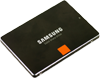
Samsung Magician 5.2
Download
Getting “We apologize for your inconvenience Please try again within 24 hours” ?
Major Geeks has it!
Thanks Arthur!
CCleaner 5.39
Download ( I use the portable version )
Minor fixes
Macrium Reflect 7 Free Edition Updated

O&O ShutUp10 Updated
New in Version 1.6.1394
New Settings:
Disable saving SMS messages to the cloud
Disable network access for OneDrive before log-in
Disable Updates for voice recognition and synthesis
Disable Cloud Search form Cortana
Bug Fixes:
Bugfix implemented for Exception 0x80004003 when starting under Windows 10 Build 10240
Download
CCleaner Updated
Version 5.36 is out.
Download (I use the portable version.)
Thanks to A.G. for the heads up!
O&O ShutUp10 Updated (Again)
Version 1.6.1392 – released October 18, 2017
– Bug fix for setting “Disable the Windows Custoemr Experience Improvement Program”
– Bug fix for saving window settings for multiple monitors