 This article is about protecting your browser passwords. It covers; Password protecting the browser, 2 factor authentication, and password managers. [Read more…] about Basic Browser Security – Passwords
Security
Basic Browser Security – Private Browsing
 This article covers private browsing for Windows, Linux, and mobile platforms.
Private Browsing
(Also called Privacy mode, InPrivate browsing, Incognito mode.)
Basically when using private browsing most of the stuff usually stored on your computer by the browser no longer is. Among other things this includes cookies, history, and passwords. The security advantage of this is obvious (less stored information = less chance information is compromised). This browsing mode is not only useful on public machines but also shared computers at home and on mobile devices. [Read more…] about Basic Browser Security – Private Browsing
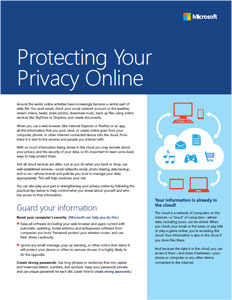
Protecting Your Privacy Online
 Microsoft has a guide entitled Protecting Your Privacy Online.
It is an informational PDF you may wish to pass on to your not so tech-savvy friends and family.
Microsoft Security Essentials Updated
 Microsoft Security Essentials has been updated to version 4.3.215.0.
To install either:
– Download
– From Windows Update (manually check the box)
– From Security Essentials. Open > Help > Check for software updates.
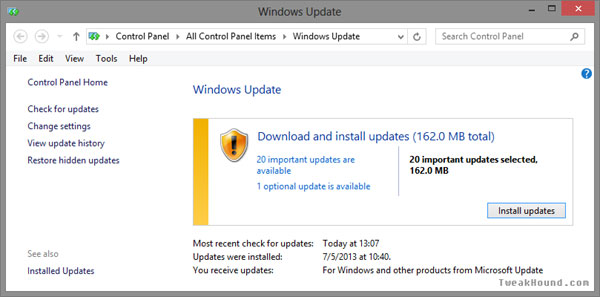
Time To Run Windows Update
 Updates available for XP, 2K3, Vista, 2K8, Windows 7, Windows 8, Windows RT, .Net, Internet Explorer 6 – 10, Office 2003 – 2010, Windows Defender…
Microsoft Security Bulletin Summary for July 2013
Secunia PSI Updated
 Secunia PSI 3.0.0.7011 has been released.
This is a minor maintenance release. The primary changes are:
General Enhancements:
-PSI causes pop-up from IE. Fixed. Several users reported that they got a pop-up while running the PSI. Clicking “No” to the pop-up made the PSI work, but very slowly. Clicking “Yes” made the PSI stop working.
-CSI with PSI integration – customer can’t connect to PSI clients. Fixed.
Download (direct)
Download page
Changelog [Read more…] about Secunia PSI Updated
XP Users – Time To Run Windows Update
If you’re still using XP you’ve got an updated update.
V2.0 (June 25, 2013): Revised bulletin to rerelease the 2813347 update for Remote Desktop Connection 7.0 Client on Windows XP Service Pack 3. Microsoft recommends that customers running the affected software apply the rereleased security update immediately.
Software To Protect Your Privacy
 The EFF has put together a site with software that is better suited to privacy protection.
PRISM-BREAK.ORG is something you will definately want to check out.
Interesting that they only list 6 Linux/UNIX alternatives. Something tells me folks will be yelling about that.
Time To Run Windows Update
Updates available for XP, 2K3, Vista, 2K8, Windows 7, Windows 8, Windows RT, and Office 2K3.
Microsoft Security Bulletin Summary for June 2013
Adobe Security Updates

Adobe Reader and Flash have security updates.
Downloads:
Adobe Flash
Adobe Reader or update from within the program (Help > Check for updates).
Security advisories:
APSB13-15 Security updates available for Adobe Reader and Acrobat
APSB13-14 Security updates available for Adobe Flash Player