 This is part of the upcoming Windows 10 Tweak Guide. Since this section is finished and you guys have been so patient I thought I would post it.
[Read more…] about Windows 10 Backup And Recovery Options
This Site
Windows 10 & SSDs – FEEDBACK WANTED
 Need your help here y’all. Am I wrong about somethings? Do I need to add something? Please read and comment.
[Read more…] about Windows 10 & SSDs – FEEDBACK WANTED
Win10: Customize The Desktop
This is part of the upcoming Windows 10 Tweak Guide. Since this section is finished and you guys have been so patient I thought I would post it.
[Read more…] about Win10: Customize The Desktop
Windows 10 Privacy Settings
************ This version is now expired. Updated version here: https://www.tweakhound.com/2020/12/30/tweaking-windows-10-version-20h2/
Windows 10 Privacy Settings
A companion guide for:
TweakHound’s

Tweaking Windows 10
Version 4.0, last edited 17 May, 2018
Windows 10 Privacy Settings
Page 1 – Intro, Windows Insider Program, Use A Local Account
Page 2 – Windows 10 Built-In Privacy Settings
Page 3 – Telemetry, Cortana
Page 4 – Update & Security, Windows Defender
Page 5 – Services, Microsoft Browsers
Page 6 – Remove Ads And Annoyances
Page 7 – Apps To Tweak Privacy Settings
Windows 10 does a lot of communicating with Microsoft servers. Many people find this to be somewhere between an annoyance to an outright invasion of privacy. Some folks suspect it’s even worse than that. For its part, Microsoft steadfastly insists that they do not invade your privacy, that any information sent back to Microsoft is “anonymous”, and that it is for your own good. I will leave it up to you to decide.
This section will show you your privacy options, the settings I use, and 3rd party apps that can help you configure your settings.
It should be noted that turning off some settings can hamper the ability of some built-in and Microsoft Store apps to function properly. Since I don’t use these things I haven’t run into a single issue.
Windows Insider Program
This is a neat program for those that want updates before everyone else or Geeks that live on the bleeding edge. It also sends the maximum amount of data back to Microsoft. If privacy is a concern, then don’t use this.
More info: https://insider.windows.com/
Use A Local Account
If you are using a Microsoft Account and privacy is a concern you should switch to a Local Account. Be warned you will lose syncing. If this is important to you then skip this.
More info: http://windows.microsoft.com/en-us/windows-10/getstarted-microsoft-account
Let switch to a Local account:
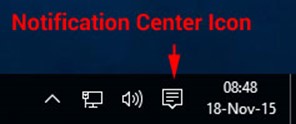
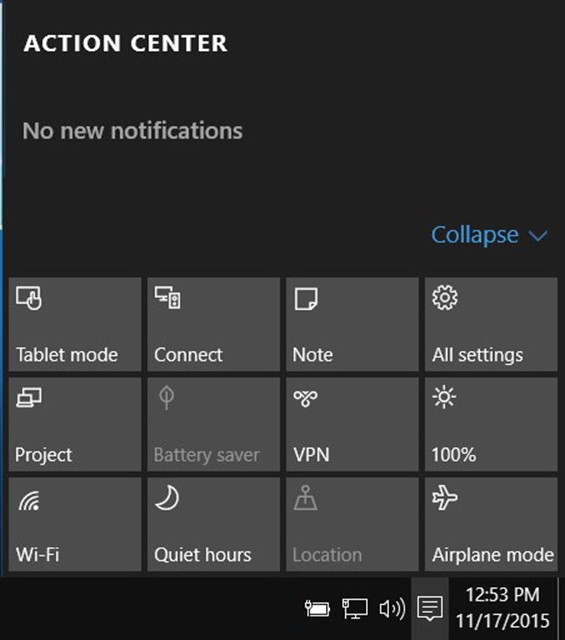
Choose All settings
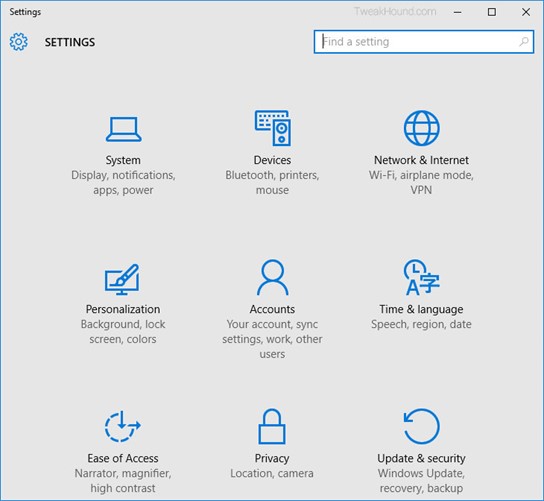
Choose Accounts
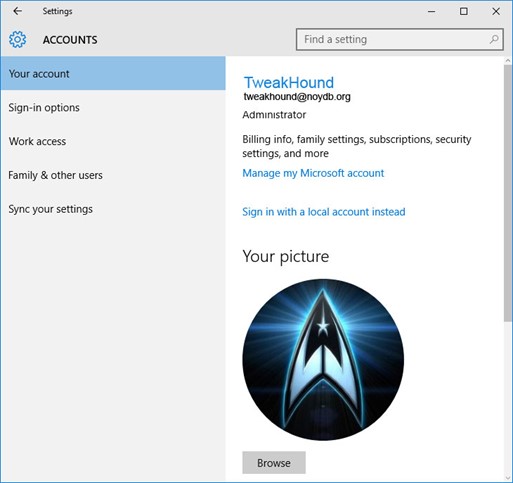
Choose Sign in with a local account instead
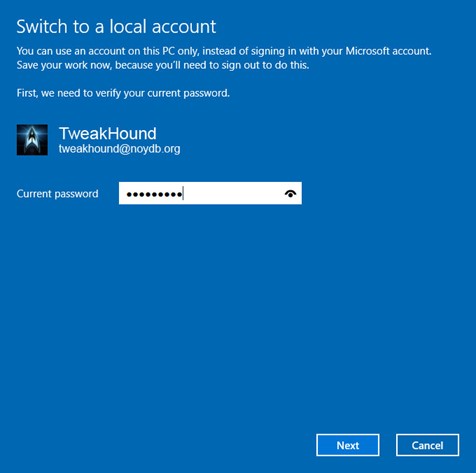
Enter current user password
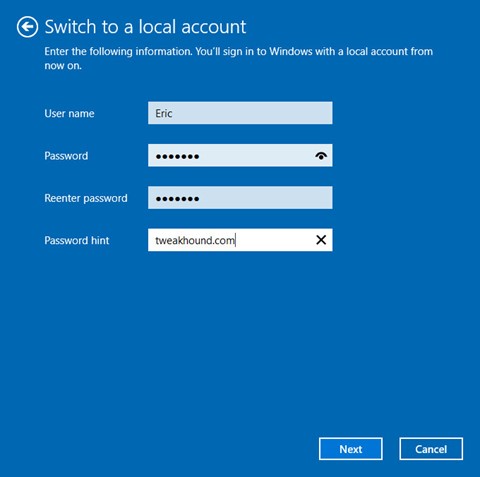
Enter the new User name, Password, and Password hint.
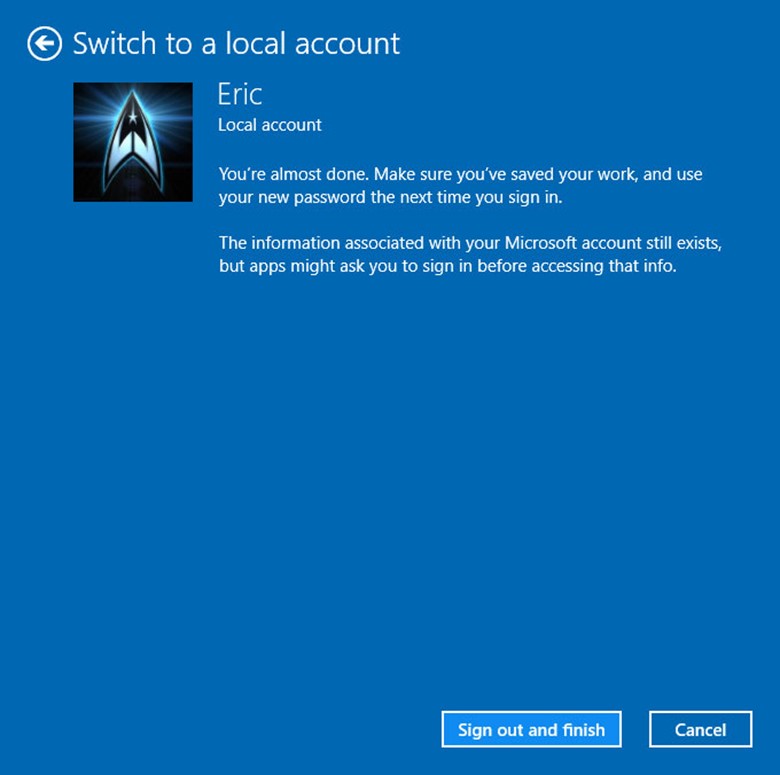
Sign out and finish.
If You Haven’t Received The TH2 Update…
If you haven’t received the Threshold 2 (Fall Update) via Windows Update you can:
[Read more…] about If You Haven’t Received The TH2 Update…
Recheck Your Tweaks After Installing TH2
 I found that several of my tweaks did not stick though the update, especially the right-click menu stuff.
You may want to check and/or reapply the tweaks.
Here are mine: https://www.tweakhound.com/2015/08/10/my-windows-10-tweaks/
Download Windows 10 TH2 ISO And Create Media
Go to the Windows 10 download page.
Scroll down to the Download Tool Button and click it.

Once downloaded, double-click MediaCreationTool.exe.
[Read more…] about Download Windows 10 TH2 ISO And Create Media
Pictures: Upgrading To Threshold 2
 Just some pics of the upgrade experience.
[Read more…] about Pictures: Upgrading To Threshold 2
Windows 10, Where I Stand
I asked y’all a while back, “Why Are You Using Windows 10?” and I got some great responses. I thought I would let y’all know where I stand.
Please note the thoughts below are my own opinion. I’ve no intention of telling you what OS you should be using. I’ll try and keep this short…
[Read more…] about Windows 10, Where I Stand
Windows 10 Home Networking Tips
 As an old network guy, “TweakHound don’t do no Homegroup”. My home network is a mixed mess of Windows 7, openSUSE, Linux Mint, and Win10. These all interact via a standard Windows workgroup.
I’ve found Windows 10 workgroup networking to be a little wonky (to be kind).
Here are a few tips that have made my home networking easier:
[Read more…] about Windows 10 Home Networking Tips