Download & Info. Some changes, some bugfixes. If you use IE7 and you ain’t using IE7Pro you are wrong! 😉
Windows Vista
Five Misunderstood Features in Windows Vista
In this article, we will look at five features of Windows Vista that are often misunderstood, provide their background and rationale, and present the straight scoop on how to deal with them. Based on feedback from IT professionals, these features are: User Account Control, Image Management, Display Driver Model, Windows Search, and 64-bit architecture.
edit – Eric B wrote in to say the link is dead. Dunno why they pulled it unless something in the pdf isn’t as they want it (mistake?). Anyway, since I see to prohibition against distributuion I’ve put it on my server:
https://www.tweakhound.com/blog/images/FiveMisunderstoodFeaturesInWindowsVista.pdf
Gaming Performance: Windows Vista SP1 vs. XP SP3
Extreme benchmarks gaming in Vista SP1 v. XP SP3.
As many a tech analyst predicted, Windows Vista’s gaming performance conundrum has largely been solved, and it was mainly due to early graphics drivers.
How-To, Automatically Log On In Windows Vista
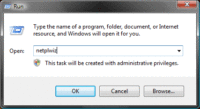
This will show you how to log on automatically in Windows Vista.
[Read more…] about How-To, Automatically Log On In Windows Vista
Vista's UAC security prompt was designed to annoy you
At the RSA 2008 confab in San Francisco, Microsoft admitted that UAC was designed, in fact, to annoy. Microsoft’s David Cross came out and said so: “The reason we put UAC into the platform was to annoy users. I’m serious,” said Cross.
Yes, I actually recommended a Mac to someone.
You guys that have been around here for a while know I LOVE poking fun at Mac users. But when it comes to the OS wars, as we say here in the south “I ain’t got no dawg in this fight”. I want everyone to use what is best for them. Believe me, if I could afford a $3000 Mac I would buy it and tri-boot OS X / Vista / openSUSE. I mean the stock Mac (desktop) comes with 8 freakin’ cores! So I thought I would share this with you. [Read more…] about Yes, I actually recommended a Mac to someone.
Sysinternals Process Explorer v11.12, Process Monitor v1.30 Released
Process Explorer v11.12, Process Monitor v1.30, Handle v3.31, and a new blog post from Mark
Process Explorer v11.12: This update includes a number of minor enhancements and bug fixes, including support for tracking commit and non-paged pool limits.
Process Monitor v1.30: This major update adds support for importing and exporting filters, records system information in log files, presents more information about specific operations, includes translation of additional operation error codes, and tracks CPU and memory activity that it displays in a revamped process summary dialog.
Handle v3.31: This update unifies the drivers used by Handle and Process Explorer.
Marks Blog: “The Case of the System Process CPU Spikes” – See Mark’s latest blog entry where he demonstrates how he used Process Explorer to track down a device driver causing CPU usage spikes.
Time To Run Windows Update
Updates available for 2K, XP, 2K3, Vista…
The Vista license “loophole” that isn’t
Ed Bott discusses the issue of using a Vista upgrade disk when doing a non-upgrade install.
Look, you can argue that Microsoft’s prices are inconsistent and illogical, but that has nothing to do with the issue at hand here. An upgrade license is intended to replace a previous license, period. Advising readers to violate the terms of a license agreement is pure sensationalism, and it’s wrong.
I know it isn’t a popular stance but I agree with him 100%. I pretty much said the same thing February of last year in my Installing Windows Vista guide.
3 – Do I need an Upgrade or Full version?
If you intend on installing Vista on a machine that already has a Windows operating system, and you intend to upgrade (install over it) then get an upgrade version. Otherwise the license requirement says you need a full version. Yes you can do a clean install using an upgrade disk (instructions below). Please note, the Vista license agreement states that if you use an upgrade version then the OS you installed Vista over is no longer valid. This may or may not be a technicality based on your own set of morals. Example, I recently got a new laptop from Dell which came with XP installed and a free upgrade to Vista when available. Since I wanted to dual-boot (run both OS’s) XP and Vista I could not legally use the upgrade disk so I had to buy the full version.
(please do not write to me and whine about how expensive Vista is to justify your using an upgrade disk. Vista is not a “must have”. Stick with XP or try Linux, it’s free.)
Microsoft's Vista Blogger Quits…
Nick White, Microsoft’s in-house blogger who wrote about all things related to the Windows Vista operating system, has resigned. It’s the latest in a series of key departures from the software maker.
Geeze, whatever the reason he left it doesn’t look good image wise for Microsoft and Vista. I don’t care what you think about Vista as an OS, it’s karma just seems awful.
Microsoft’s Vista Blogger Quits As Redmond Exodus Builds