
• Skip to primary navigation
  • Skip to main content
  • Skip to primary sidebar

TweakHound

Computer stuff...

  • Home
  • Windows XP
  • Windows Vista
  • Windows 7
  • Windows 8
  • Windows 10
  • Windows 11
  • Linux
  • Tweak Guides
  • Site Info
    • About
    • About Me
    • TweakHound’s World
    • Contact
    • My Computers
    • Old Articles
    • Privacy Policy
    • Old Index
    • Advanced Search

Win10 TG Notes

December 30, 2020, 10:19(EST) By Eric (a.k.a. TweakHound)

Lots of changes in this version. I’m glad to be done with it.

I am particularly proud of this version. I believe it is the most professional guide I’ve done. This is due in no small part to the editing by 4 individuals. I’ve never made a secret of the fact that I’m not a writer and this is obvious to those who are. Gentleman, you have my profound thanks.

*PLEASE spread the word via social media, email, and any other way you can.

The guide is at a new location because apparently Google doesn’t like “old” content.

As I had mentioned a while back, going forward the tweak guides will now have the sidebar removed for easier viewing. The site layout width has been expanded too.

Please leave comments in the tweak guides comment section and not here.

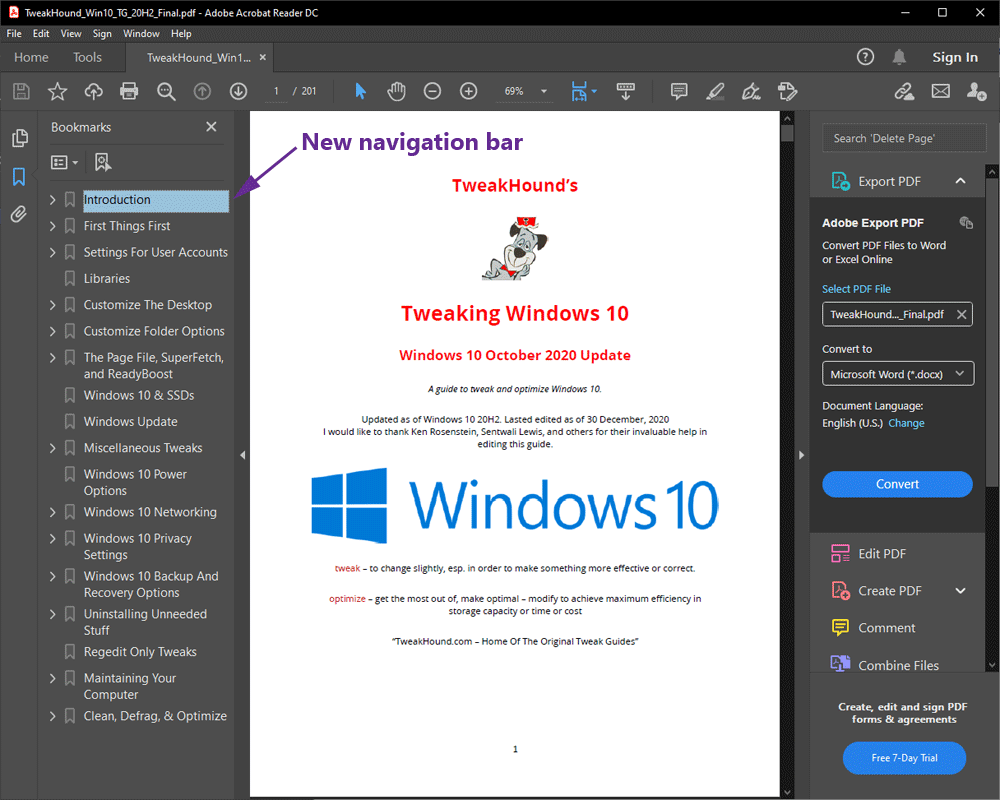
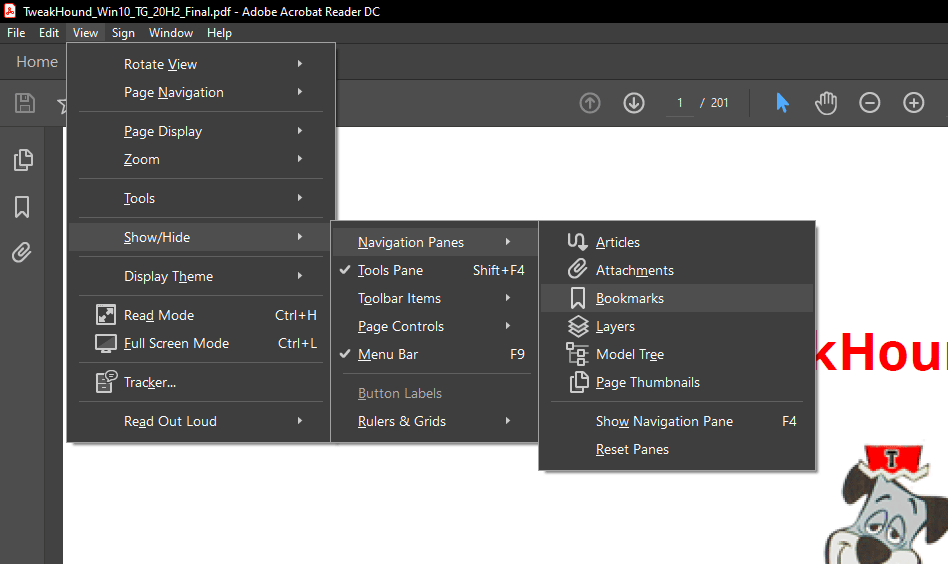
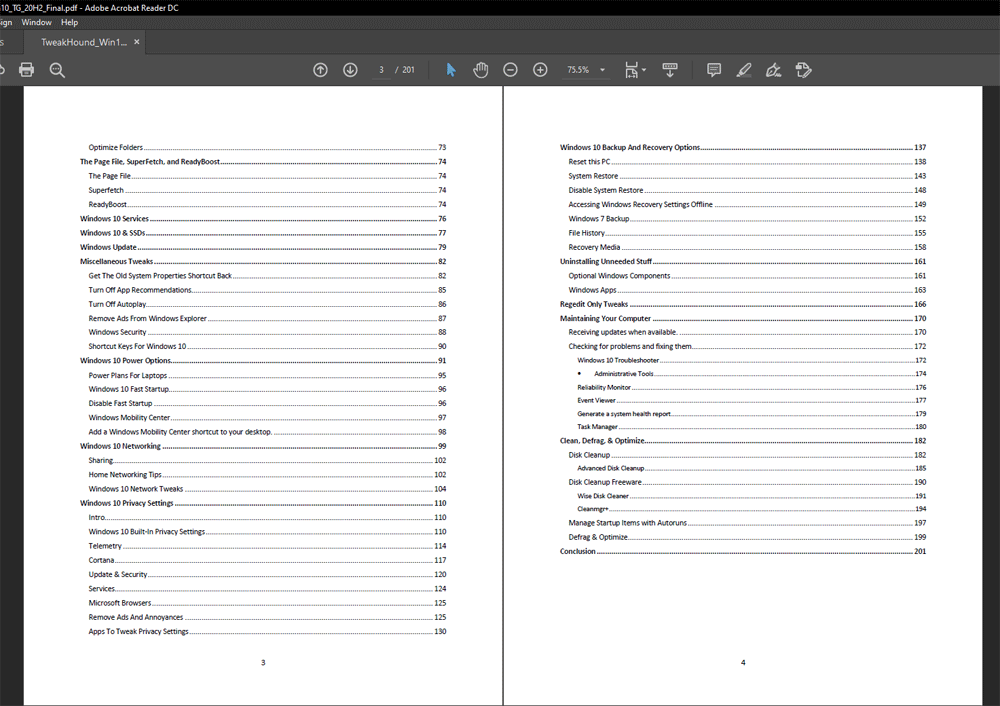
The 200+ page PDF not only has a linked index but a bookmarks bar as well. I will be working on sending out this version to those who are entitled later today. If you are entitled to an update and haven’t heard from me by tomorrow, please contact me. Preferably by forwarding the last email from me.
Tagged With: Off Topic, This Site

Reader Interactions

Comments

  1. calvin says

    December 30, 2020, 12:35(EST) at 12:35

    Quick on the draw there, just got the link! Thanks, Eric. Looking forward to gettin’ in the weeds in the next few days. Will keep Linux Mint as my go-to, unfortunately can’t divorce myself completely from Windows due to some of the 3rd party software I rely on. I guess the writing’s on the wall and need to put Windows 7 by the wayside so hopefully your guide will limit the Microsoft intrusion to the greatest extent possible. Keep up the good work.

    Would love to see a Windows 10 free software guide like you did for Windows XP, 7, etc. with your recommended software. A good majority of the software I’ve used over the years was based on your recommendations. I must admit I’m leery of using any Microsoft apps (I guess that’s what it’s called now)

    Appreciate all the hard work.

  2. ken says

    December 31, 2020, 01:21(EST) at 01:21

    I’ll second the request for an updated free software guide.

  3. Kelly says

    January 1, 2021, 14:30(EST) at 14:30

    Thanks Eric, I know you put a lot of time into your work. Cheers!

Primary Sidebar

Popular Articles

Windows 10

Tweaking Windows 10

My Windows 10 Tweaks

Windows 10 Privacy Settings

Win10 Diagnostics Tracking Service Gone?

Windows 10 Advanced Disk Cleanup

Win10 Customize Installation Options

Windows 10 Dark Theme

Win10 Wallpapers, Graphics, etc.

All Windows 10 Articles

Windows 8

Tweaking Windows 8.1

Advice On Installing Windows 8.1

Clean Install Windows 8.1

Cleanup After Windows 8.1 Upgrade

Create Shutdown, Restart, Logoff Tiles For Windows 8

Tweaking Windows 8

Install Windows 8 – Clean Install With Upgrade Media

Install Windows 8 – Upgrade

Windows 8 – Cleaning Up After You’ve Upgraded

Windows 8 Freeware Machine

Windows 8 SSD Settings, Etc.

How To Resize Your Windows 8 Partition

Create Windows 8 Recovery Media

Windows 8 – Elevated Command Prompt

How To Fix The Windows Bootloader

Windows 7

Installing Windows 7

Tweaking Windows 7

Windows 7 Diagnostics Tracking Service

The Windows 7 Freeware Machine

The Windows 7 Pagefile And Running Without One

Bad Tweaks

SSD Tweak Guide (sort of)

The noguiboot (no GUI Boot) Tweak

NtfsMemoryUsage=2 Tweak

More Windows 7 articles here.

Windows Vista

Installing Windows Vista

Tweaking Windows Vista

More Windows Vista articles here.

Windows XP

eXPired - The Last Windows XP Guide You'll Ever Need

The Right Way To Install Windows XP

Super XP Tweaking Guide

The Freeware XP Machine

Bad Tweaks

More XP Articles here and here.

Backup

Backup Article Greatest Hits – Vol. 1

Other

Cataloging Your Music Collection

Finding Good Album Art

Converting Vinyl Records To Digital Music – A Non-Audiophiles Guide

Windows All-In-One Recovery Flash Drive

SSD Tweak Guide (sort of)

Raidmax Blackstorm Case Review

Disk Partitioning

Ditch Those CD's! A Guide To Using USB Flash Drives

Checking Your Disks For Problems

Bad Tweaks

More articles here

Tags

Android Backup Beer Computer Hardware Computer News Cool Tools Freeware How-To's Linux Off Topic openSUSE Playlists Privacy Security Software This Site vacation Veterans Windows 7 Windows 8 Windows 10 Windows 11 Windows Vista Windows XP

TweakHound - Optimize Your Computing Experience! TweakHound - Optimize Your Computing Experience!

Copyright 2002-2025 by Eric Vaughan All material contain here is the property of the materials owner. Windows, Windows XP, Windows Vista, Windows Seven, Windows 8, Windows 10, Windows 11, Microsoft, and all associated logos are trademarks/property of Microsoft. You may not use or copy any material from tweakhound.com without expressed written permission. Hotlinking to any material within this site is forbidden. Privacy Policy