• Skip to primary navigation
  • Skip to main content
  • Skip to primary sidebar

TweakHound

Computer stuff...

  • Home
  • Windows XP
  • Windows Vista
  • Windows 7
  • Windows 8
  • Windows 10
  • Windows 11
  • Linux
  • Tweak Guides
  • Site Info
    • About
    • About Me
    • TweakHound’s World
    • Contact
    • My Computers
    • Old Articles
    • Privacy Policy
    • Old Index
    • Advanced Search

Updating Firmware on Samsung SSDs

December 11, 2021, 12:52(EST) By Eric (a.k.a. TweakHound)

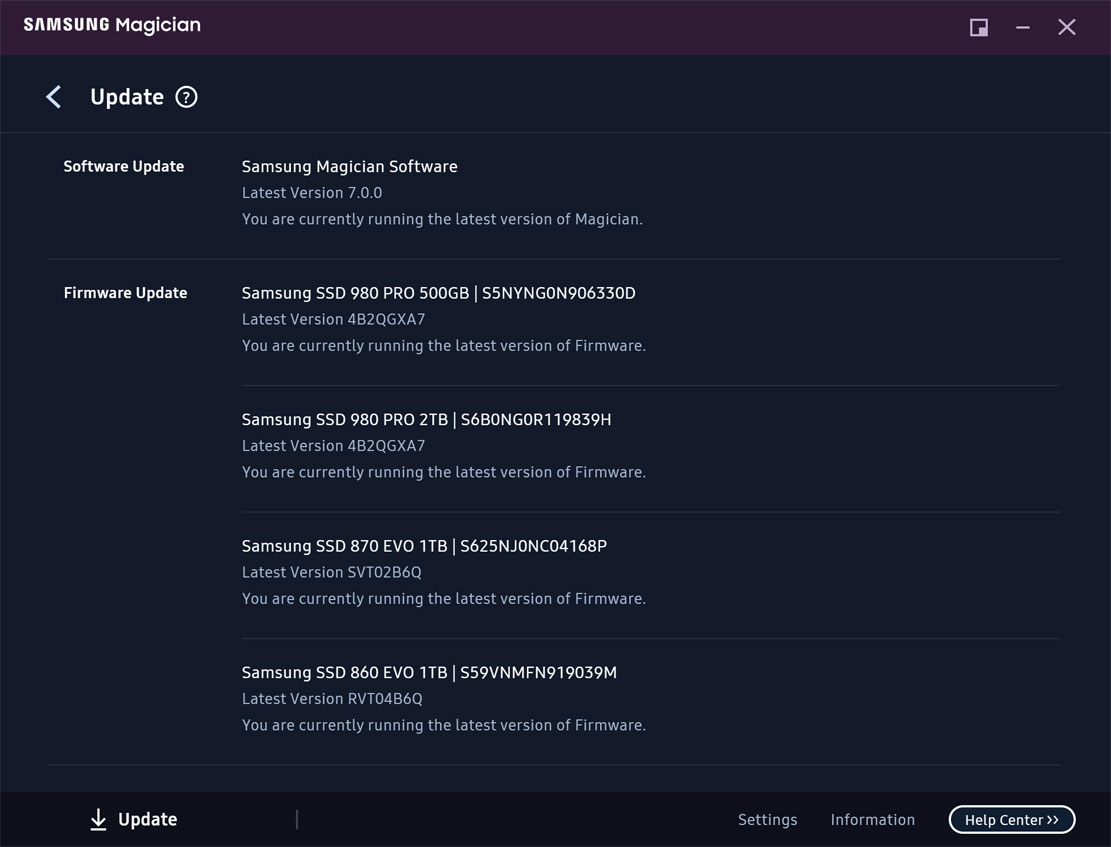
There were some recent firmware updates for the Samsung 980 Pro lineup. I updated mine and thought I would pass this along…
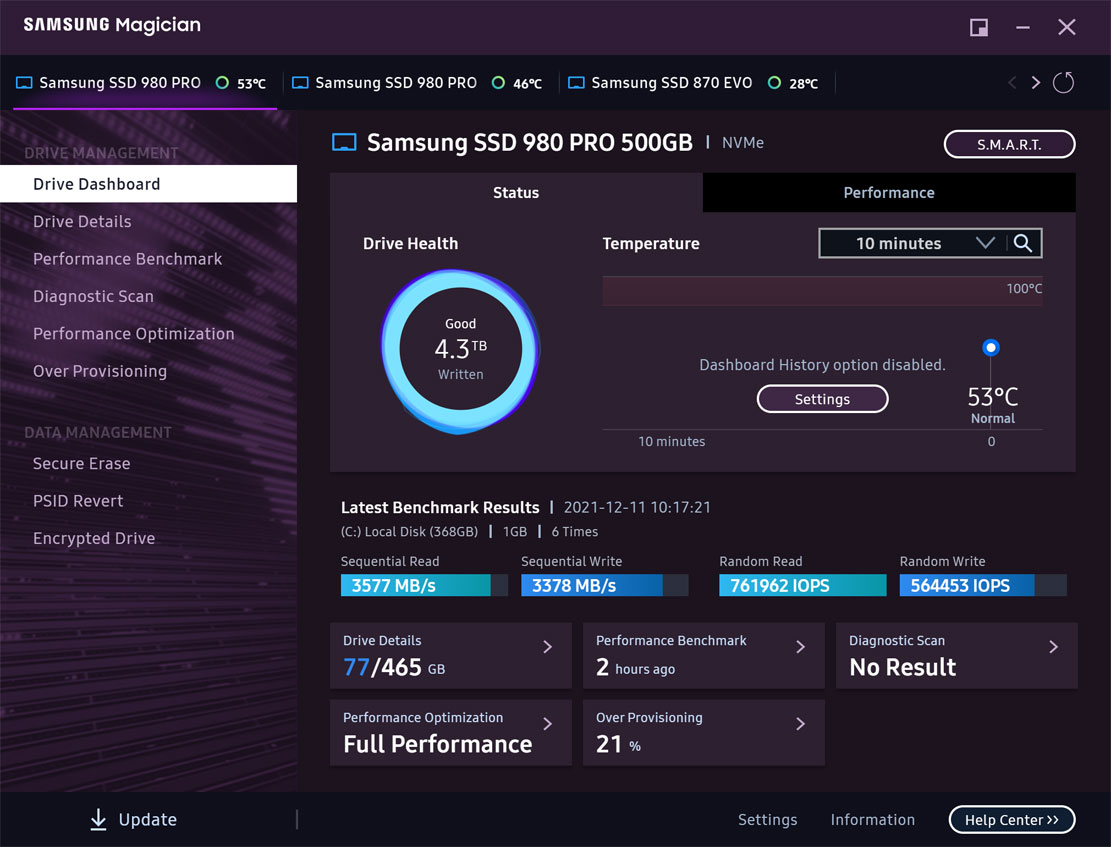
Download and install/update the Samsung Magician SSD Management Utility.
Although Magician has several uses, the only thing you really need this utility for is updating firmware (unless you want to go through the hassle of creating a boot disk). Firmware updates for SSDs can resolve performance or security issues.
Tips:
– It is not necessary to have Magician running in the system tray. Right-click on the tray icon and remove from startup.
– It is not necessary to have the SamsungMagicianSVC service running all the time. Set it to Manual:
press the Windows + S key > type services > scroll down to SamsungMagicianSVC and double-click it > change it to Manual (optionally stop it too) > click Apply
– I typically check for updates via Magician every month or so, or when it comes to mind.
– Simply running Magician will let you know if there are updates.
– Standard warning: Firmware updates can go wrong…blah, blah, backup, blah blah. In all these years I’ve never had BIOS or firmware updates go wrong and I’ve done too many to count. RTFM

Samsung Flagship SSDs On Sale
Samsung 980 PRO SSD 1TB PCIe 4.0 NVMe SSD
List Price: $229.99
Price: $169.99
You Save: $60.00 (26%)

Samsung 980 PRO SSD 500GB PCIe 4.0 NVMe SSD
List Price: $149.99
Price: $109.99
You Save: $40.00

Tagged With: Computer Hardware, How-To's

Reader Interactions

Comments

  1. Allen says

    December 11, 2021, 13:40(EST) at 13:40

    Hello, If a person has a Samsung SSD and is running Linux on it, how do you update the SSD firmware for it?

    • Eric (a.k.a. TweakHound) says

      December 11, 2021, 14:56(EST) at 14:56

      “Although Magician has several uses, the only thing you really need this utility for is updating firmware (unless you want to go through the hassle of creating a boot disk). “

  2. Curtiss Clarke says

    December 14, 2021, 16:56(EST) at 16:56

    Gee, wouldn’t it be a big nice (quote: Beach Boys) if Samsung offered a version of “Magician” for Linux, for desktop users of that O/S? I might buy a Samsung SSD again next time around, instead of a more-sensibly priced Western Digital offering. But nope. Not for now. The world is bigger than Windows, Samsung.

  3. Dasein says

    December 15, 2021, 20:20(EST) at 20:20

    I mean, it is open-source… Perhaps that could help people make a Linux version?

  4. ian says

    February 3, 2022, 18:40(EST) at 18:40

    I can tell you how I did mine. I downloaded the iso file, used a software to make a bootable usb flash drive with he iso file on it. then i pulled my ssd out and put it in another laptop and booted first from the flash drive. it automatically ran the update and then i pulled the ssd out and stuck it back into my other latop lol

  5. Jeffrey Wen says

    October 9, 2022, 10:18(EDT) at 10:18

    Failed to update 980 pro firmware by Magician (Ver. 7.2.0), Do I need to change RAID ON mode to AHCI mode on Dell optiplex 7400 AIO?
    Thanks!

    • Eric (a.k.a. TweakHound) says

      October 10, 2022, 09:52(EDT) at 09:52

      https://download.semiconductor.samsung.com/resources/software-resources/Samsung_Magician_7_2_0_Installation_Guide.pdf
      3. General Limitations
      6) RAID on mode in SATA configuration is not supported by Samsung Magician and USB bootable
      solution.

Primary Sidebar

Popular Articles

Windows 10

Tweaking Windows 10

My Windows 10 Tweaks

Windows 10 Privacy Settings

Win10 Diagnostics Tracking Service Gone?

Windows 10 Advanced Disk Cleanup

Win10 Customize Installation Options

Windows 10 Dark Theme

Win10 Wallpapers, Graphics, etc.

All Windows 10 Articles

Windows 8

Tweaking Windows 8.1

Advice On Installing Windows 8.1

Clean Install Windows 8.1

Cleanup After Windows 8.1 Upgrade

Create Shutdown, Restart, Logoff Tiles For Windows 8

Tweaking Windows 8

Install Windows 8 – Clean Install With Upgrade Media

Install Windows 8 – Upgrade

Windows 8 – Cleaning Up After You’ve Upgraded

Windows 8 Freeware Machine

Windows 8 SSD Settings, Etc.

How To Resize Your Windows 8 Partition

Create Windows 8 Recovery Media

Windows 8 – Elevated Command Prompt

How To Fix The Windows Bootloader

Windows 7

Installing Windows 7

Tweaking Windows 7

Windows 7 Diagnostics Tracking Service

The Windows 7 Freeware Machine

The Windows 7 Pagefile And Running Without One

Bad Tweaks

SSD Tweak Guide (sort of)

The noguiboot (no GUI Boot) Tweak

NtfsMemoryUsage=2 Tweak

More Windows 7 articles here.

Windows Vista

Installing Windows Vista

Tweaking Windows Vista

More Windows Vista articles here.

Windows XP

eXPired - The Last Windows XP Guide You'll Ever Need

The Right Way To Install Windows XP

Super XP Tweaking Guide

The Freeware XP Machine

Bad Tweaks

More XP Articles here and here.

Backup

Backup Article Greatest Hits – Vol. 1

Other

Cataloging Your Music Collection

Finding Good Album Art

Converting Vinyl Records To Digital Music – A Non-Audiophiles Guide

Windows All-In-One Recovery Flash Drive

SSD Tweak Guide (sort of)

Raidmax Blackstorm Case Review

Disk Partitioning

Ditch Those CD's! A Guide To Using USB Flash Drives

Checking Your Disks For Problems

Bad Tweaks

More articles here

Tags

Android Backup Beer Computer Hardware Computer News Cool Tools Freeware How-To's Linux Off Topic openSUSE Playlists Privacy Security Software This Site vacation Veterans Windows 7 Windows 8 Windows 10 Windows 11 Windows Vista Windows XP

TweakHound - Optimize Your Computing Experience! TweakHound - Optimize Your Computing Experience!

Copyright 2002-2025 by Eric Vaughan All material contain here is the property of the materials owner. Windows, Windows XP, Windows Vista, Windows Seven, Windows 8, Windows 10, Windows 11, Microsoft, and all associated logos are trademarks/property of Microsoft. You may not use or copy any material from tweakhound.com without expressed written permission. Hotlinking to any material within this site is forbidden. Privacy Policy