Sorry for the lack of posts, downtime, and site being slow. I’m still looking for the right web host for this site.
Obviously Godaddy isn’t up to the task.
Thanks to folks who wrote in suggestions. The web host I choose needs to be big enough to have redundant servers (I would prefer those servers be on the East Coast U.S.A., Virginia if possible). The server should run on SSD’s and support should have live chat with folks who actually know WordPress AND SSL. Help should be available during migration. “Here, go read this article” that doesn’t really apply to my question isn’t support.
Computer News
Tuesday Random Stuff…
 Flash Updated
APSB16-01 Security Updates Available for Adobe Flash Player
Flash for IE
Flash for other browsers
Main download page
Windows 8/8.1/10 users check Windows Update. Microsoft will get around to updating it…eventually.
Google Chrome users, ditto.
Firefox 43.0.3
Fixed:
On some Windows configurations, improve the decoding of some videos on YouTube
Fix network issue when using Nvidia’s Network Access Manager
Download 32-bit (en-US)
Download 64-bit (en-US)
Download other systems and languages
Release Notes
Interesting Reads
Recently Bought a Windows Computer? Microsoft Probably Has Your Encryption Key
In Defense of the Server GUI
Techno-skeptics’ objection growing louder
Lemmy – Born To Lose, Lived To Win
Meadowlark Lemon, Harlem Globetrotters’ Dazzling Court Jester, Dies at 83 (If you aren’t familiar with his work, check YouTube)
Merry Christmas!

I hope you all have a safe and Merry Christmas.
[Read more…] about Merry Christmas!
I Know, Comments Still Broken
Some get through, some don’t. Nothing I can do about it. WordPress needs to fix Jetpack.
Sorry.
Just Saw Star Wars: The Force Awakens
 It was awesome!
Saw it in Imax. Will go to see it again in standard over the next few weeks.
Tuesday News
 Firefox 43
Download 32-bit (en-US)
Download 64-bit (en-US)
Download other systems and languages
Release Notes
Destroy Windows Spying Updated
Build 716 released, “fixes”.
AMD Drivers
ARSTechnica reports AMD will open source drivers as well as “substantially upgrade its open source Linux drivers”.
Trailers
 Some of the latest Sci-Fi trailers:
[Read more…] about Trailers
Comment problems
 I am aware of the problems with the comment system. My web host is looking into it.
Googling the issue myself I think the latest WordPress update screwed the pooch.
I am sorry.
***Update 14:59:16 12/11/2015
Might be fixed? Give it a shot and let me know.
***Update 2, 18:02:36 12/11/2015
Looks like it is fixed. Contact me if not.
Tweaking Windows 10
************ This version is now expired. Updated version here: https://www.tweakhound.com/2021/05/19/tweaking-windows-10-version-21h1/
TweakHound’s

Tweaking Windows 10
Windows 10 April 2018 Update
A guide to tweak and optimize Windows 10.
Updated for Windows 10 April 2018 Update. Lasted edited 05 June, 2018
***Note, 15 November 2018. Guide will not be updated for the October Update.
Release 1809 does not have enough significant changes to warrant a rewrite.

tweak – to change slightly, esp. in order to make something more effective or correct.
optimize – get the most out of, make optimal – modify to achieve maximum efficiency in storage capacity or time or cost
“TweakHound.com – Home Of The Original Tweak Guides”
Table of Contents
Introduction
Mobile-First, Cloud-First, Touch-First
Bad Tweaks
Notes & Ramblings
My Desktop Pet Peeve
First Things First
Get Your Control Panel Icons Back
UAC
God Mode
Tips For This Guide
Settings For User Accounts
Account Types
Local An Microsoft Accounts Defined
Switch To A Local Account
Using The Windows Store With A Local Account
How To Login Automatically
Libraries
Moving Your User Folders
Adding A Folder To A Library
Show Libraries In Windows Explorer
Customize The Desktop
Start Menu Settings
Start Menu Groups
The Win + X Menu
3rd Party Start Menus
Display Settings
Personalize
The Taskbar
The Search Box
The Task View And Touch Keyboard Buttons
Toolbars
The Clock
Disable System Sounds
Customize Folder Options
Folder View Options
Optimize Folders
The Page File, SuperFetch, and ReadyBoost
The Page File
SuperFetch
ReadyBoost
Miscellaneous Tweaks
Turn Off App Recommendations
Turn Off Autoplay
Remove Ads From Windows Explorer
Windows Defender
Shortcut Keys For Windows 10
Windows 10 Power Options
Power Plans For Laptops
Windows 10 Fast Startup
Disable Fast Startup
Windows Mobility Center
Add a Windows Mobility Center shortcut to your desktop
Windows 10 Networking
Sharing
Home Networking Tips
Windows 10 Network Tweaks
Windows Backup And Recovery Options
Reset this PC
System Restore
Accessing Windows Recovery Settings Offilne
Windows 7 Backup
File History
Recovery Media
Uninstalling Unneeded Stuff
Optional Windows Components
Windows Apps
Maintaining Your Computer
Receiving Updates When Available
Checking for problems and fixing them
Windows 10 Troubleshooter
Administrative Tools
Reliability Monitor
Event Viewer
Generate A System Health Report
Task Manager
Clean, Defrag, & Optimize
Disk Cleanup
Advanced Disk Cleanup
Disk Cleanup Freeware
Manage Startup Items with Autoruns
Defrag & Optimize
Windows 10 Privacy Settings (part of the guide but in different location)
Buy – Tweaking Windows 10

Buy – Tweaking Windows 10
You can get a printable PDF, eBook-type version of Tweaking Windows 10 – Version 20H2 (200+ pages) for $5.00 (U.S.).
***May 19th, 2021
There are no significant changes from 20H2 (Windows 10 October 2020 Update) and the 21H1 (Windows May 2021 Update).
This guide will remain unchanged until 21H2.
The only reasons I’ve renamed the guide is to avoid confusion and because…Google.
Please note the content of this guide is no different than the online version. I have simply formatted it in Word to make it easy for printing or viewing as a PDF/eBook.
This guide is for your personal use only. You may not redistribute the guide.
The file you will get is a PDF file (viewable/printable in Adobe Reader, FoxIt Reader, as an eBook, etc.).
This is available through PayPal only.
(You do not need a PayPal account account, just a credit card.) (Please note that I will not make other payment options available.)
Once payment is received I will email you the guide or a download link. Please allow up to 48hrs. although I will usually send it much, much faster. On occasion I do not get notified of purchases. If you do not hear from me in 48 hours please forward your Paypal email to me. You are responsible for monitoring your email. Under no circumstances will I click on a link to be “approved” or “added” to your email. This practice is quite rude.
Click a button below to purchase. If you have problems contact me at tweakblog at tweakhound.com.
PayPal can be a PITA. If the button isn’t working try the ones further below. If you do not see a button check your ad blocker.
There are 3 options
1 – $5 (U.S.) One time purchase
2 – $10 (U.S.) One year of updates (this should get you through 2 or three editions)
3 – $20 (U.S.) Lifetime updates
(Understand it is up to you to contact me for your free updates. I do not keep your info lying around.)
FAQ’s
Why am I charging for the guide? I’ve spent countless hours researching and writing the guide. I pay for the bandwidth for this site out of my own pocket. Not to mention the software, hardware, and other things that go into making this site possible. I figure $5 is a pretty good deal for all this material. At your local book store a magazine containing a fraction of this info would run 10+ dollars, books at 40+ dollars. Besides, the online version is always available and always free!
In all these years only one person has complained. No, it is not a hardcopy. See the part where it says “printable”? (Yes, they actually thought I was going to snail mail them a hardcopy for $5.)
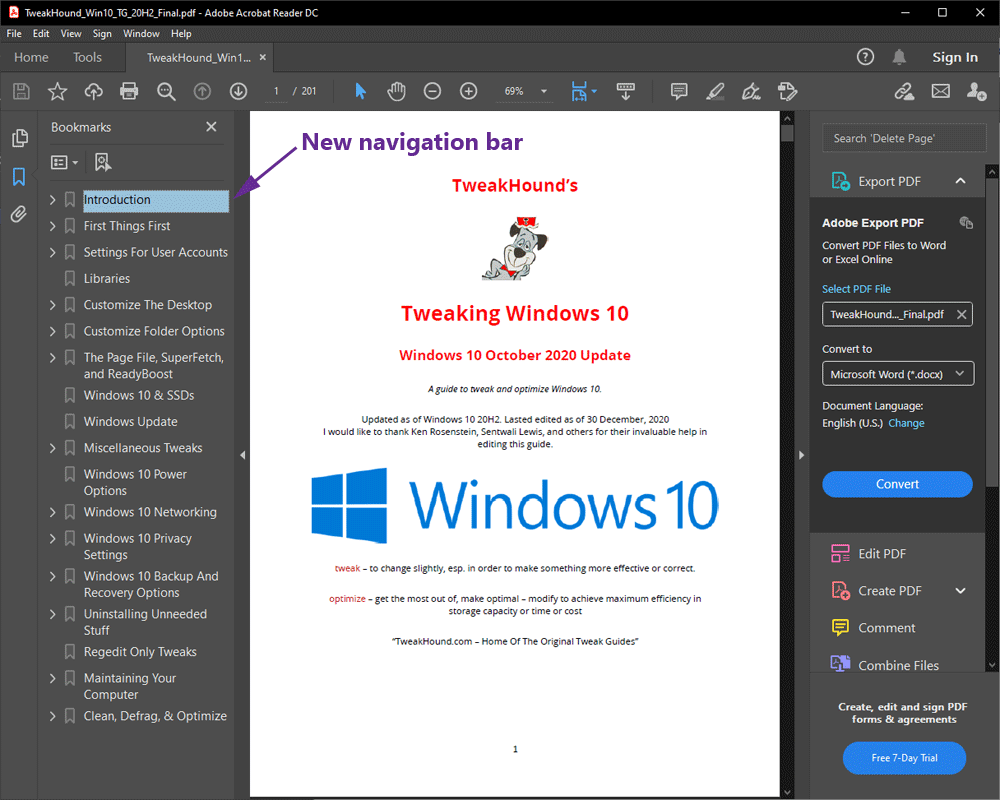
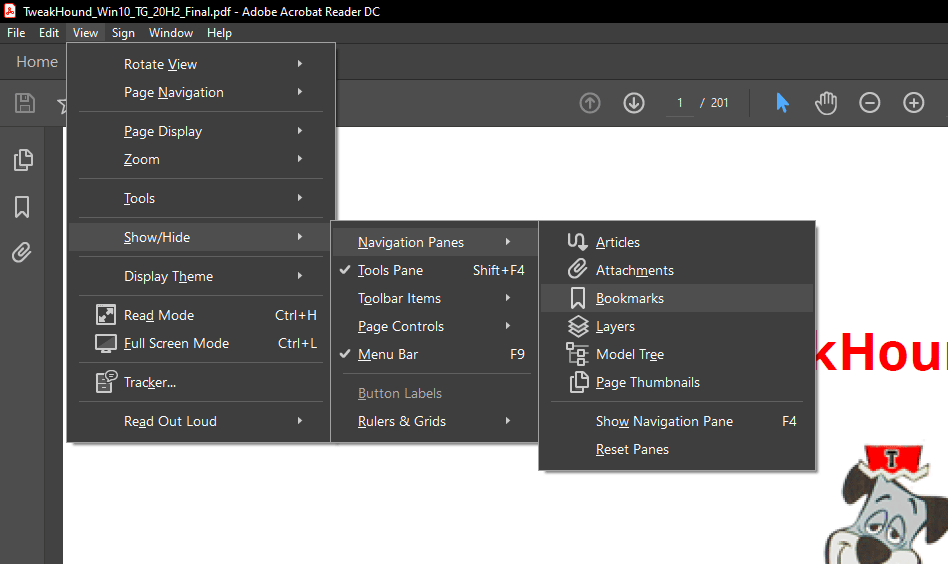
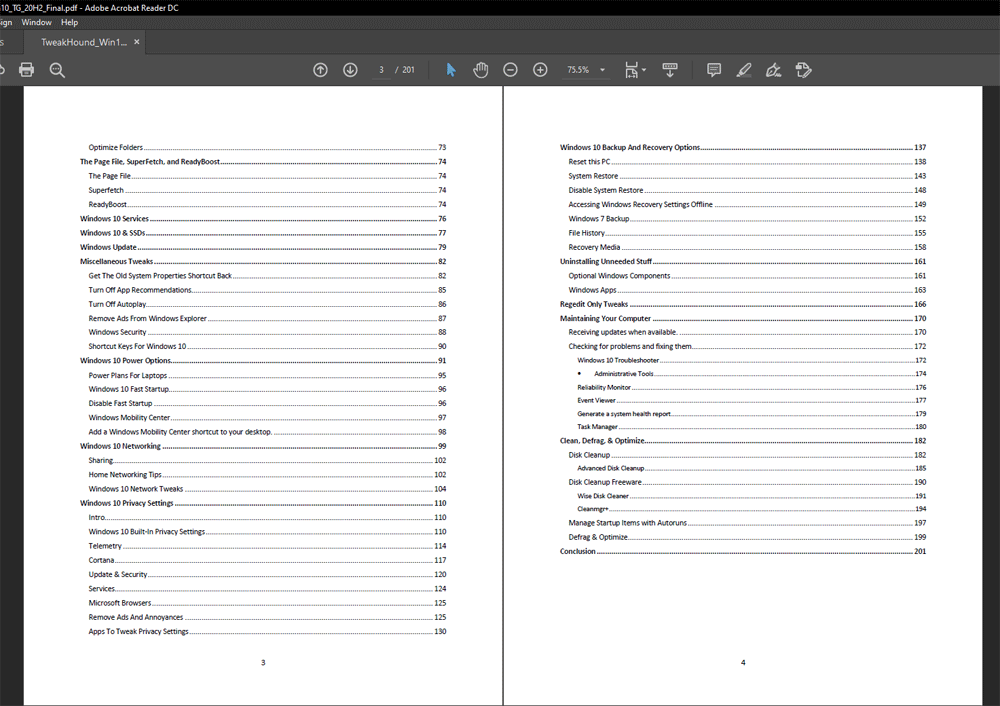
The 200+ page PDF not only has a linked index but a bookmarks bar as well. I will be working on sending out this version to those who are entitled later today. If you are entitled to an update and haven’t heard from me by tomorrow, please contact me. Preferably by forwarding the last email from me.