• Skip to primary navigation
  • Skip to main content
  • Skip to primary sidebar

TweakHound

Computer stuff...

  • Home
  • Windows XP
  • Windows Vista
  • Windows 7
  • Windows 8
  • Windows 10
  • Windows 11
  • Linux
  • Tweak Guides
  • Site Info
    • About
    • About Me
    • TweakHound’s World
    • Contact
    • My Computers
    • Old Articles
    • Privacy Policy
    • Old Index
    • Advanced Search

How-To's

How To Network openSUSE 11.4 And Windows

March 31, 2011, 14:05(EDT) By Eric (a.k.a. TweakHound)

I’ve posted a new article: How To Network openSUSE 11.4 And Windows

Tagged With: How-To's, openSUSE, This Site

Android Phone On Your Home Network

November 25, 2010, 12:27(EST) By Eric (a.k.a. TweakHound)

New article up: Android Phone On Your Home Network

Tagged With: Android, How-To's, This Site

Disk Partitioning

September 26, 2010, 10:15(EDT) By Eric (a.k.a. TweakHound)

I get a lot of questions on disk partitioning, or more specifically, how I partition my disks. This post is meant to clarify any questions on the matter.
[Read more…] about Disk Partitioning

Tagged With: Computer Hardware, Computer News, How-To's, openSUSE, This Site, Windows 7, Windows Vista, Windows XP

Firefox 3: Getting rid of the drop-downs

September 6, 2008, 18:39(EDT) By Eric (a.k.a. TweakHound)

Just a quick How-To. I can’t stand the drop down menu in the Firefox address bar. Here are the 2 keys to change the behavior.

Type: about:config in the address bar and navigate down to:

– To go back to the old style of drop down that only showed where you had already been:
browser.urlbar.matchOnlyTyped change false to true by double-clicking on it.

– To change the number of items in the drop down: browser.urlbar.maxRichResults change to a number you want. 0=none (This looks like you’ve disabled the drop down but you really haven’t. I haven’t found an easy way to actually disable it.


Double-Bonus time:

I use Google as my home page and I hate the new “suggestions” in the search box. Want to get rid of it? Change your home page / bookmark / search page to this url:
http://www.google.com/webhp?complete=0

Tagged With: Computer News, How-To's, Linux, This Site

How-To, Automatically Log On In Windows Vista
April 28, 2008, 10:15(EDT) By Eric (a.k.a. TweakHound)

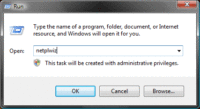
This will show you how to log on automatically in Windows Vista.
[Read more…] about How-To, Automatically Log On In Windows Vista

Tagged With: How-To's, Windows Vista

« Previous Page

Primary Sidebar

Popular Posts

Tweaking Windows 10

Software I Use – 2021 Edition

Timer Tweaks Benchmarked

Win10 – Get Auto-Login Back

Recent Posts

  • Patch Tuesday
  • Monday News
  • Patch Tuesday
  • Weekend News
  • Weekend News
  • Patch Tuesday
  • Friday News
  • Patch Tuesday
  • Using Wise Disk Cleaner
  • Using Cleanmgr+
buywin10th2

Tags

  • Android
  • Backup
  • Beer
  • Computer Hardware
  • Computer News
  • Cool Tools
  • Freeware
  • How-To's
  • Linux
  • Off Topic
  • openSUSE
  • Playlists
  • Privacy
  • Security
  • Software
  • This Site
  • vacation
  • Veterans
  • Windows 10
  • Windows 11
  • Windows 7
  • Windows 8
  • Windows Vista
  • Windows XP

Catagories

  • Android
  • Backup
  • Beer
  • Computer Hardware
  • Computer News
  • Cool Tools
  • Freeware
  • Freeware Machines
  • How-To's
  • Linux
  • News From The Web
  • Off Topic
  • openSUSE
  • Privacy
  • Security
  • Software
  • Tweak Guides
  • Veterans
  • Windows
  • Windows 10
  • Windows 11
  • Windows 7
  • Windows 8
  • Windows Vista
  • Windows XP

TweakHound - Optimize Your Computing Experience! TweakHound - Optimize Your Computing Experience!

Copyright 2002-2025 by Eric Vaughan All material contain here is the property of the materials owner. Windows, Windows XP, Windows Vista, Windows Seven, Windows 8, Windows 10, Windows 11, Microsoft, and all associated logos are trademarks/property of Microsoft. You may not use or copy any material from tweakhound.com without expressed written permission. Hotlinking to any material within this site is forbidden. Privacy Policy