
Win10CU is out (officially, unofficial). Not available on Windows Update until next week.
Turns out the earlier links were indeed “RTM”.
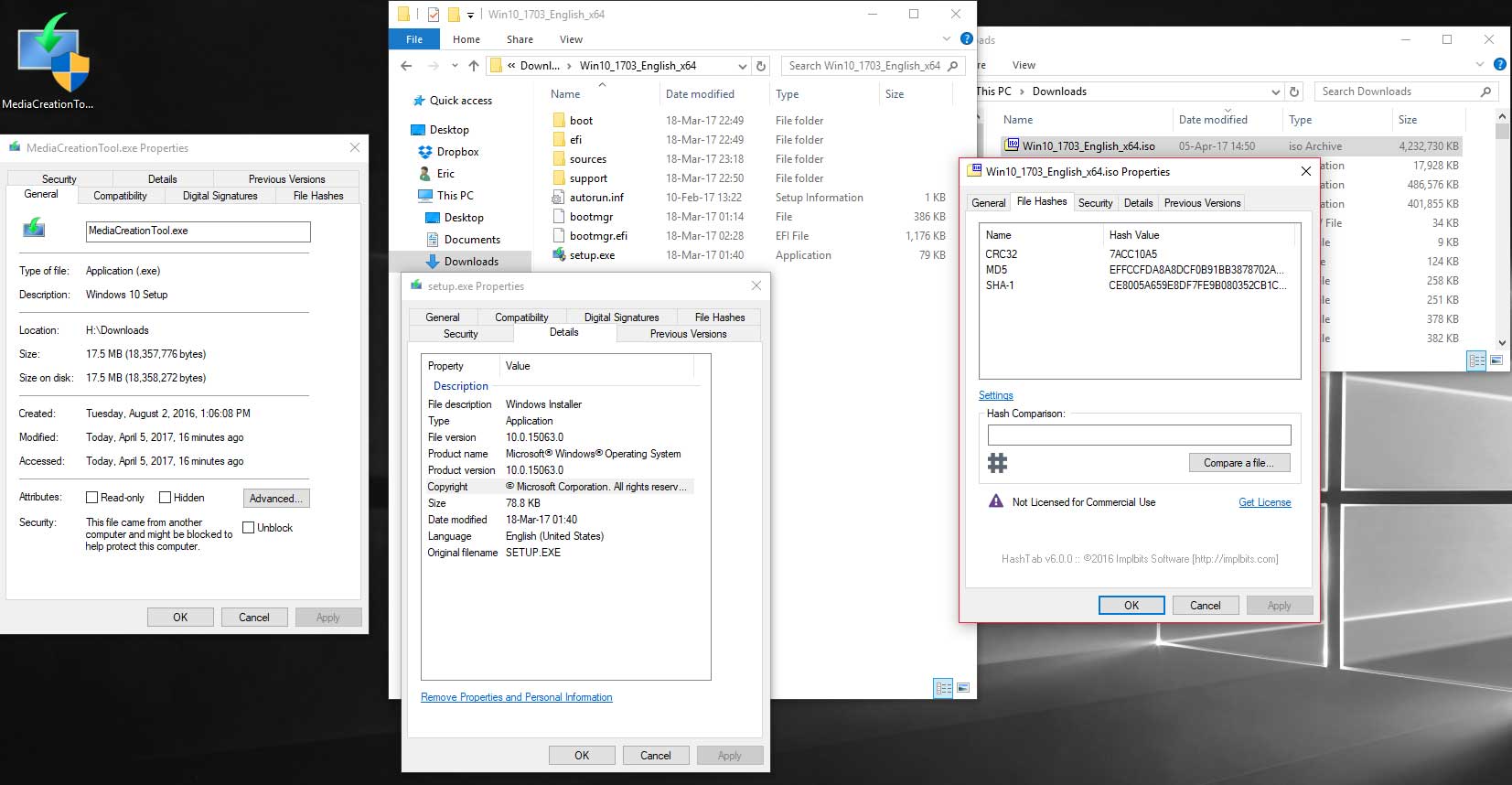
I have just download ISO’s from Microsoft using a direct link and using the Media Creation Tool.
Windows 10 download page: https://www.microsoft.com/en-us/software-download/windows10
From Windows click Download Tool Now button.
Tip – I went to this page from Linux and it gave me the option for direct download.
(Click pic for full size.)
Windows 10
Windows 10 Creators Update Privacy Info
Windows 10 privacy journey continues: more transparency and controls for you (By Marisa Rogers and Terry Myerson)
1 – We are improving in-product information about your privacy.
2 – We are updating the Microsoft privacy statement to include more information about the privacy enhancements in the Creators Update; as well as share more detail about the data we collect and use to support new features offered in this update.
3 – We are publishing more information about the data we collect.
Much more info here.
MUST READ Get it from the horses mouth. Don’t get it from some lame 3rd party.
Windows 10, version 1703 Diagnostic Data
This is a full list of what MS collects.
Again, MUST READ Get it from the horses mouth. Don’t get it from some lame 3rd party.
FINALLY!
Some real transparency here. Well done Microsoft!
Now…
If I could just get ONE button to turn it all off I would stop whining.
Windows 10 Creators Update, Maybe

No official announcement but “they” say that RTM is out.
I have installed it via the upgrade assistant. Use this link courtesy Neowin.
It was an excellent upgrade process. It did not reinstall all the stupid default store apps/games and most tweaks were left in place. All seems well.
However, I strongly advise you do not install until well after official release. Watch Ask Woody for info/advice on when it is ready/safe to update.
Process I used:
– Backup (system image with Acronis True Image)
– Install via upgrade assistant (pay attention during install)
– Run Windows Update
– Run O&O Shutup 10
– Disk cleanup [cleanmgr (Previous Windows Installation) / Wise Disk Cleaner / CCleaner]
Think You’re Having A Bad Day?
Microsoft services are down and the Hackers at Pwn3Own hacked the crap out of the Microsoft Edge browser. Win10’s UAC isn’t faring well either.
Tuesday Random Stuff…
It’s Patch Tuesday so look for another post this afternoon.
Win10 Ads
Everyone is pissed off that Microsoft is putting ads in Windows. IMHO it is just the latest fiasco surrounding Win10.
CCleaner Monthly Update
Version 5.28 released.
Download
Version History
Finally
Verizon managed to finally push out Android Nougat to my Galaxy S7.
The update also put in the most recent security updates (Feb. 1) which is all I really cared about.
The update broke LED notifications and I had to do a full reset to get them to work.

New Bike
Last year I had mentioned I was looking for a hybrid bike. Several of you emailed some good suggestions.
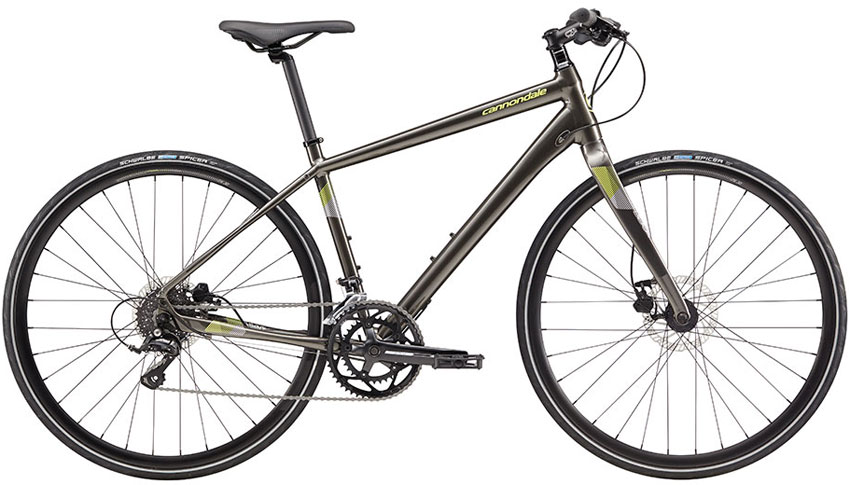
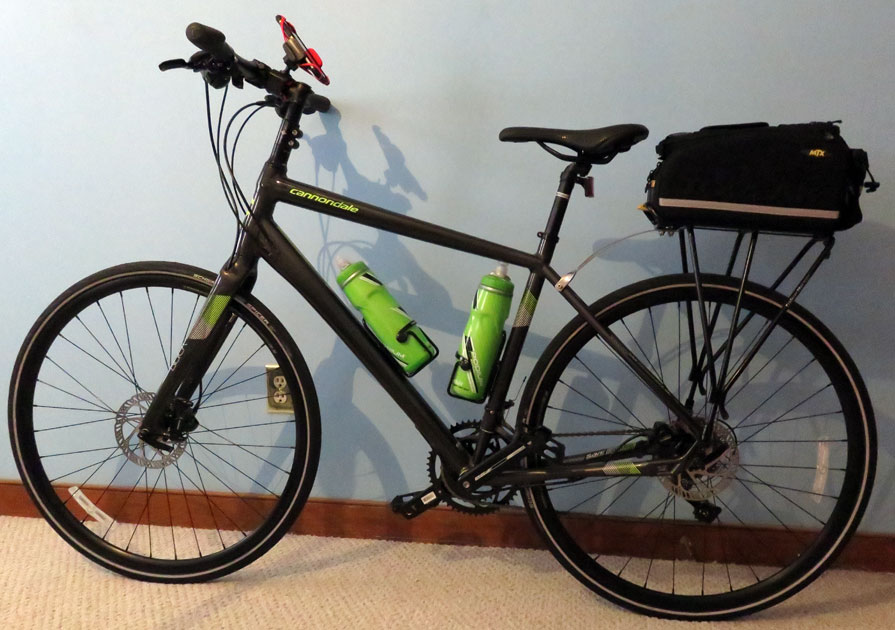
I recently bought a Cannondale Quick 3 Disc on sale for $749 at a local bike shop.
I put a phone holder, two water bottle cages, and a rear bike rack on it. I have 2 CamelBak Podium Big Chill Insulated Water Bottles. I also got a 529 Garage Bicycle Registration Kit to help recover the bike if it is stolen.
I look forward to putting some serious miles on it once the weather breaks.
Windows 10 Game Mode
“Game Mode” is back in the news again.
[Read more…] about Windows 10 Game Mode
Microsoft, Tanks Fer Nuttin
Windows 10 Game Only Tweaks

Edit – Not continuing this. No feedback.
****THIS IS BETA UNTIL FURTHER NOTICE****
Feedback wanted!
*Possibly NSFW adult language and, *gasp*, opinions follow***
[Read more…] about Windows 10 Game Only Tweaks
Testing Tweaks, Some Interesting Benchmarks
I decided to go ahead with a Game Only tweak guide. This will be a down and dirty, operating system only, advanced users only , and probably NSFW guide.
In prep I spent several days setting up, benchmarking, and tweaking.
I thought I would tease you with some benchmarks.
[Read more…] about Testing Tweaks, Some Interesting Benchmarks
Getting too aggressive in pushing out of the Windows 10 free upgrade.
This week on TWiT – Windows Weekly, Chris Capossela, Chief Marketing Officer of Microsoft said:
“… Getting too aggressive in pushing out of the Windows 10 free upgrade. We know we want people to be running Windows 10 from a security perspective etc., but finding the right balance where you’re not stepping over the line of being too aggressive is something we tried and for a lot of the year I think we got it right, but there was one particular moment in particular where you know the red X in the dialog box which typically means you cancel, didn’t mean cancel, and within a couple of hours of that hitting the world, with the listening systems we have we knew that we had gone too far and then of course it takes some time to roll out the update that changed that behavior. And those two weeks were pretty painful and clearly a low-light for us. We learned a lot from it obviously.”
Start listening about 16:00 into the video. The text above starts about 17:40:
Good to see someone at Microsoft knows what’s up.
And on a side note. Uh, excuse me, Um, what “listening systems” are we talking about?