
• Skip to primary navigation
  • Skip to main content
  • Skip to primary sidebar

TweakHound

Computer stuff...

  • Home
  • Windows XP
  • Windows Vista
  • Windows 7
  • Windows 8
  • Windows 10
  • Windows 11
  • Linux
  • Tweak Guides
  • Site Info
    • About
    • About Me
    • TweakHound’s World
    • Contact
    • My Computers
    • Old Articles
    • Privacy Policy
    • Old Index
    • Advanced Search

A Review Of Two Tweaking Apps

February 22, 2024, 09:46(EST) By Eric (a.k.a. TweakHound)

Recently I’ve become aware of a new “tweaking app” from Microsoft. In the process of researching it I came across a better alternative…

Tweaking Apps
Windows tweaking apps are plentiful and have ben around at least as far back as Windows 95. Anyone remember Tweak UI? The usefulness and effectiveness of these apps have long been in question. In the early days some of these apps like X-Setup could help you adjust settings to make Windows a bit faster. As Windows operating systems became more efficient and computers more powerful this ceased to be the case.

Tweak & Optimize
I’ve long claimed in my tweak guides that the goal of tweaking Windows is to “Tweak & Optimize” your rig. The ability to do this is what I look for in a tweaking app. These days any app claiming to speed up or boost your PC is, ahem, “misleading” you.

Microsoft PC Manager vs Wintoys
I came across Microsoft PC Manager from Microsoft China while web surfing. While reading some comments someone suggested an alternative, Wintoys from Romanian software engineer Bogdan Pătrăucean.
If you want to skip the blah, blah, blah I’ll give you my conclusion up front.
I don’t find the cleanup capabilities of either app to be particularly impressive. There are better alternatives out there.
I found Microsoft PC Manager to be inaccurate, mostly useless, adware, and to quote Paul Thurrott, a “shoddy quality app“.
In contrast, I found Wintoys to be a fine one-stop-shop for adjusting all sorts of Windows settings. I highly recommend you give this app a try.

Microsoft PC Manager

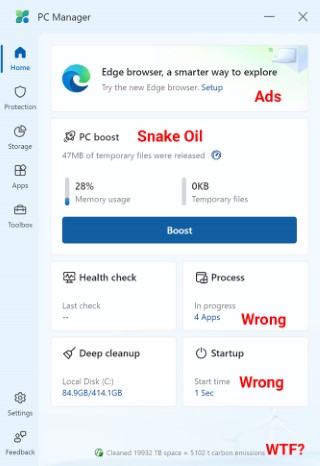
The home tab, FUBAR from the start.
Wintoys says startup time is 11.6 seconds, PC Manager says it is 1 second.
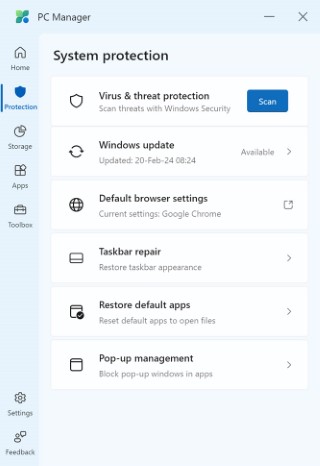
System Protection tab. Not sure what the last four sections have to do with “system protection”.
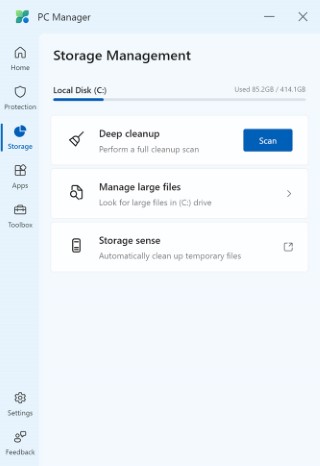
Storage Management. Meh.
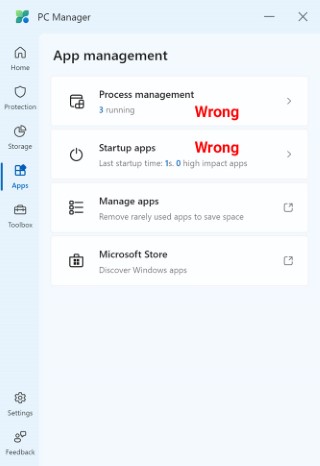
App management…
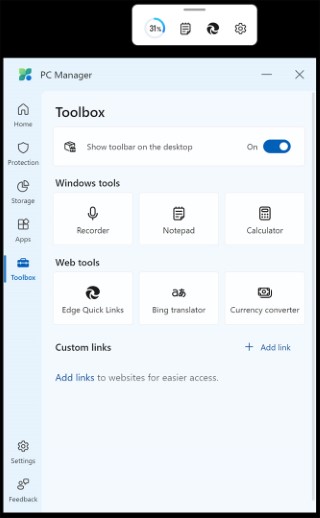
Toolbox, LMAO.
 

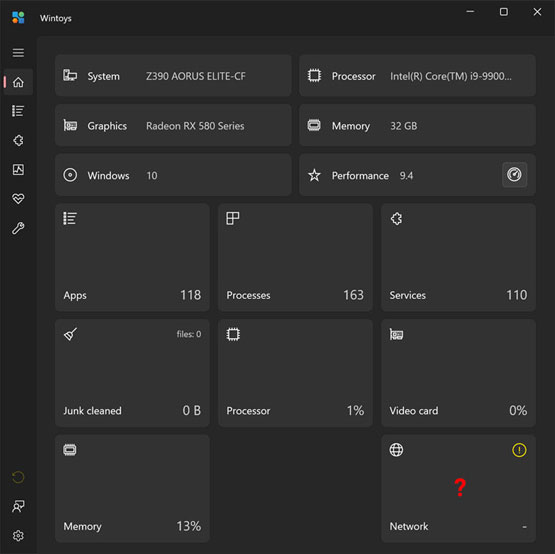
Wintoys (home page)

Home tab. Network section not working on this rig, it did on another?
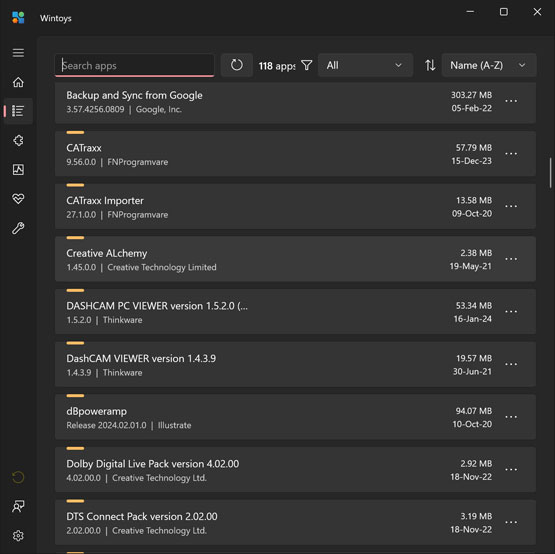
Apps tab. Able to sort, kill, and uninstall from here.
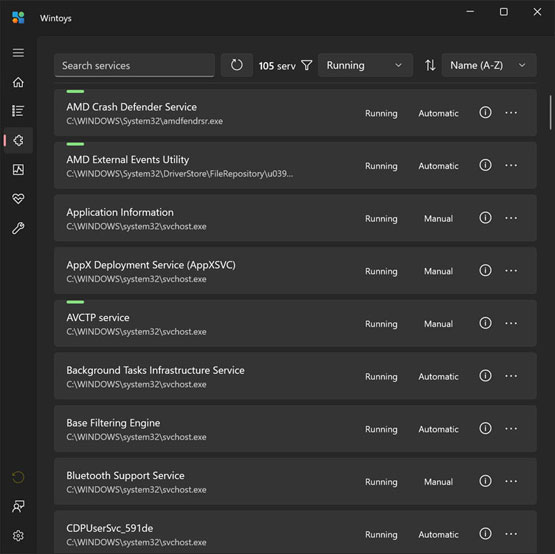
Services tab stop, start, adjust from here.
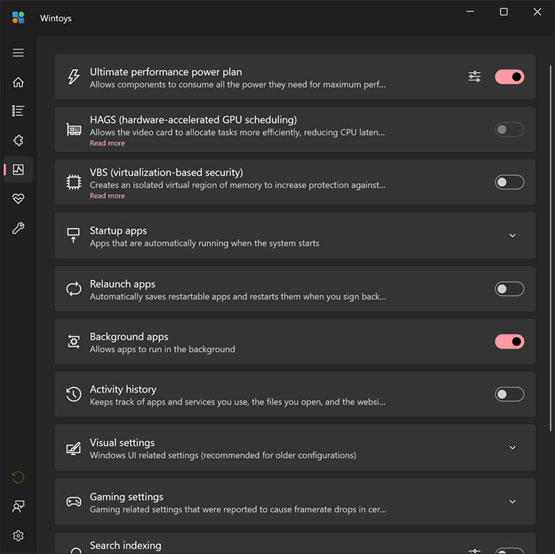
Performance tab. Lots of the usual tweaking app adjustments available here.
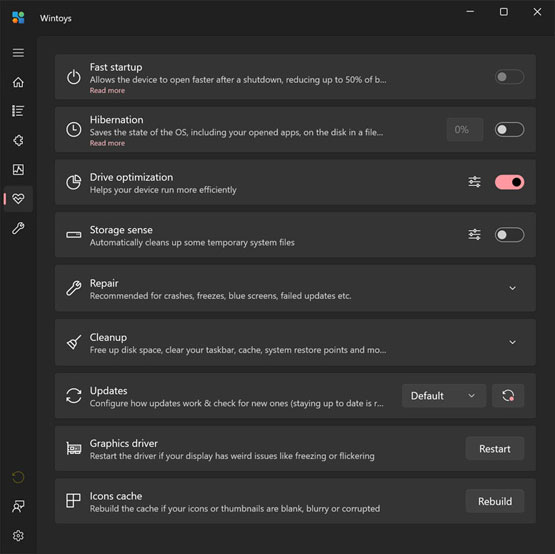
Health tab, kinda just the last tab continued IMHO.
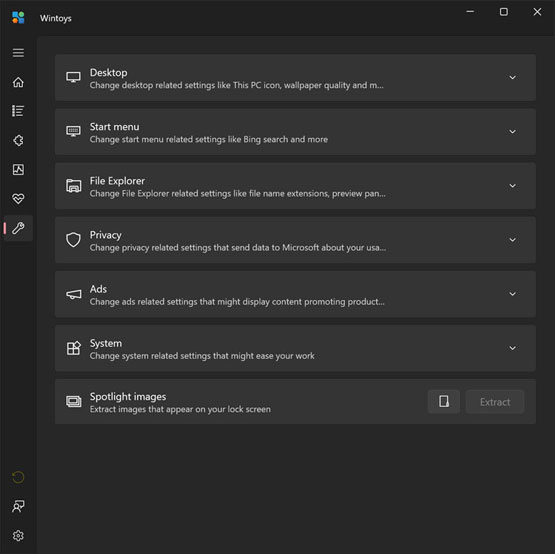
Tweaks tab, again kinda just the Performance tab continued IMHO.
-END-

Tagged With: Cool Tools, This Site

Reader Interactions

Comments

  1. Kelly says

    February 22, 2024, 14:20(EST) at 14:20

    Great article Eric. I give wintoys a try. Although I don’t tweak about windows much anymore.

  2. Shawn says

    February 26, 2024, 13:10(EST) at 13:10

    Agree, Microsoft PC Manager is garbage.

Primary Sidebar

Popular Articles

Windows 10

Tweaking Windows 10

My Windows 10 Tweaks

Windows 10 Privacy Settings

Win10 Diagnostics Tracking Service Gone?

Windows 10 Advanced Disk Cleanup

Win10 Customize Installation Options

Windows 10 Dark Theme

Win10 Wallpapers, Graphics, etc.

All Windows 10 Articles

Windows 8

Tweaking Windows 8.1

Advice On Installing Windows 8.1

Clean Install Windows 8.1

Cleanup After Windows 8.1 Upgrade

Create Shutdown, Restart, Logoff Tiles For Windows 8

Tweaking Windows 8

Install Windows 8 – Clean Install With Upgrade Media

Install Windows 8 – Upgrade

Windows 8 – Cleaning Up After You’ve Upgraded

Windows 8 Freeware Machine

Windows 8 SSD Settings, Etc.

How To Resize Your Windows 8 Partition

Create Windows 8 Recovery Media

Windows 8 – Elevated Command Prompt

How To Fix The Windows Bootloader

Windows 7

Installing Windows 7

Tweaking Windows 7

Windows 7 Diagnostics Tracking Service

The Windows 7 Freeware Machine

The Windows 7 Pagefile And Running Without One

Bad Tweaks

SSD Tweak Guide (sort of)

The noguiboot (no GUI Boot) Tweak

NtfsMemoryUsage=2 Tweak

More Windows 7 articles here.

Windows Vista

Installing Windows Vista

Tweaking Windows Vista

More Windows Vista articles here.

Windows XP

eXPired - The Last Windows XP Guide You'll Ever Need

The Right Way To Install Windows XP

Super XP Tweaking Guide

The Freeware XP Machine

Bad Tweaks

More XP Articles here and here.

Backup

Backup Article Greatest Hits – Vol. 1

Other

Cataloging Your Music Collection

Finding Good Album Art

Converting Vinyl Records To Digital Music – A Non-Audiophiles Guide

Windows All-In-One Recovery Flash Drive

SSD Tweak Guide (sort of)

Raidmax Blackstorm Case Review

Disk Partitioning

Ditch Those CD's! A Guide To Using USB Flash Drives

Checking Your Disks For Problems

Bad Tweaks

More articles here

Tags

Android Backup Beer Computer Hardware Computer News Cool Tools Freeware How-To's Linux Off Topic openSUSE Playlists Privacy Security Software This Site vacation Veterans Windows 7 Windows 8 Windows 10 Windows 11 Windows Vista Windows XP

TweakHound - Optimize Your Computing Experience! TweakHound - Optimize Your Computing Experience!

Copyright 2002-2025 by Eric Vaughan All material contain here is the property of the materials owner. Windows, Windows XP, Windows Vista, Windows Seven, Windows 8, Windows 10, Windows 11, Microsoft, and all associated logos are trademarks/property of Microsoft. You may not use or copy any material from tweakhound.com without expressed written permission. Hotlinking to any material within this site is forbidden. Privacy Policy