• Skip to primary navigation
  • Skip to main content
  • Skip to primary sidebar

TweakHound

Computer stuff...

  • Home
  • Windows XP
  • Windows Vista
  • Windows 7
  • Windows 8
  • Windows 10
  • Windows 11
  • Linux
  • Tweak Guides
  • Site Info
    • About
    • About Me
    • TweakHound’s World
    • Contact
    • My Computers
    • Old Articles
    • Privacy Policy
    • Old Index
    • Advanced Search

Eric (a.k.a. TweakHound)

Monday, Monday

December 1, 2014, 15:31(EST) By Eric (a.k.a. TweakHound)

60smusic

60smusicFoxy Lady
Firefox 34 is out.
New features include Yahoo as default search :rolleyes:
Download (Windows, EN-US)
Release Notes
Download other languages and operating systems
Firefox 34 for Android is available in the Play Store.

Paint It Black
Paint.net 4.0.4 released.
“this update greatly improves performance in some key areas”
Announcement
Download
Plugins

Cinnamon Girl
Linux Mint 17.1 with Cinnamon and Mate desktops released.

The Times They Are a-Changin’
With TrueCrypt no longer being developed many folks are looking elsewhere for disk encryption software.
VeraCrypt is one alternative and they’ve released version 1.0e.

Tagged With: Computer News

My Computers etc.

December 1, 2014, 12:36(EST) By Eric (a.k.a. TweakHound)

th

Folks seem to like to know my computer setups and stuff so here it is.
***Pics of my setup here: The Hole 2021

Some of my computers are listed below.

Other tech stuff:
Phone
Samsung Galaxy S24+
Printer / Scanner
HP Officejet Pro 8720
Network
7 desktops, 1 laptop, 1 ethernet lan, 3 wireless networks, security cameras…
Speakers
M-Audio AV-40
Logitech Z-5500.
Misc. TV Stuff
Amazon TV


COMPUTERS

Main Rig Secondary Rig Server
CPU i9-9900KF (all cores locked at 5GHz) i7-9700K (all cores locked at 5GHz) i7-3700
Motherboard Gigabyte Aorus Z390 Elite Gigabyte Z370 AORUS Gaming 7 Intel DZ77SL-50K
Memory Corsair Vengeance LPX 32GB G.SKILL Ripjaws V Series 32GB Crucial 16GB
GPU XFX Radeon RX 580 GTS Black Ed.
8GB
Zotac GeForce GTX 1060 AMP!
Edition 6GB
Onboard Intel HD Graphics 4000
Monitor(s) 2 x Samsung U32J59x (3840×2160@60Hz) DELL P2415Q (3840×2160@60Hz)
SONY TV (1920×1080@59Hz)
Drives Samsung SSD 980 PRO 500GB NVMe
Samsung SSD 980 PRO 2TB  NVMe
Samsung SSD 870 EVO 1TB
Samsung 960 EVO Plus 250GB NVMe
Samsung 960 EVO Plus 500G NVMe
Samsung SSD 850 EVO 250GB
Seagate Exos X16 14TB
Bluray
Crucial M4 OS Drive
Other storage varies
Network Gigabit Ethernet Gigabit Ethernet Gigabit Ethernet
Audio Sound Blaster ZxR Realtek HD None
PSU 800 watt 80+ Gold Seasonic SSR-650FX 800 watt 80+ Gold
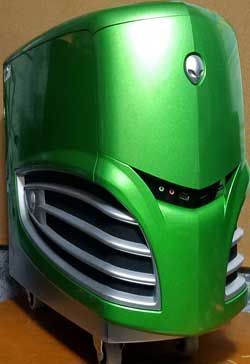
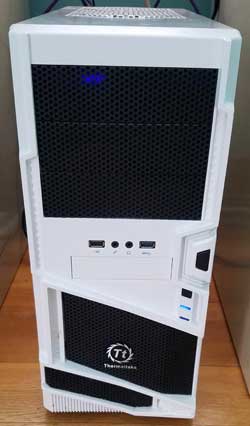
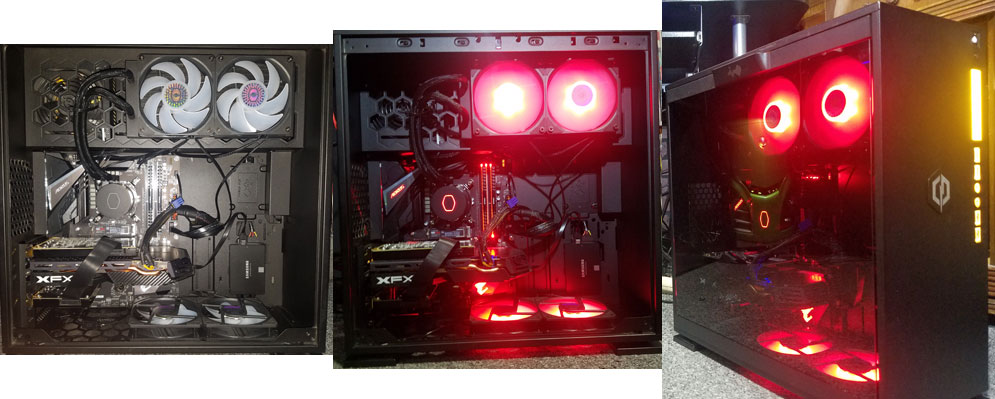
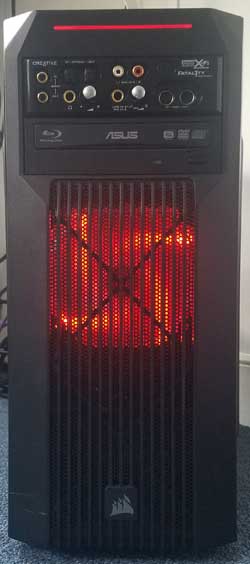
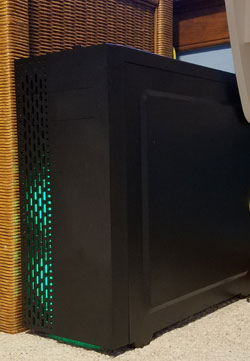
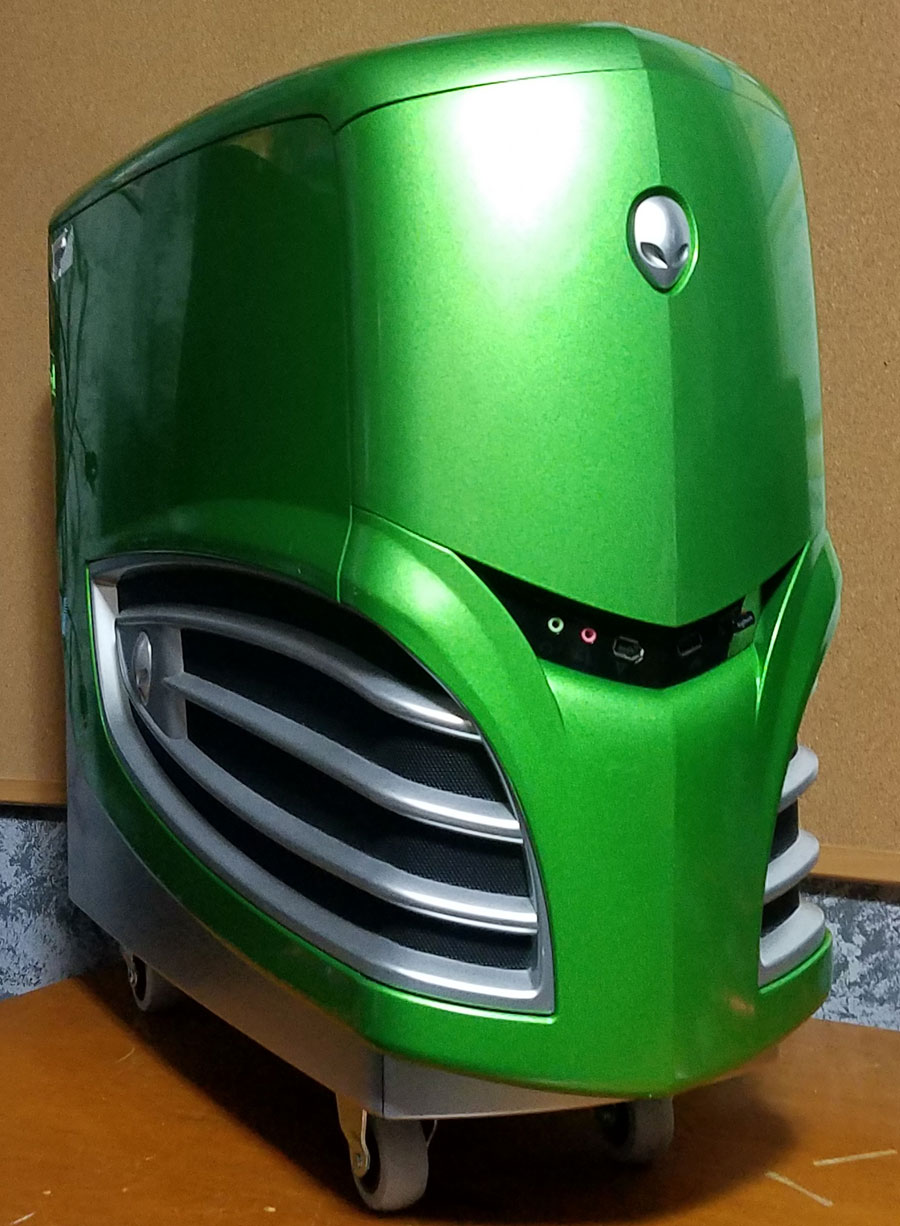
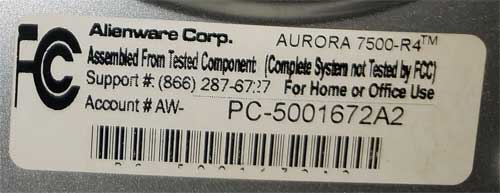
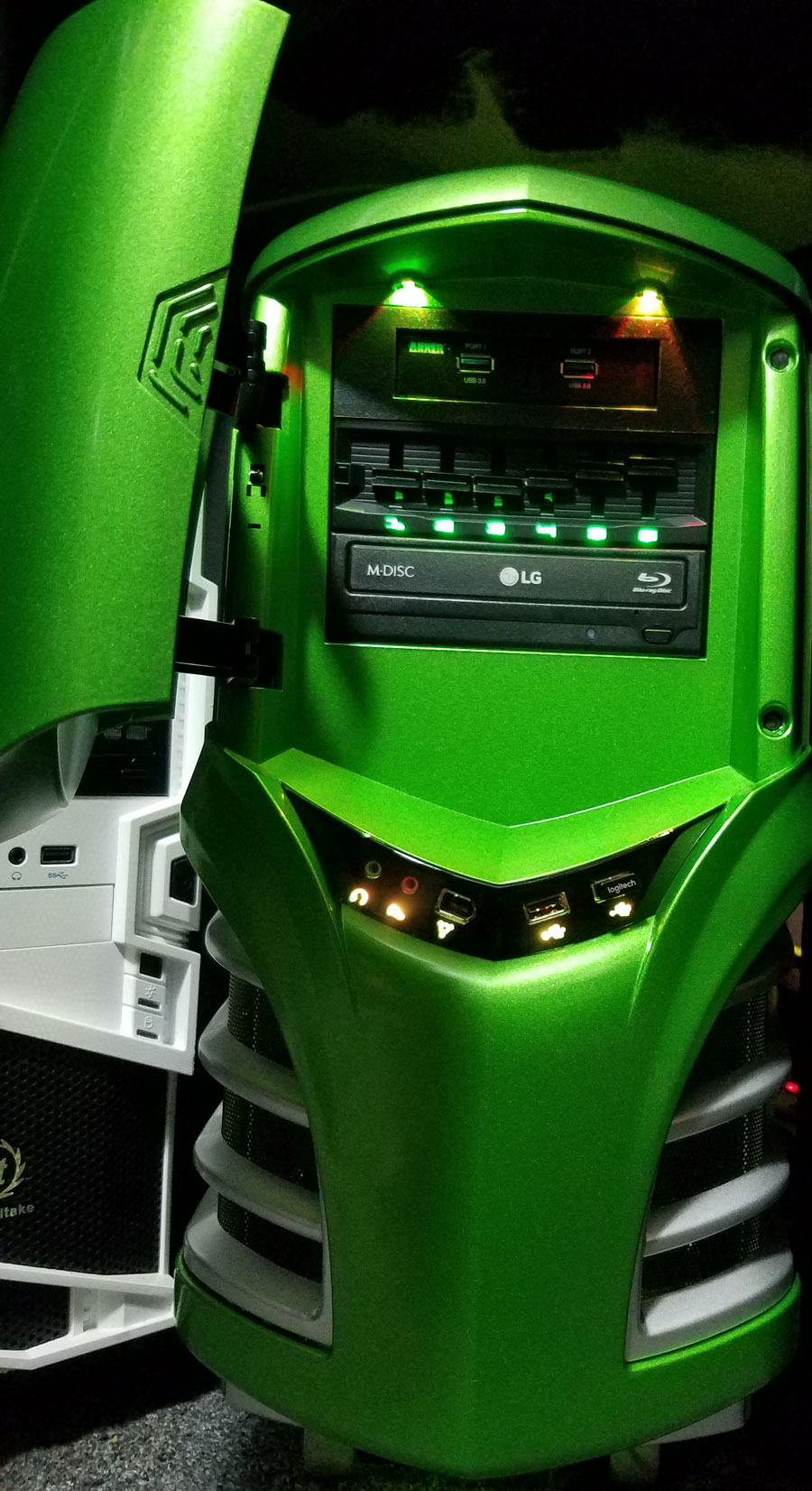
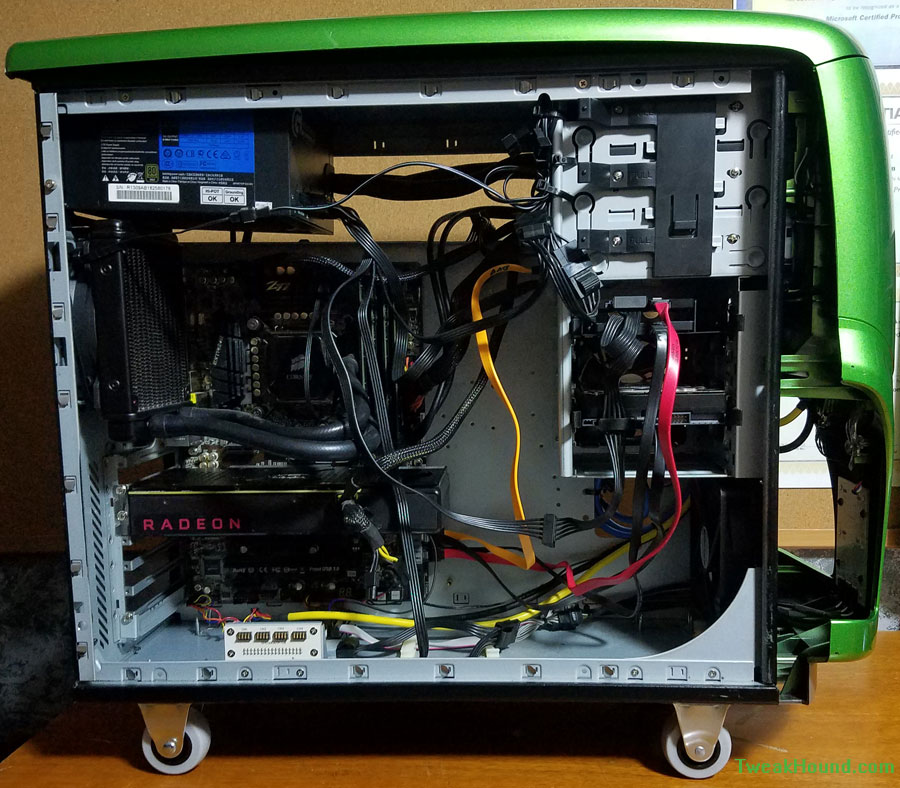
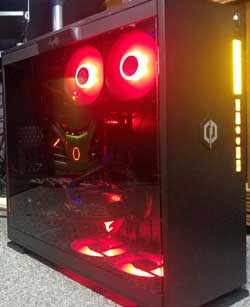
Case IN WIN 303C Old Alienware Rosewill Zircon T
Cooling Cooler Master ML240L RGB V2 Corsair H60 generic
OS Win11 Pro, Linux Mint VM Win10 Pro Win10 Pro

Multimedia 1 Workout A/V Wife’s PC
CPU i7-8700k i7-7700k i7-7700
Motherboard Gigabyte Z390 UD Asus Z170-A MSI Z270-A PRO
Memory 16GB Crucial 16GB Corsair 32GB Adata
GPU XFX Radeon RX 480 8GB XFX Radeon DD R9-270X 4GB GeForce GTX 960 4GB
Drives Samsung NVMe 970 EVO Plus 250GB
Samsung SSD 850 PRO 256GB
Samsung SSD 850 EVO 250GB
Blueray
970 EVO Plus 250GB NVMe
Samsung SSD 850 EVO 250GB
Samsung NVMe 970 EVO Plus 500GB
WD Blue 500GB SSD
Toshiba 3TB SATA
Network Gigabit Ethernet Gigabit Ethernet Gigabit Ethernet
Audio Sound Blaster Z Sound Blaster X-FI Fatal1ty Realtek
PSU Corsair CZ550M Seasonic SSR-650FX 800 watt 80+ Gold
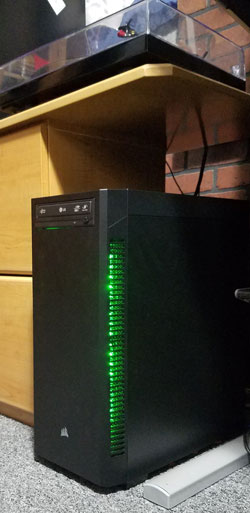
Case Corsair 110Q Corsair Carbide Series SPEC-02 Rosewill Zircon T
Cooling Corsair H60 Corsair H80i Generic Water Cooler
OS Win10 Pro Win10 Pro Win10 Pro

My Laptop
Full specs and stuff here: https://www.tweakhound.com/2015/05/04/my-new-used-laptop/
Alienware 15
OS: Win10
Intel Core i7-4710HQ
16GB Crucial Ballistix RAM
Samsung SSD 850 EVO M.2 250GB (OS)
Samsung SSD 850 EVO 1TB (data)
NVIDIA GeForce GTX 980M


Media 2
Win 7 hooked to TV
Computer: DELL Inspiron 530 (well, it was at one time!)
CPU: Intel Q9450
Motherboard: DELL 0FM586
Chipset: Intel G33 (Bearlake-G) + ICH9R
Memory: 4096 MBytes @ 394 MHz, 6.0-6-6-18
– 1024 MB PC6400 DDR2-SDRAM – ProMos/MOSEL V916765K24QCFW-G6
Graphics: Sapphire RADEON HD 5670
ATI RADEON HD 5670/5690/5730 (REDWOOD XT MVD), 1024 MB GDDR5 SDRAM
Drive: M4-CT128M4SSD2, 125.0 GB, Serial ATA 6Gb/s
Drive: ST31000333AS, 976.8 GB, Serial ATA 3Gb/s
Drive: TSSTcorp DVD+-RW TS-H653F, DVD+R DL
Sound: Intel 82801IB ICH9 – High Definition Audio [A2]
Sound: ATI Redwood/Madison/Capilano – High Definition Audio Controller
Network: RealTek Semiconductor RTL8169 Gigabit Ethernet Adapter
OS: Microsoft Windows 7 Home Premium (x64)


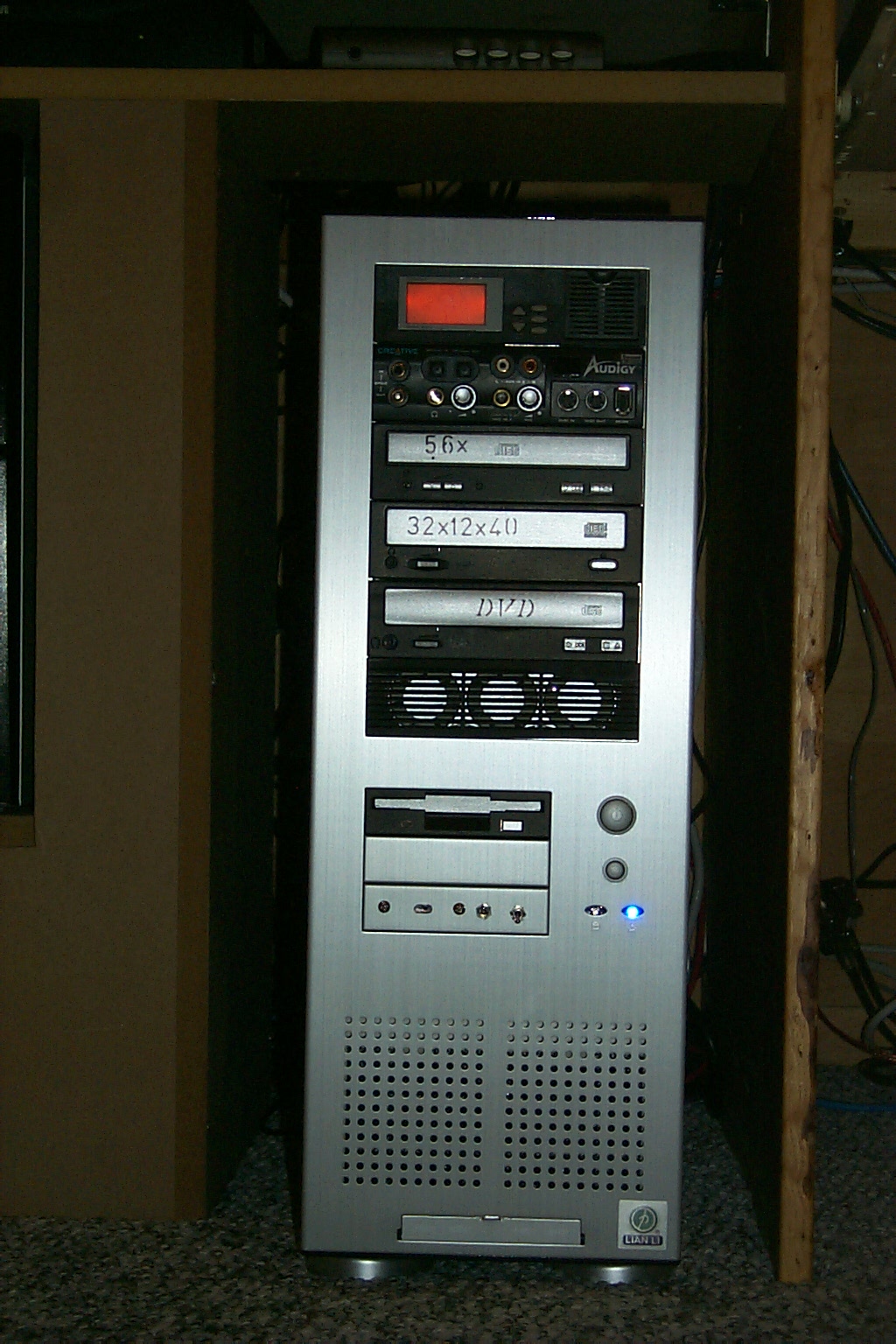
Old Alienware Case


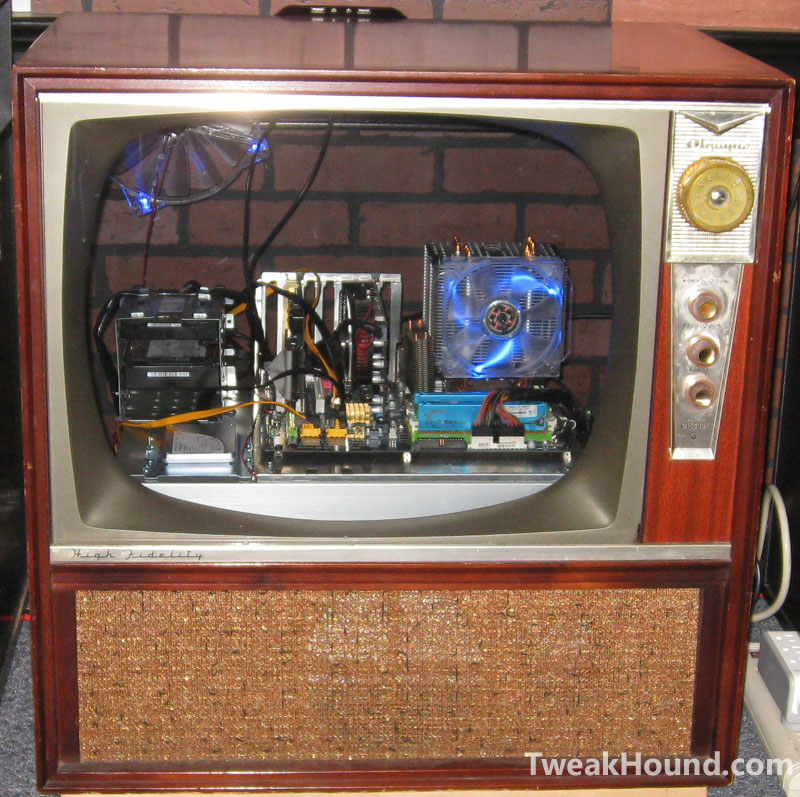
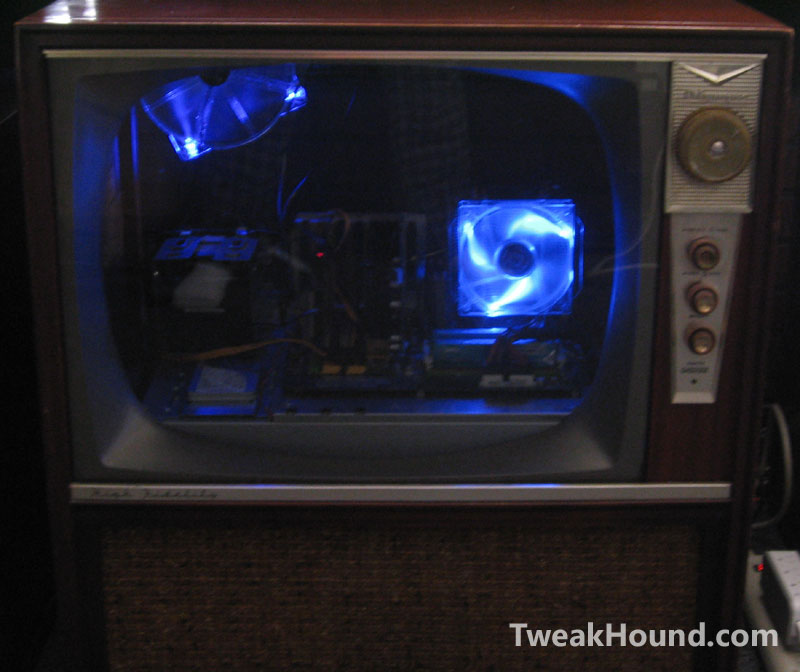
Case (retired): A 1950’s TV !!!
th_tv_case_1
th_tv_case_2

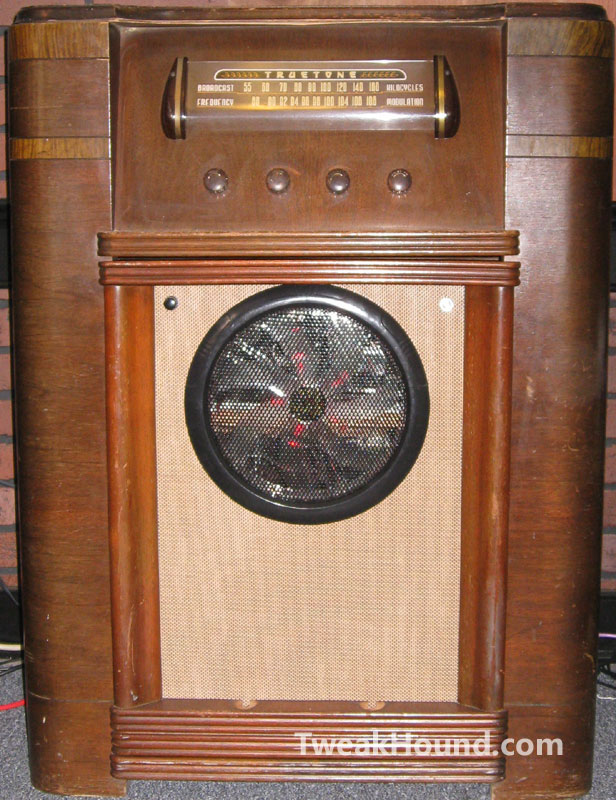
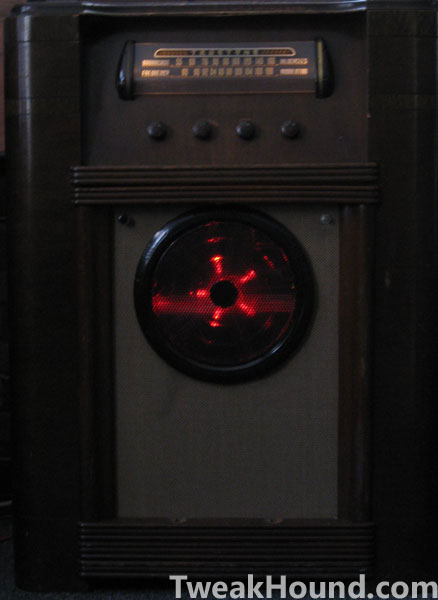
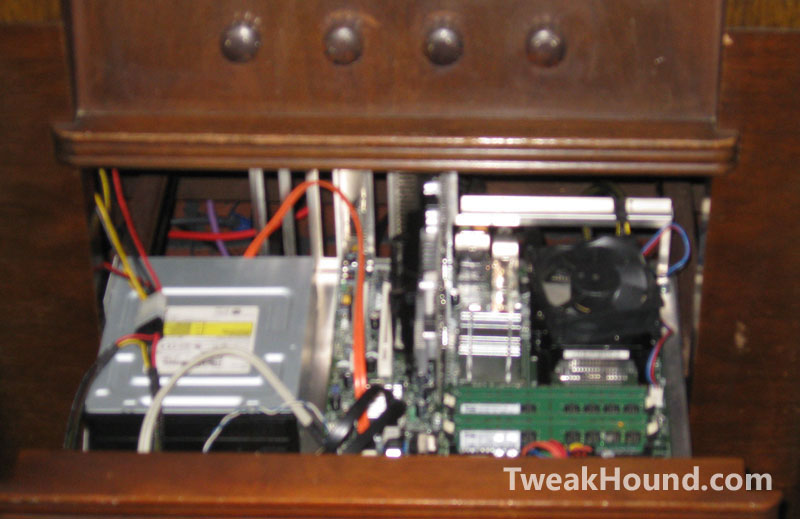
Case: 1940’s Radio!!!
th_radio_case_1
th_radio_case_2
th_radio_case_3


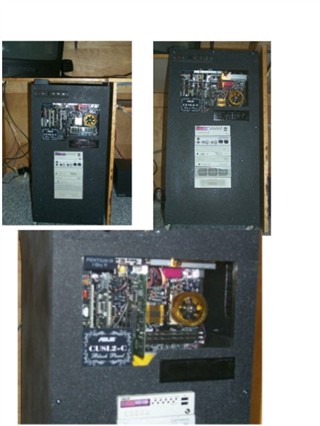
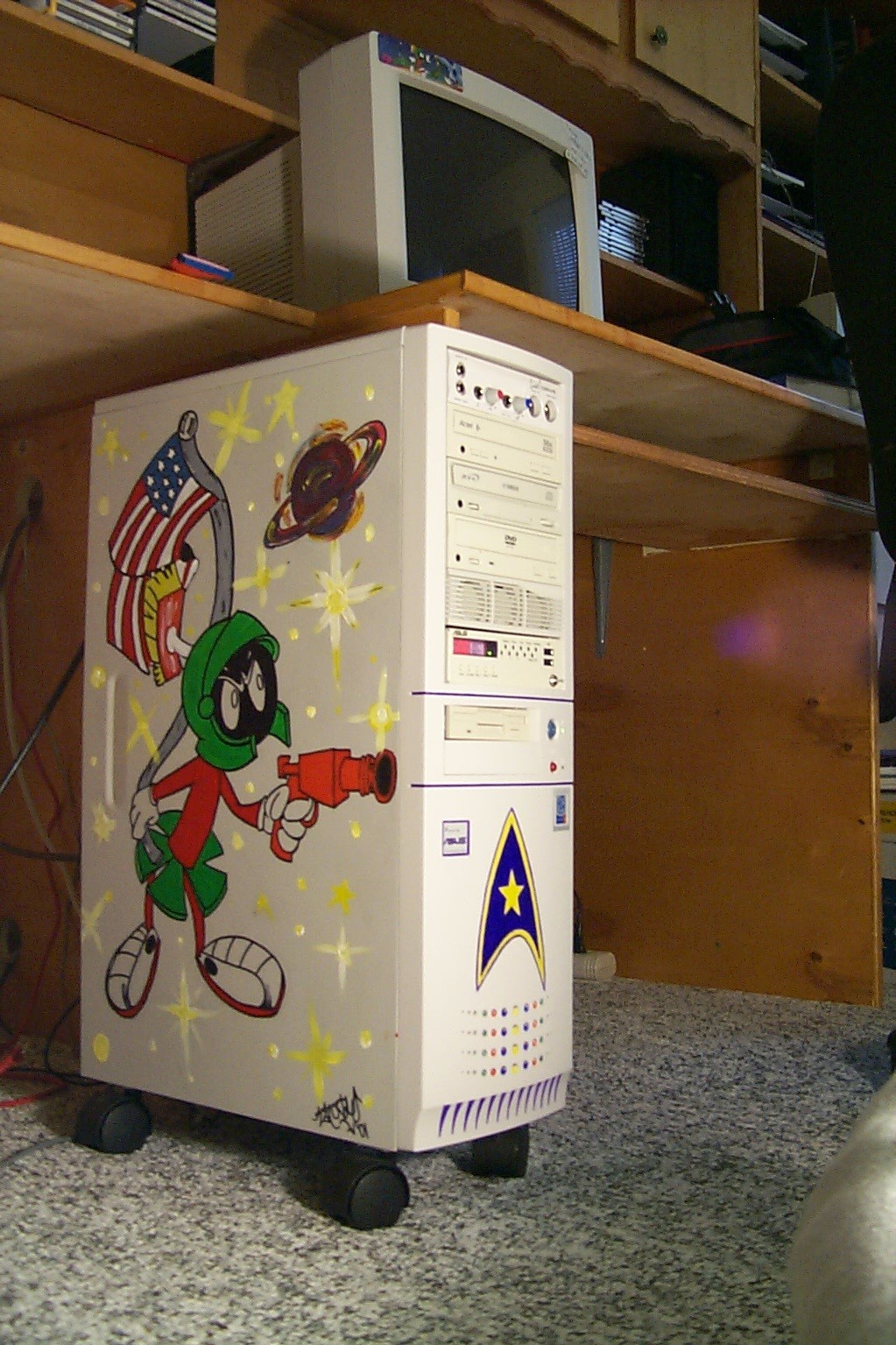
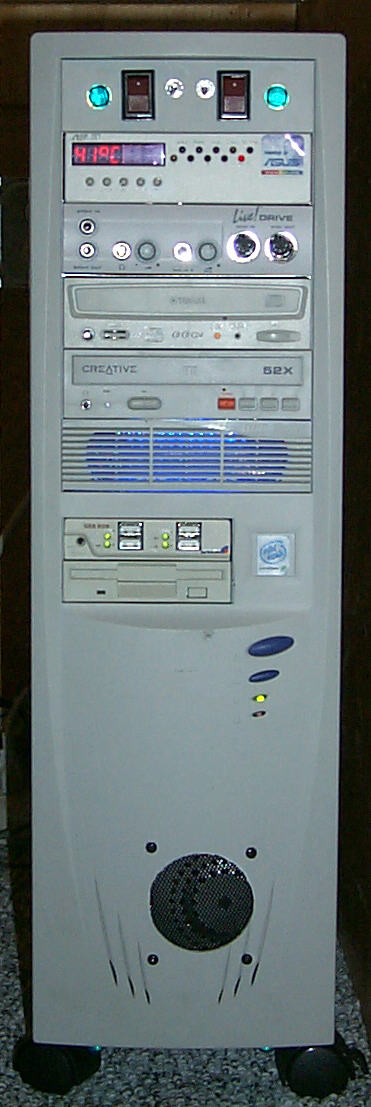
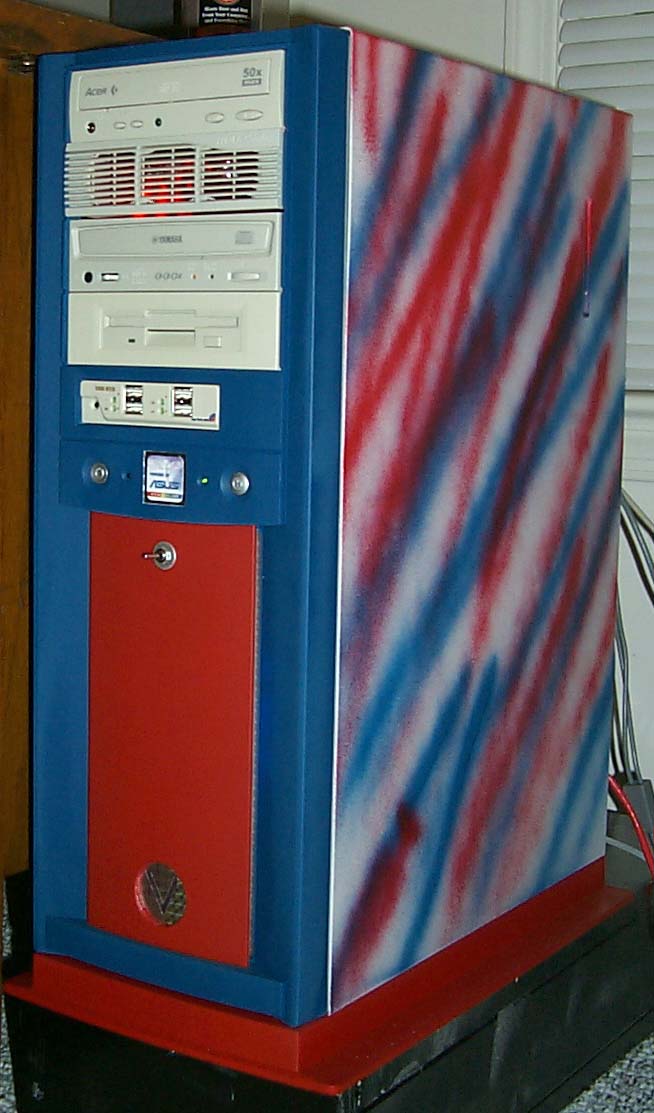
ASUS CUSL2-C Black Pearl built into a file cabinet circa 2001.

My sister painted the side. Around 2001-2002
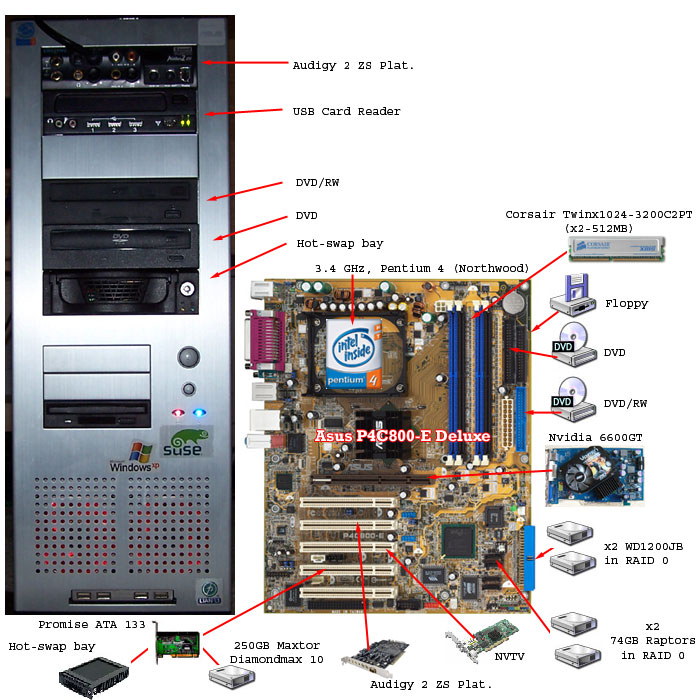
2004 maybe?

————————————————

-END-

Wednesday Random Stuff…

November 26, 2014, 16:25(EST) By Eric (a.k.a. TweakHound)
cornucopia

cornucopiaFlash Ah-Ahh!
Flash has been updated to version 15.0.0.239.
Download:
Flash for IE
Flash for other browsers
Main download page
Windows 8 users check Windows Update.
Of course this means Google Chrome has been updated too…
“The stable channel has been updated to 39.0.2171.71 for Windows, Mac and Linux. This release contains an update for Adobe Flash as well as a number of other fixes. ”
Download or update from within the program.

U-G-L-Y You Ain’t Got No Alibi
CCleaner v5 is out. New interface and optimizations.
Download
Version History
***Pay attention during install. May attempt to install unwanted programs.

I wish you all a safe and pleasant Thanksgiving,
Eric

cb_thanksgiving

Tagged With: Computer News

Fix KB3000850 Will Not Install

November 24, 2014, 16:09(EST) By Eric (a.k.a. TweakHound)

thpinpostlogo

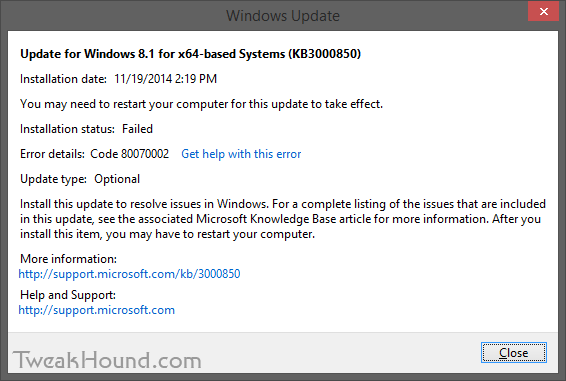
thpinpostlogoI had a couple of Windows 8.1 computers that would not install KB3000850.
KB3000850 is also called “The November 2014 update rollup for Windows RT 8.1, Windows 8.1, and Windows Server 2012 R2.”
The specific error code was 80070002.
fix_kb3000850_1

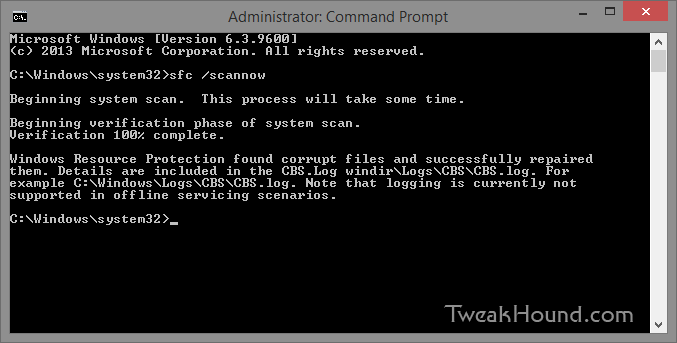
The Windows error logs directed me to C:\Windows\Logs\CBS\CBS.log. There I found complaints about system files.
The cure for that is:
From an ELEVATED command prompt [Command Prompt (Admin) ] > type sfc /scannow and press the Enter key >
Let it do its thing > Reboot and install your update.

fix_kb3000850_2

– END –

Tagged With: How-To's, This Site, Windows 8

Random Weekend Stuff…

November 23, 2014, 16:07(EST) By Eric (a.k.a. TweakHound)

th

thSoftware
BleachBit 1.6
VirtualBox 4.3.20

Detekt
Several privacy outfits have banded together to release Detekt.
“Detekt is a free tool that scans your Windows computer for traces of FinFisher and Hacking Team RCS, commercial surveillance spyware that has been identified to be also used to target and monitor human rights defenders and journalists around the world.”
It does not work on Windows 8.1 64-bit.

Reader Emails
Q – Does the 8.1 workaround work for systems that came with 8.1 preinstalled? I used ProduKey to find my product key, but when I enter it into the Windows 8 Setup it does not work. Any thoughts? Thanks.

A – Why would you need a workaround for a 8.1 key?
If you don’t have an 8.1 ISO you can make one: http://windows.microsoft.com/en-us/windows-8/create-reset-refresh-media
Generic keys are here: http://technet.microsoft.com/en-us/library/jj612867.aspx
You may also want to check out: http://forums.mydigitallife.info/forums/42-Windows-8 😉

– – – – –

Q – I loved your article and I enjoy Open Suse 13.2,, but one thing really irks me and that is the software patterns.
I remove all the patterns, yet the system still re-installs unwanted packages everytime i install software ( I even select packages selected by user), yet still I am unable to slim my installation. For me this is the biggest problem that Open Suse has and theefore stops newbies from using it.
Any ideas?

A – That ticked me off too. This behavior did not happen in previous versions of openSUSE. When I mentioned it in the forums they acted like I’ve got a screw loose.
To fix it: YaST > Software Management > Options > check Ignore Recommended Packages for Already Installed Packages.

Tagged With: Computer News

Time To Run Windows Update

November 18, 2014, 13:08(EST) By Eric (a.k.a. TweakHound)

windows security

windows securityMicrosoft Security Bulletin Advance Notification for November 2014
Out-of-band security update available for all supported versions of Windows.
Windows 8.1 users, be sure to check the optional updates.
KB3000850 “resolves issues in Windows” is available.

Tagged With: Security

Google Chrome 39

November 18, 2014, 12:59(EST) By Eric (a.k.a. TweakHound)

google chrome

google chromeThe Chrome team is delighted to announce the promotion of Chrome 39 to the stable channel for Windows, Mac and Linux. Chrome 39.0.2171.65 contains a number of fixes and improvements, including:
-64-bit support for Mac
-A number of new apps/extension APIs
-Lots of under the hood changes for stability and performance

Source: Google Chrome Blog
Download or update from within the program.

Tagged With: Freeware

Geforce 344.75’s

November 18, 2014, 12:53(EST) By Eric (a.k.a. TweakHound)

nvidia

nvidiaGeForce Game Ready Driver 344.75 WHQL released.
“Best gaming experience for Far Cry 4, Dragon Age: Inquisition, The Crew, and World of Warcraft: Warlords of Draenor.”
Download
Release Notes
Newest Linux drivers are v346.16 BETA released on Nov. 13.

Nvidia has been on a roll releasing Windows driver updates these last few months:
Version: 344.75 – Release Date: Tue Nov 18, 2014
Version: 344.65 – Release Date: Mon Nov 10, 2014
Version: 344.60 – Release Date: Tue Nov 04, 2014
Version: 344.48 – Release Date: Wed Oct 22, 2014
Version: 344.16 – Release Date: Tue Sep 23, 2014
Version: 344.11 – Release Date: Thu Sep 18, 2014

Tagged With: Computer Hardware

openSUSE 13.2 Tips, Tricks, and Tweaks

November 14, 2014, 11:13(EST) By Eric (a.k.a. TweakHound)

opensusegeeko

opensusegeekoHow I use openSUSE 13.2. I hope you find something useful here!
This article will be updated as I find more tips or on the off chance that someone actually sends some in.
[Read more…] about openSUSE 13.2 Tips, Tricks, and Tweaks

Tagged With: How-To's, Linux, openSUSE, This Site

Dual Boot openSUSE 13.2 and Windows 8.1 UEFI

November 13, 2014, 14:35(EST) By Eric (a.k.a. TweakHound)

opensusegeeko

opensusegeekoThis is how I dual-boot my Windows 8.1 rig with openSUSE 13.2.
Though virtually unchanged from this version, I’ve put up a new version here: Dual Boot openSUSE Leap and Windows 10 UEFI
Notes:
– BACKUP your computer with a disk image before attempting this!
– Please do not contact me with questions on this topic.
That’s what the openSUSE forums are for.
– For how I dual-boot with a standard BIOS (legacy) see here: Dual-Boot openSUSE 12.3 And Windows (article is NOT compatible with BTRFS)

Interesting Links
openSUSE:UEFI
BCD System Store Settings for UEFI
Dual booting with Windows 8, not as painful as expected.

Preparation
1 – Full disk image backup using Acronis True Image.
2 – Make or leave unpartitioned space on OS drive for openSUSE. (If you can’t do this without a tutorial, well…..)
3 – Make UEFI boot usb flash drive with Rufus.

Installation
Pardon the odd screenshots. I used Vmware player for this article.

I should note that I am not a believer in using multiple partitions for my Linux installs.

Boot up, go through setup until you get to the partitioning section.
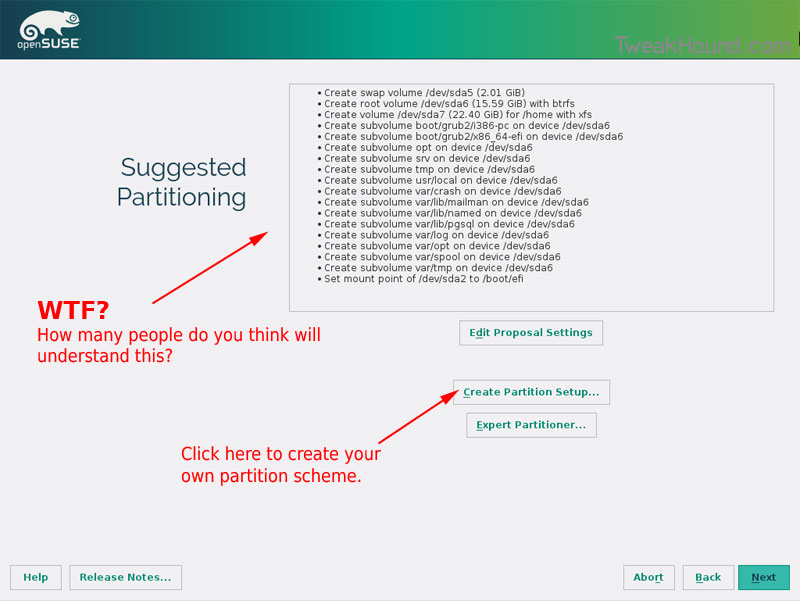
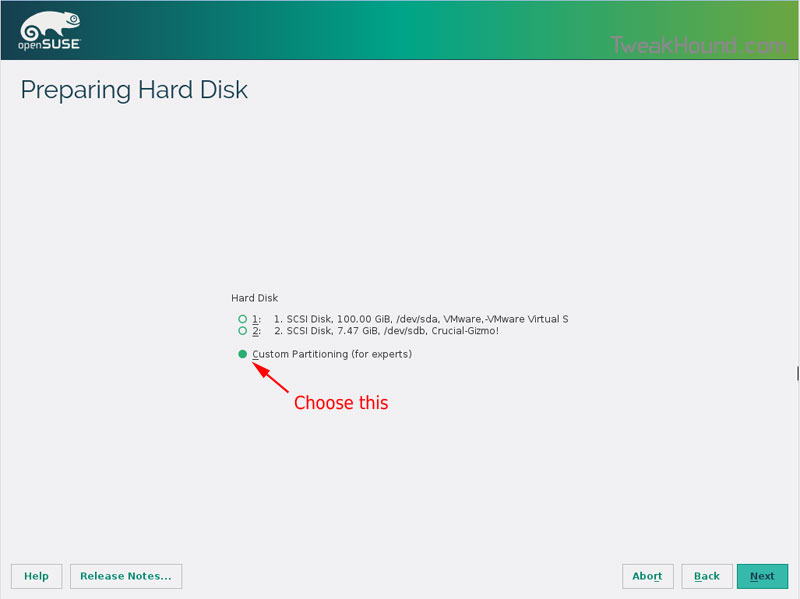
I do not use BTRFS and I always use Create Partition Setup…
os132_uefiboot_1

Choose Custom Partitioning (for experts) and click Next

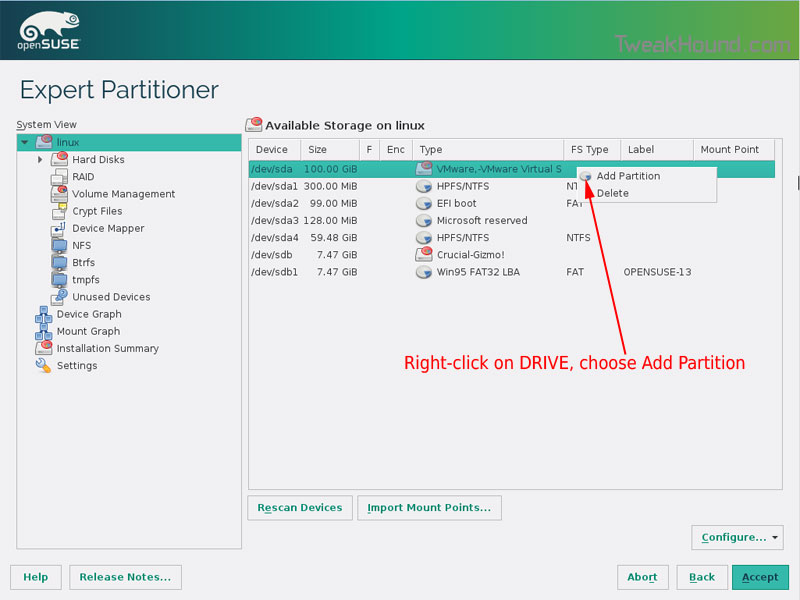
os132_uefiboot_2

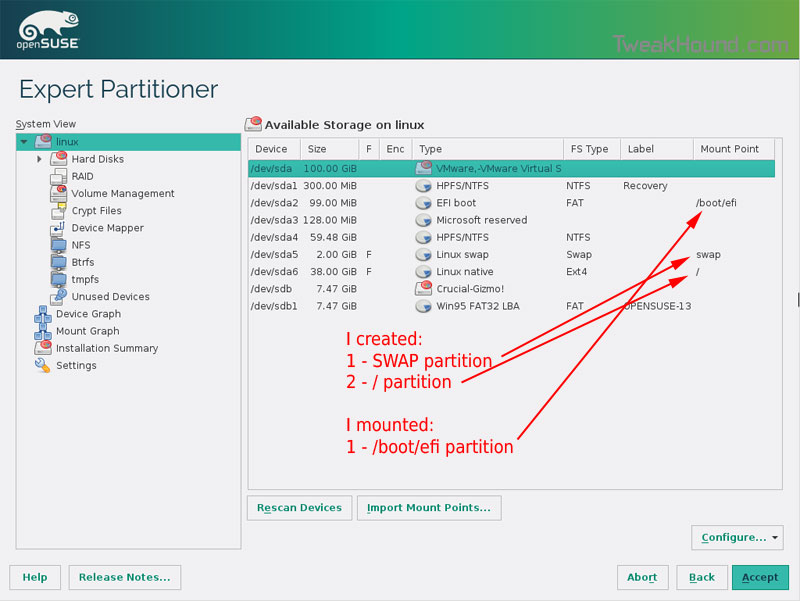
Right-click on the DRIVE where you want to install openSUSE and choose Add Partition
Make a swap partition, 2-4GB is fine.

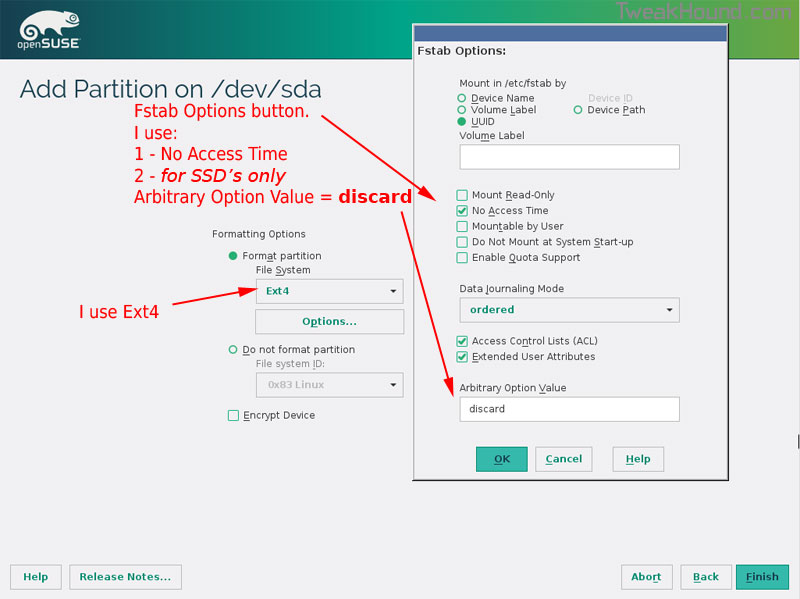
os132_uefiboot_3

Below are the options I use. Ext4 for file system, noatime, discard (=trim)

os132_uefiboot_4

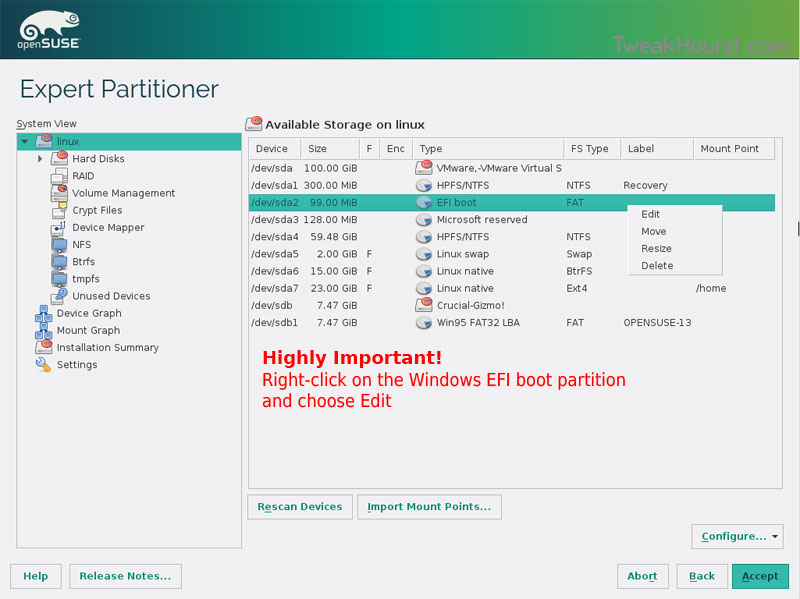
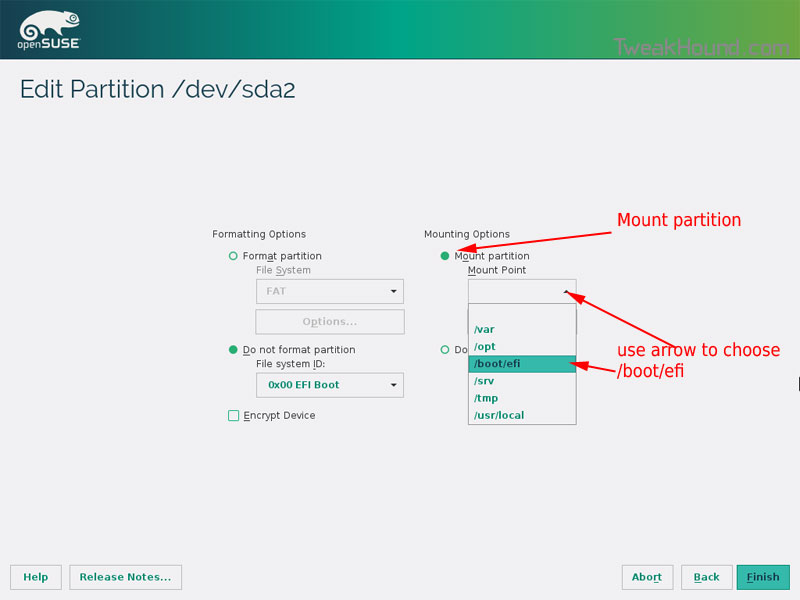
This next step is critical as your system will not boot without it.

Right-click on the Windows EFI boot partition and choose Edit

os132_uefiboot_5

Choose Mount partition
Choose /boot/efi
Click Finish

os132_uefiboot_6

Done?  click Accept

os132_uefiboot_7

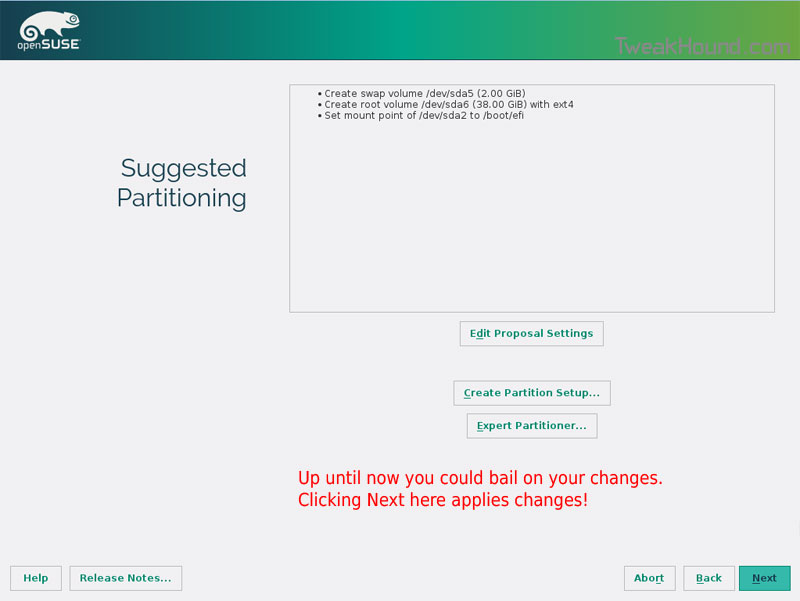
Last chance to bail…
Click Next

os132_uefiboot_8

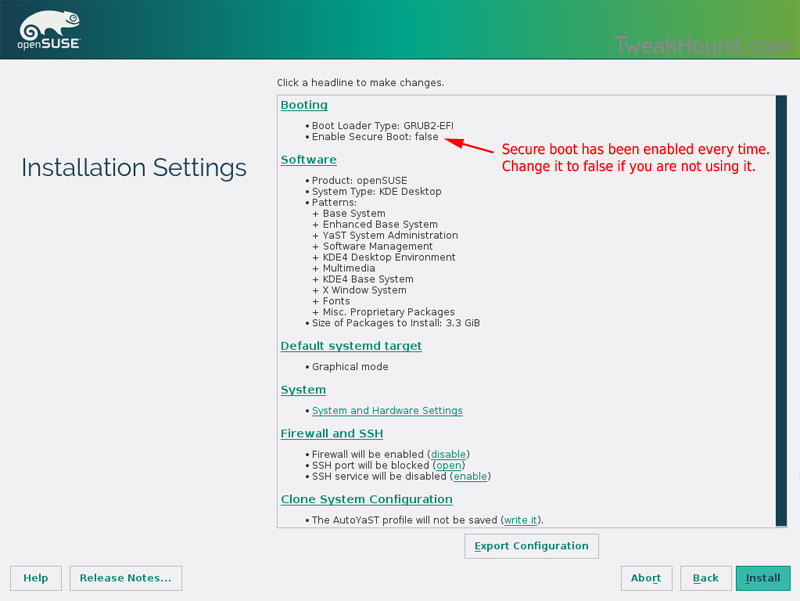
I don’t use Secure Boot. It can be disabled here:

os132_uefiboot_9

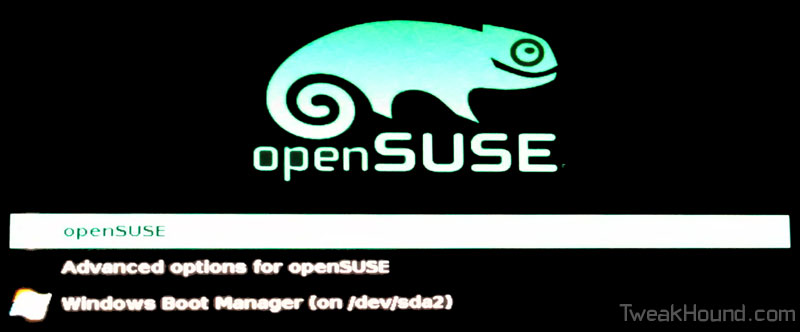
Boot Screen:

os132_bootmenu_1


Everything should run just peachy until you boot into Windows again.

Windows will usually try and make its bootloader default again which means openSUSE isn’t an option.

While in Windows, open an Elevated Command Prompt and copy/paste this command (source):

bcdedit /set {bootmgr} path \EFI\opensuse\shim.efi

That’s it!

Tagged With: How-To's, Linux, openSUSE, This Site

« Previous Page
Next Page »

Primary Sidebar

Popular Articles

Windows 10

Tweaking Windows 10

My Windows 10 Tweaks

Windows 10 Privacy Settings

Win10 Diagnostics Tracking Service Gone?

Windows 10 Advanced Disk Cleanup

Win10 Customize Installation Options

Windows 10 Dark Theme

Win10 Wallpapers, Graphics, etc.

All Windows 10 Articles

Windows 8

Tweaking Windows 8.1

Advice On Installing Windows 8.1

Clean Install Windows 8.1

Cleanup After Windows 8.1 Upgrade

Create Shutdown, Restart, Logoff Tiles For Windows 8

Tweaking Windows 8

Install Windows 8 – Clean Install With Upgrade Media

Install Windows 8 – Upgrade

Windows 8 – Cleaning Up After You’ve Upgraded

Windows 8 Freeware Machine

Windows 8 SSD Settings, Etc.

How To Resize Your Windows 8 Partition

Create Windows 8 Recovery Media

Windows 8 – Elevated Command Prompt

How To Fix The Windows Bootloader

Windows 7

Installing Windows 7

Tweaking Windows 7

Windows 7 Diagnostics Tracking Service

The Windows 7 Freeware Machine

The Windows 7 Pagefile And Running Without One

Bad Tweaks

SSD Tweak Guide (sort of)

The noguiboot (no GUI Boot) Tweak

NtfsMemoryUsage=2 Tweak

More Windows 7 articles here.

Windows Vista

Installing Windows Vista

Tweaking Windows Vista

More Windows Vista articles here.

Windows XP

eXPired - The Last Windows XP Guide You'll Ever Need

The Right Way To Install Windows XP

Super XP Tweaking Guide

The Freeware XP Machine

Bad Tweaks

More XP Articles here and here.

Backup

Backup Article Greatest Hits – Vol. 1

Other

Cataloging Your Music Collection

Finding Good Album Art

Converting Vinyl Records To Digital Music – A Non-Audiophiles Guide

Windows All-In-One Recovery Flash Drive

SSD Tweak Guide (sort of)

Raidmax Blackstorm Case Review

Disk Partitioning

Ditch Those CD's! A Guide To Using USB Flash Drives

Checking Your Disks For Problems

Bad Tweaks

More articles here

Tags

Android Backup Beer Computer Hardware Computer News Cool Tools Freeware How-To's Linux Off Topic openSUSE Playlists Privacy Security Software This Site vacation Veterans Windows 7 Windows 8 Windows 10 Windows 11 Windows Vista Windows XP

TweakHound - Optimize Your Computing Experience! TweakHound - Optimize Your Computing Experience!

Copyright 2002-2025 by Eric Vaughan All material contain here is the property of the materials owner. Windows, Windows XP, Windows Vista, Windows Seven, Windows 8, Windows 10, Windows 11, Microsoft, and all associated logos are trademarks/property of Microsoft. You may not use or copy any material from tweakhound.com without expressed written permission. Hotlinking to any material within this site is forbidden. Privacy Policy