New reader inspired article up:
Ditch Those CD’s! A Guide To Using USB Flash Drives
Page 1 – Article Intro, Flash Drive Booting, Advanced USB Drive Formatting
Page 2 – Install Windows 7 or Windows Vista From A USB Flash Drive
Page 3 – Install Windows XP From A USB Flash Drive
Page 4 – Install a Linux Operating From A USB Flash Drive or Boot from one or more Linux Live CD’s on a USB Flash Drive
Page 5 – Utility And Rescue Bootable USB Flash Drive
Page 6 – Portable Apps And USB Flash Drive PC Toolbox
Page 7 – What I Use & Other USB Info
This Site
The Windows 7 Freeware Machine Updated
The Windows 7 Freeware Machine has been updated. Please use this post for comments.
The noguiboot (no GUI Boot) Tweak
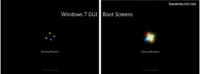
Recently I asked for help on measuring the effects of the noguiboot tweak. A big THANK YOU to the 4 people who sent in their results. I know doing this stuff can be a PITA.
This is the followup to that article with an explanation of the tweak, the test results, and my conclusion.
[Read more…] about The noguiboot (no GUI Boot) Tweak
I Need Your Help – No GUI Boot (noguiboot) tweak
I’m doing some testing for the next version of the Windows 7 tweak guide and I would like your help.
[Read more…] about I Need Your Help – No GUI Boot (noguiboot) tweak
IE9 Pinned Sites
Internet Explorer 9 adds a feature called Site Pinning. You can read up on it here (article has good links): Pinned Sites Boost Website Use in IE9.
I’m not sure what I think of this feature. I’m really not sure what I would use it for (I don’t surf the web with IE anyway) or if it is of any use for a tiny little site like mine.
What do you think? Will you use the IE9 site pinning feature?
Also see the Poll in the right side of the blog >>>>>
I created a simple pinned site thingy for this blog (for the heck of it):

SSD Tweak Guide (sort of)
I’ve got a new article up: SSD Tweak Guide (sort of)
Please use that articles comment section.
New Article Up – Using VirtualBox 4
The purpose of this article is to introduce the average PC user to VirtualBox. Terminology may be simplified to make it easier to understand for the non-Geek.
This article contains 3 sections and covers installing VirtualBox Hosts and Guests under Windows and openSUSE.
VirtualBox is virtualization software that runs under most modern operating systems. What this means in layman’s terms is that you set up an environment that pretends to be an actual computer, this is a “virtual machine” ( VM for short). With that virtual machine you can run another operating system in a window just like you would run another program. For instance, if you are using Windows 7 you could run Ubuntu in a window at the same time (see screenshots below for examples). To be clear, only the machine (computer) is virtual, you are actually running this other operating system.
The advantages of using virtual machines are many. For the home user these would include trying out new operating systems and the ability to run programs from different operating systems.
You can run many Windows games under Linux, or use Microsoft Office. You could try the latest Windows 7 SP beta, test new programs, tweaks, and configurations. You can try the latest Linux distros in an environment that is more realistic than a Live CD.
My favorite way to use VirtualBox is to run Windows under Linux. More specifically, I run Windows XP and 7 under openSUSE 11.3 (more on this later).
Security is also an advantage. The main operating system is separate from the one running on the virtual machine. For the most part viruses, malware, crashes, bugs, etc. are all contained inside the OS running in that VM. This of course does not relieve you of the responsibility of using safe computing habits. Lets say you download a file that contains a virus while under an Ubuntu VM and then run that file in Windows you could get infected.
Dual-Booting Windows and openSUSE 11.3
New article up: Dual-Booting Windows and openSUSE 11.3
I know,the blog has been slow it’s been a while since I’ve written an article. Sometimes life just gets in the way. Anywho, I’m back at it now.
The next article planned will be on Virtualbox, followed by a new version of the 7 tweak guide, and then a much needed update to the freeware articles.
I want to send a big Thank You to those who have inquired into my absence, it’s nice to be missed.
Disk Partitioning
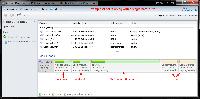
I get a lot of questions on disk partitioning, or more specifically, how I partition my disks. This post is meant to clarify any questions on the matter.
[Read more…] about Disk Partitioning
Finding Or Creating Windows 7 Start Orbs
Place to find Windows 7 Start Orbs / Buttons:
DeviantArt (narrow search to just “orb“)
Windows Seven Forums (see the “sticky” posts)
Awesome guide on how to make a start orb / button using Photoshop on YouTube: How to make start button for Windows 7
StartOrbz is a program for creating and applying start orbs. I have not used it.
I use Windows 7 Start Button Changer to change my start orb.
( See here for how to use it: http://kishan-bagaria.deviantart.com/art/Win-7-Start-Button-Changer-1-0-153001999 )
My attempt at making a start orb (no after effects (click), just hover)
It should be noted that all my desktops / taskbars are dark (black / grey) so I’ve no idea how they look on other colors:
Black Orb w/lightning (I used the Black Start Orb form here)

.
Metallica Ninja Star Start Orb ( I used the star from here)

Anyone is welcome to use them, just right-click > save as. (Please use proper credit if posting them)
If you make one and want to pass it along post it here.
I would appreciate any good links on this subject.