 I found that several of my tweaks did not stick though the update, especially the right-click menu stuff.
You may want to check and/or reapply the tweaks.
Here are mine: https://www.tweakhound.com/2015/08/10/my-windows-10-tweaks/
This Site
Download Windows 10 TH2 ISO And Create Media
 Go to the Windows 10 download page.
Scroll down to the Download Tool Button and click it.

Once downloaded, double-click MediaCreationTool.exe.
[Read more…] about Download Windows 10 TH2 ISO And Create Media
Pictures: Upgrading To Threshold 2
 Just some pics of the upgrade experience.
[Read more…] about Pictures: Upgrading To Threshold 2
New Poll Up: “Do you trust Microsoft?”
 Polls are in the right sidebar —>>>
openSUSE Leap 42.1 Tips, Tricks, and Tweaks
 This article IS NOT FINISHED. I’m preoccupied with other stuff but folks have been asking for this so I thought I would show what I’ve got.
[Read more…] about openSUSE Leap 42.1 Tips, Tricks, and Tweaks
Dual Boot openSUSE Leap and Windows 10 UEFI
This is how I dual-boot my Windows 10 rig with openSUSE Leap.
This article is virtually unchanged from: Dual Boot openSUSE 13.2 and Windows 8.1 UEFI
Notes:
– BACKUP your computer with a disk image before attempting this!
– Please do not contact me with questions on this topic.
That’s what the openSUSE forums are for.
– For how I dual-boot with a standard BIOS (legacy) see here: Dual-Boot openSUSE 12.3 And Windows (article is NOT compatible with BTRFS)
Interesting Links
openSUSE:UEFI
BCD System Store Settings for UEFI
Dual booting with Windows 8, not as painful as expected.
Preparation
1 – Full disk image backup using Acronis True Image.
2 – Make or leave unpartitioned space on OS drive for openSUSE. (If you can’t do this without a tutorial, well…..)
3 – Make UEFI boot usb flash drive with Rufus.
Installation
Pardon the odd screenshots. I used Vmware player for this article.
I should note that I am not a believer in using multiple partitions for my Linux installs.
Boot up, go through setup until you get to the partitioning section.
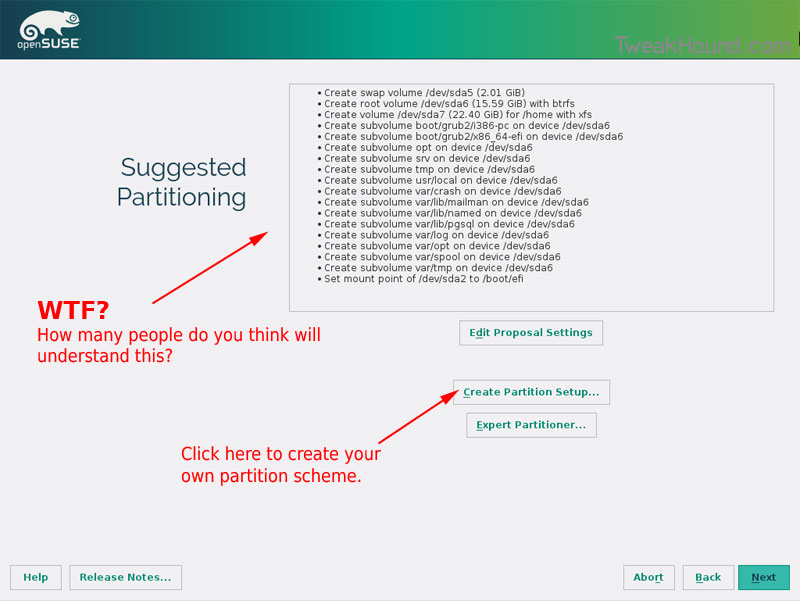
I do not use BTRFS and I always use Create Partition Setup…
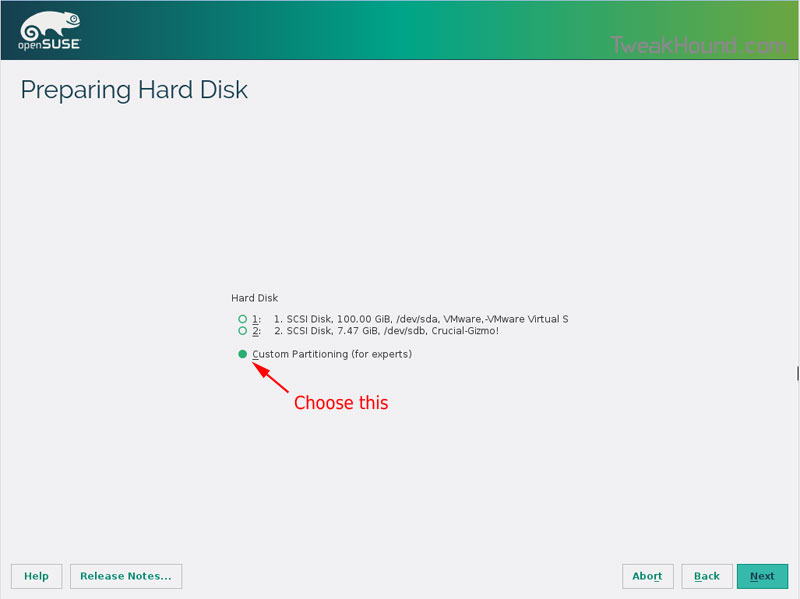
Choose Custom Partitioning (for experts) and click Next
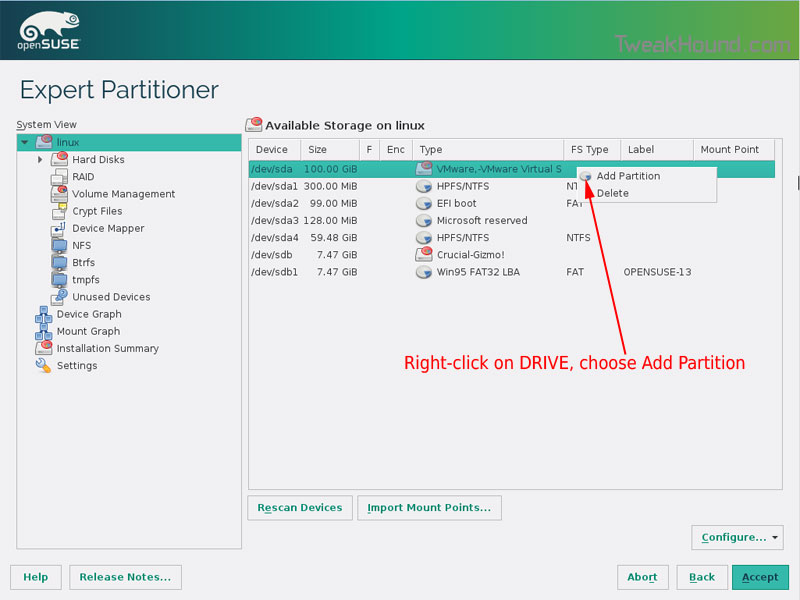
Right-click on the DRIVE where you want to install openSUSE and choose Add Partition
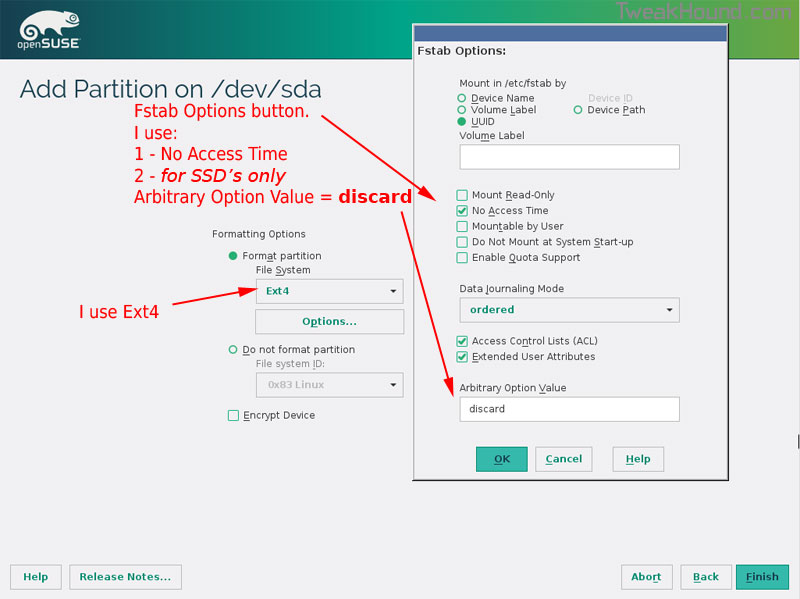
Make a swap partition, 2-4GB is fine.
Below are the options I use. Ext4 for file system, noatime, discard* (=trim)
*note – I am not using discard at the moment because it was causing errors on my Samsung 850 Pro SSD.
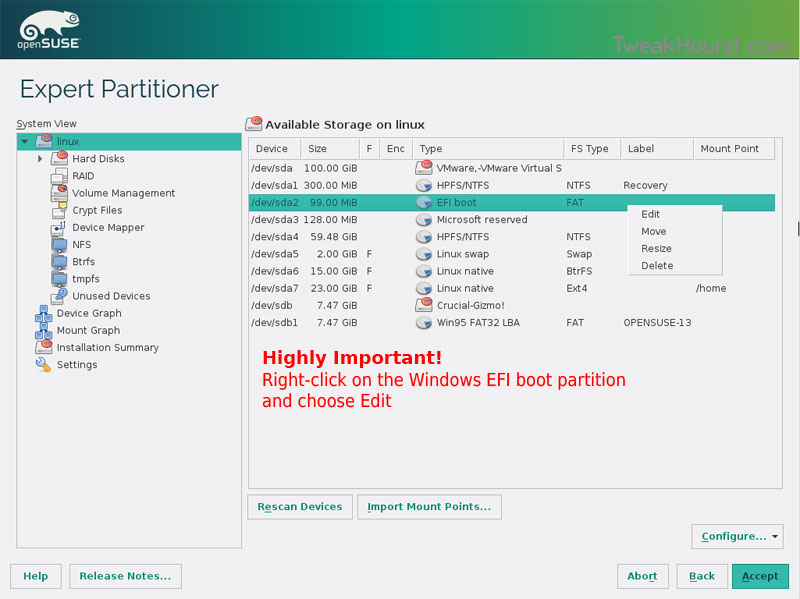
This next step is critical as your system will not boot without it.
Right-click on the Windows EFI boot partition and choose Edit
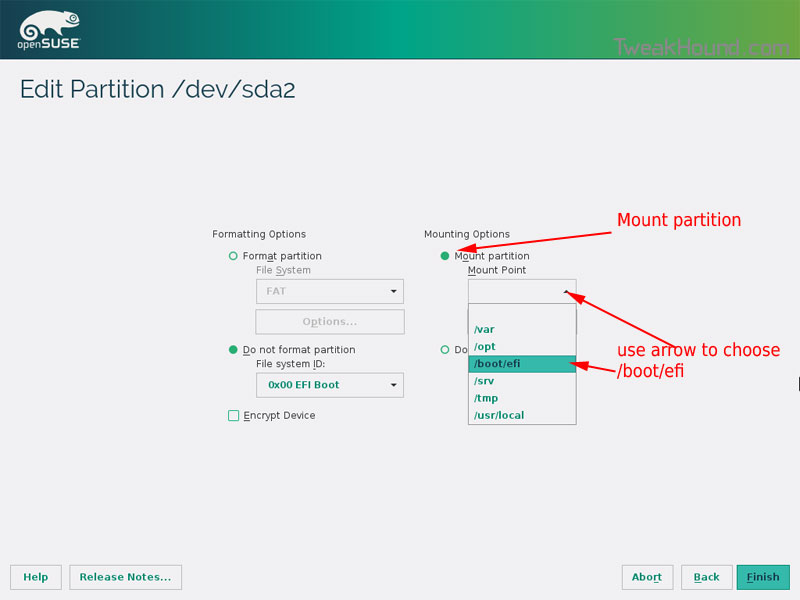
Choose Mount partition
Choose /boot/efi
Click Finish
Done? click Accept
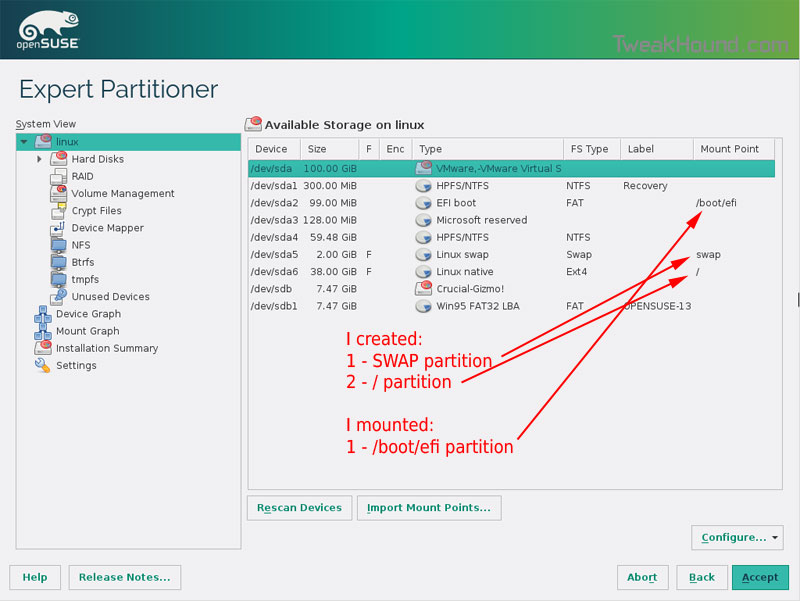
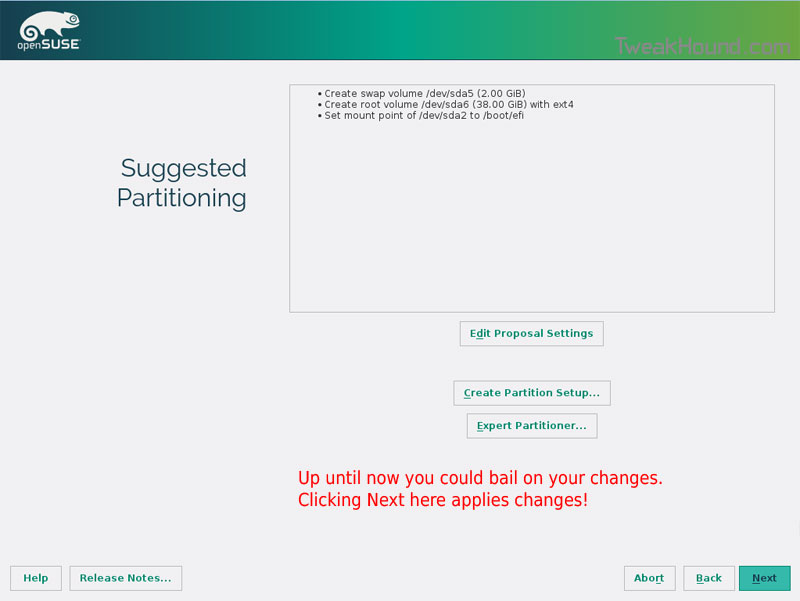
Last chance to bail…
Click Next
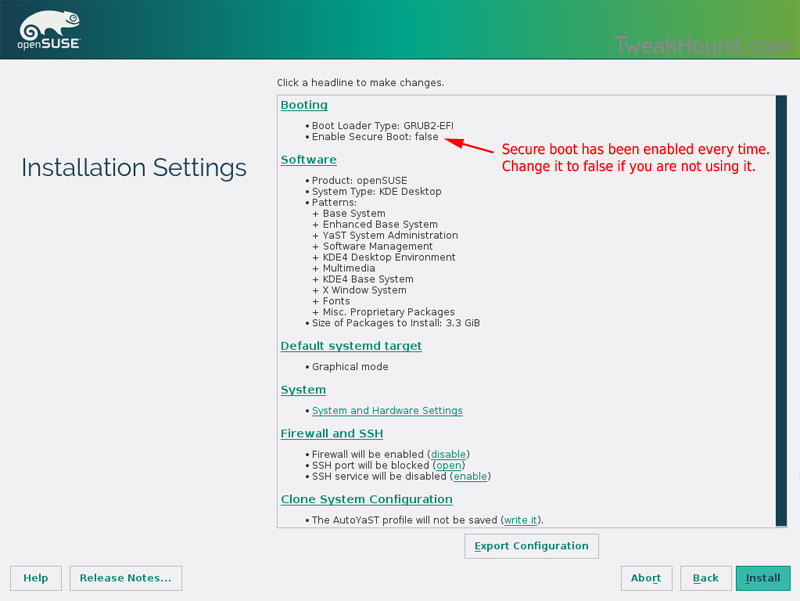
I don’t use Secure Boot. It can be disabled here:
Boot Screen:
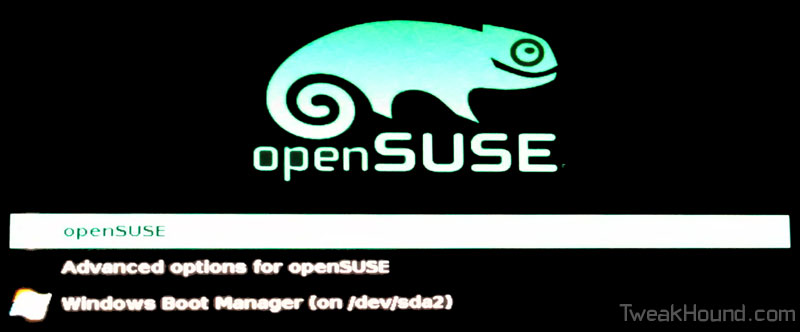
Everything should run just peachy until you boot into Windows again.
Windows will usually try and make its bootloader default again which means openSUSE isn’t an option.
While in Windows, open an Elevated Command Prompt and copy/paste this command (source):
bcdedit /set {bootmgr} path \EFI\opensuse\shim.efi
That’s it!
It’s A Matter Of Honor
honor
noun
1.honesty, fairness, or integrity in one’s beliefs and actions:
a man of honor.
Last week Microsoft doubled down on trying to force Windows 10 on Windows 7 and Windows 8 users. This despite the outrage that has sprung up around the internet since GWX and it’s related telemetry issues came to fore.
In his blog post, Terry Myerson claimed “you can choose to upgrade or decline the offer”. That’s a statement the Washington D.C. spin doctors would love.
1 – By default Windows 7 and 8 downloads and installs updates to examine your computer and send that info back to Microsoft. They never ask you, they just do it.
2 – Starting next year, Microsoft will make Windows 10 a recommended update. Most folks computers are set to “Give me recommended updates the same way I receive important updates.” This means starting next year Microsoft will download Windows 10 to your computer WITHOUT ASKING YOU.
[Read more…] about It’s A Matter Of Honor
Windows 10, Where I Stand
 I asked y’all a while back, “Why Are You Using Windows 10?” and I got some great responses. I thought I would let y’all know where I stand.
Please note the thoughts below are my own opinion. I’ve no intention of telling you what OS you should be using. I’ll try and keep this short…
[Read more…] about Windows 10, Where I Stand
Windows 10 Home Networking Tips
 As an old network guy, “TweakHound don’t do no Homegroup”. My home network is a mixed mess of Windows 7, openSUSE, Linux Mint, and Win10. These all interact via a standard Windows workgroup.
I’ve found Windows 10 workgroup networking to be a little wonky (to be kind).
Here are a few tips that have made my home networking easier:
[Read more…] about Windows 10 Home Networking Tips
Stop Dual-Booting
I get a few emails a month about dual / multi-booting, hosed bootloaders, “my X hardware doesn’t work with Z operating system”, “my X program doesn’t work with Z operating system”, etc. While I certainly understand there are folks who want direct OS/hardware interaction I believe far too many people choose to dual-boot when they don’t have to. [Read more…] about Stop Dual-Booting