 Yeah, I know Win10 fires up a lots of services. Lots of folks are in a hurry to disable services. I get it. Back in the Windows XP days this could make a big difference. With todays wicked fast PCs and Win10s fantastic memory management, this is no longer the case.
[Read more…] about Windows 10 Services
This Site
Windows 10 Backup And Recovery Options
Wednesday Morning News
 Google Chrome Updated
“The Chrome team is delighted to announce the promotion of Chrome 47 to the stable channel for Windows, Mac and Linux.
Chrome 47.0.2526.73 contains a number of fixes and improvements — a list of changes is available in the log. Watch out for upcoming Chrome and Chromium blog posts about new features and big efforts delivered in 47…
This update includes 41 security fixes.”
Download or update from within the program.
New Nvidia Drivers
GeForce Game Ready Driver 359.06 WHQL available for Windows Vista – Win10.
“Windows 10 Fixed Issues
There are no new fixed issues to report for this release.
Windows 8.1/Windows 8/Windows 7/Windows Vista Fixed Issues
Call of Duty: Black Ops III crashes on NVIDIA hardware.”
Download
Release Notes
Site News
Last week I switched the site font to Open Sans. I wanted to make the site easier to read across platforms and operating systems. I think it looks better too.
Open Sans is a free Google Font. As of this writing there are over 1700 FREE fonts/font variants. Many of them are awesome. Here are some download links if you’re interested.
Google Fonts (main page)
Google Fonts (github) (has download all link)
Download all Google Fonts: https://github.com/google/fonts/archive/master.zip
Open Sans
I downloaded all, extracted, then searched that folder for ttf fonts ( *.ttf ).
Then I copied them to a separate folder and installed the ones I liked.
Windows 10 & SSDs – FEEDBACK WANTED
Need your help here y’all. Am I wrong about somethings? Do I need to add something? Please read and comment.
[Read more…] about Windows 10 & SSDs – FEEDBACK WANTED
Win10: Customize The Desktop
 This is part of the upcoming Windows 10 Tweak Guide. Since this section is finished and you guys have been so patient I thought I would post it.
[Read more…] about Win10: Customize The Desktop
Happy Thanksgiving
 No news today. I just wanted to wish you all a Happy Thanksgiving.
I hope you all have something or someone to be thankful for.
http://www.history.com/topics/thanksgiving
13 Years Ago, My Review Of Mandrake Linux 9.0
I’ve been doing this site for quite a while. If you haven’t been coming here for years you may not know this site hasn’t always been done in WordPress. I used to do it in Frontpage, then Expression Web and by hand. Since I’ve got better things to do than coding a website by hand I switched to WordPress.
Anywho, take a gander at the old site and my first experience with Linux:
TweakHound Reviews Mandrake 9.0 A “Newbie”ginning posted 11-19-02
Old Main Page
https://web.archive.org/web/*/tweakhound.com
Windows 10 Privacy Settings
************ This version is now expired. Updated version here: https://www.tweakhound.com/2020/12/30/tweaking-windows-10-version-20h2/
Windows 10 Privacy Settings
A companion guide for:
TweakHound’s

Tweaking Windows 10
Version 4.0, last edited 17 May, 2018
Windows 10 Privacy Settings
Page 1 – Intro, Windows Insider Program, Use A Local Account
Page 2 – Windows 10 Built-In Privacy Settings
Page 3 – Telemetry, Cortana
Page 4 – Update & Security, Windows Defender
Page 5 – Services, Microsoft Browsers
Page 6 – Remove Ads And Annoyances
Page 7 – Apps To Tweak Privacy Settings
Windows 10 does a lot of communicating with Microsoft servers. Many people find this to be somewhere between an annoyance to an outright invasion of privacy. Some folks suspect it’s even worse than that. For its part, Microsoft steadfastly insists that they do not invade your privacy, that any information sent back to Microsoft is “anonymous”, and that it is for your own good. I will leave it up to you to decide.
This section will show you your privacy options, the settings I use, and 3rd party apps that can help you configure your settings.
It should be noted that turning off some settings can hamper the ability of some built-in and Microsoft Store apps to function properly. Since I don’t use these things I haven’t run into a single issue.
Windows Insider Program
This is a neat program for those that want updates before everyone else or Geeks that live on the bleeding edge. It also sends the maximum amount of data back to Microsoft. If privacy is a concern, then don’t use this.
More info: https://insider.windows.com/
Use A Local Account
If you are using a Microsoft Account and privacy is a concern you should switch to a Local Account. Be warned you will lose syncing. If this is important to you then skip this.
More info: http://windows.microsoft.com/en-us/windows-10/getstarted-microsoft-account
Let switch to a Local account:
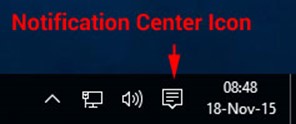
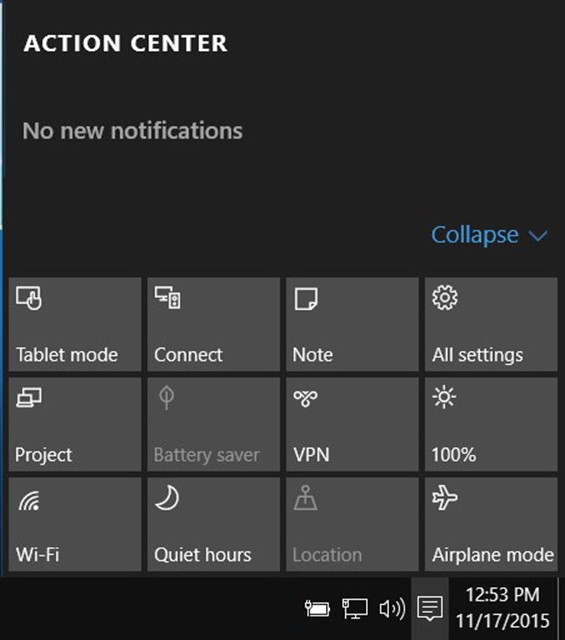
Choose All settings
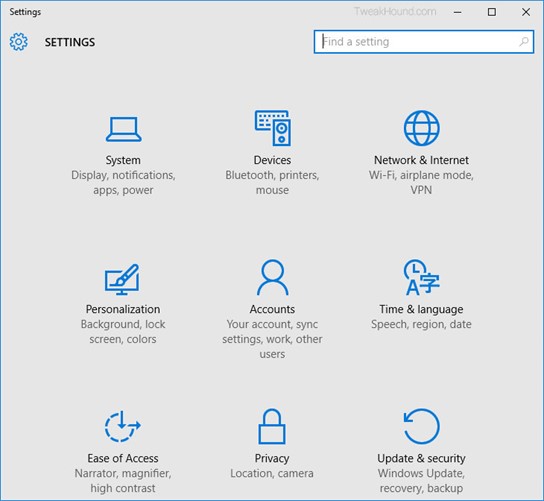
Choose Accounts
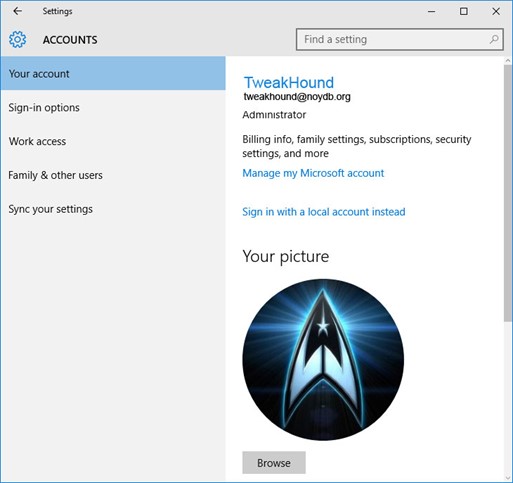
Choose Sign in with a local account instead
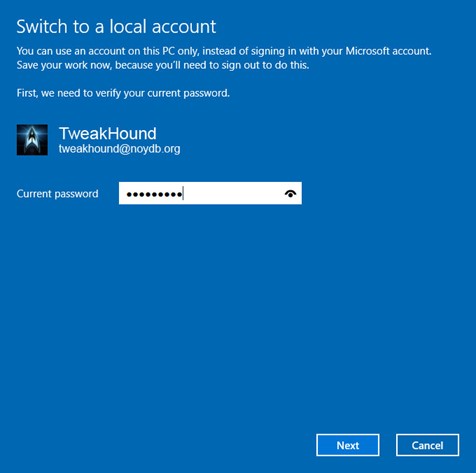
Enter current user password
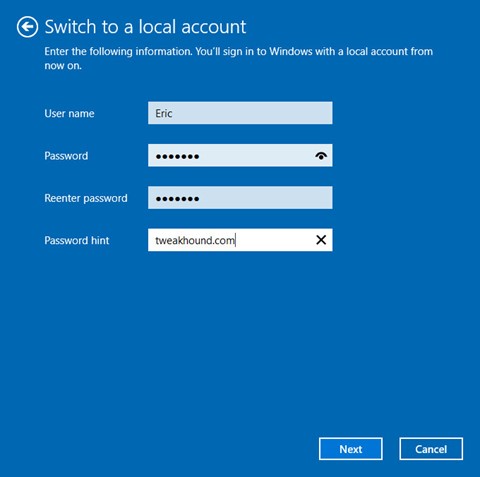
Enter the new User name, Password, and Password hint.
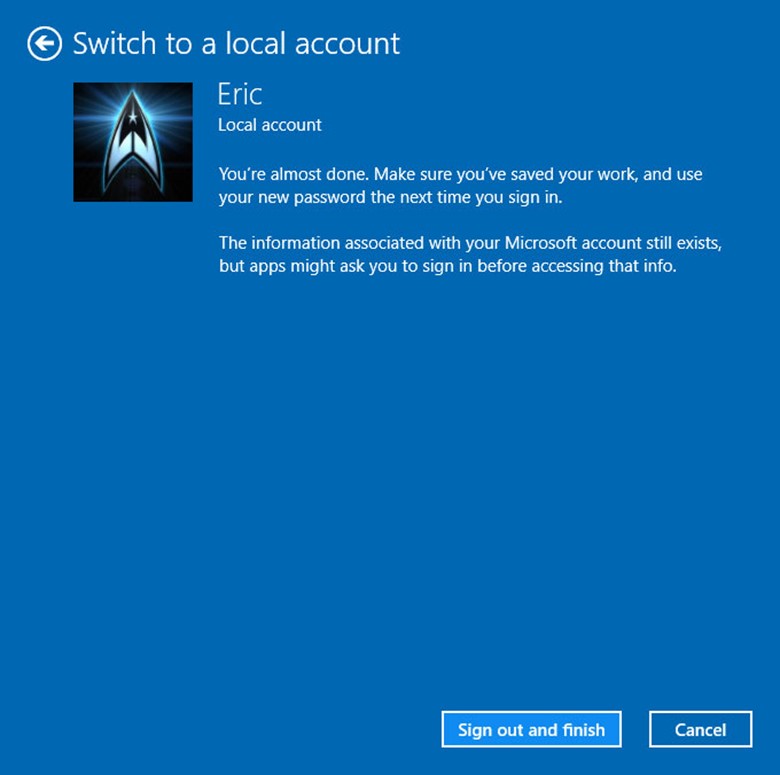
Sign out and finish.
My Desktop Pet Peeve
I still do computer work as a side job. One of my pet peeves is seeing stuff stored on the desktop. I’m not talking a couple of files for a few days, I’m talking docs, pics, pdfs, mp3s, videos, etc. I see dozens and dozens flooding the desktop. It’s chaotic and ugly. It makes backups harder too. Need to use System Restore? All the files on your desktop will be gone!
Put your stuff in the folders they belong in!

If You Haven’t Received The TH2 Update…
If you haven’t received the Threshold 2 (Fall Update) via Windows Update you can:
[Read more…] about If You Haven’t Received The TH2 Update…