• Skip to primary navigation
  • Skip to main content
  • Skip to primary sidebar

TweakHound

Computer stuff...

  • Home
  • Windows XP
  • Windows Vista
  • Windows 7
  • Windows 8
  • Windows 10
  • Windows 11
  • Linux
  • Tweak Guides
  • Site Info
    • About
    • About Me
    • TweakHound’s World
    • Contact
    • My Computers
    • Old Articles
    • Privacy Policy
    • Old Index
    • Advanced Search

Windows 10

Patch Tuesday

December 11, 2018, 14:52(EST) By Eric (a.k.a. TweakHound)

windows security

Windows Updates available. “Addresses an issue” as well as many security updates.
I recommend backing up and updating as soon as you can.

Windows 10
Build 1809 – December 11, 2018—KB4471332 (OS Build 17763.194)
Build 1803 – December 11, 2018—KB4471324 (OS Build 17134.471)
Build 1709 – December 11, 2018—KB4471329 (OS Build 16299.846)

Windows 8.1
December 11, 2018—KB4471322 (Security-only update)
December 11, 2018—KB4471320 (Monthly Rollup)

Windows 7
December 11, 2018—KB4471328 (Security-only update)
December 11, 2018—KB4471318 (Monthly Rollup)

Tagged With: Security, Windows 10, Windows 7, Windows 8

Blocking A Programs Internet Access Via The Windows Firewall

November 30, 2018, 08:22(EST) By Eric (a.k.a. TweakHound)

Many programs on your computer access the internet even though they don’t need to. They phone home for a variety of reason including telemetry and checking for updates.
I don’t need or want most programs phoning home for any reason. Still, they try.
With programs getting more invasive I thought it would be appropriate to show you how to block their access to the net.
[Read more…] about Blocking A Programs Internet Access Via The Windows Firewall

Tagged With: How-To's, Privacy, Security, This Site, Windows 10, Windows 7, Windows 8

Windows 10 Quality

November 14, 2018, 08:13(EST) By Eric (a.k.a. TweakHound)

This blog post by Microsoft VP Michael Fortin has gotten Geeks Irish up. The entire post is delusional and tone-deaf. It spends half the time telling us we think Win10 is great and the other half telling us what a great job Microsoft is doing.
Geeks and Windows Experts have savaged Microsoft for the fiasco that is Win10 and this latest post just made things worse. Some recent comments from the Windows Expert / Geek world:
Paul Thurrott
“You can’t trust anything these people tell you. They literally have no idea what they’re doing.”
Woody Leonhard
“The past four months have shown, repeatedly, that you’d have to be crazy — or ignorant of the past — to continue applying Windows patches as soon as they’re released.”
Chris Hoffman
“We want Microsoft to understand the problem, take it seriously, and make some real changes…We’d be happier if Microsoft would stop breaking things.”
Ed Bott
“Customers who are running an officially released version of Windows should not have to sign up as beta testers to get critical fixes…And don’t get me started on the Microsoft Answers forum, where overwhelmed volunteer moderators routinely paste boilerplate replies to customers reporting genuine issues. Good luck finding actual help there. Mainstream customers running a released version of Windows shouldn’t have to spend hours hunting down information about issues and updates.“

Tagged With: Windows 10

Patch Tuesday

November 13, 2018, 14:17(EST) By Eric (a.k.a. TweakHound)

windows security

Windows 7, 8.1, and 10 have updates.

Windows 7
November 13, 2018—KB4467106 (Security-only update)
November 13, 2018—KB4467107 (Monthly Rollup)

Windows 8.1
November 13, 2018—KB4467703 (Security-only update)
November 13, 2018—KB4467697 (Monthly Rollup)

Windows 10
Build 1809 –
November 13, 2018—KB4464455 (OS Build 17763.107)
November 13, 2018—KB4467708 (OS Build 17763.134)
Build 1803 – November 13, 2018—KB4467702 (OS Build 17134.407)
Build 1709 – November 13, 2018—KB4467686 (OS Build 16299.785)
Build 1703 – November 13, 2018—KB4467696 (OS Build 15063.1446)

Additionally Windows 8.1 & 10 have Flash updates.

Win10 “October” Update
Windows 10, version 1809 Re-Released
When you have it offered to you is anyone’s guess.
Media Creation Tool / ISOs available here: Download Windows 10 Disc Image (ISO File)

Tagged With: Security, Windows 10, Windows 7, Windows 8

Patch Tuesday Morning

November 13, 2018, 08:20(EST) By Eric (a.k.a. TweakHound)

win10_logo

Backup if you have the time.
Win10 users not on 1809 yet may want to assure they are set to delay updates. Speculation is that MS may release it again today.

Adobe Reader Updated
Download (en-US) | Download (all) | Security Bulletin

Tagged With: Windows 10

Windows 10 DistributedCOM 10016 Error

October 27, 2018, 14:28(EDT) By Eric (a.k.a. TweakHound)

win10_logo

Like many of you I’ve been getting multiple DCOM Event ID 10016 errors after I upgraded to the Windows 10 October 2018 Update.
[Read more…] about Windows 10 DistributedCOM 10016 Error

Tagged With: Windows 10

Lessons Learned

October 7, 2018, 11:54(EDT) By Eric (a.k.a. TweakHound)

This week Microsoft pulled the Windows 10 October 2018 Update because peoples personal files were being deleted. The Windows 10 April Update was delayed by almost 3 weeks due to a “blocking bug”. These are just 2 examples of Win10’s broken update model. With Win10, software quality is as bad as it has ever been. This despite the extensive Insider Program that was supposed to alleviate this problem. I’ve never been bitten by these updates and much of the advice I pass out on this site is designed to help you to not get bitten either. I will try and put that in a convenient list:

– Keep current system image backups.
I use Macrium Reflect Free. Other programs include Clonezilla (free) and Acronis True Image (not free).
I store recent copies on the same computer and older copies on an external hard drive.
You MUST create a boot disc or flash drive.
Use this before EVERY patch Tuesday and Feature Update.

– Keep current personal files backups (docs, pics, etc.).
I either use copy/paste or Microsoft’s free SyncToy.
I store them on an external hard drive, an old laptop hard drive, and burn to DVD.
I also store my music and pics on Google Drive.
I have a copy everything off site too.

– Separate your personal files from your OS (move your pics, docs, etc. folders).
Guides in every Tweak Guide.

– Delay Windows Updates. With Win10, consider skipping release altogether.
If you are using Windows 10 Home consider switching to Windows 10 Pro so that you can control your updates. You can by a legit key very cheap. Contact me if you cannot find one and I will point you in the right direction.
Security Updates for each release are provided for approximately 18 months so there is no rush to update to the latest release.
Win10’s changes and new features have come along at a pitifully slow rate. The only welcome change for me since Win10’s initial release is the Dark Theme.

– Advanced, Make a rescue flash drive.
Multiple tools to save yourself, friends, and family from disaster.


External Hard Drives at Amazon. Prices current as of 07OCT18

WD 4TB Black My Passport Portable External Hard Drive – USB 3.0
List Price: $159.99 – Price: $99.99 – You Save: $60.00 (38%)

Seagate Expansion 8TB Desktop External Hard Drive USB 3.0
Was: $149.99 Price: $139.00 You Save: $10.99 (7%)

Tagged With: Backup, Windows 10

Win10 1809 Pulled

October 6, 2018, 09:20(EDT) By Eric (a.k.a. TweakHound)

win10_logo

“We have paused the rollout of the Windows 10 October 2018 Update (version 1809) for all users as we investigate isolated reports of users missing some files after updating.

If you have checked for updates and believe you have an issue, please contact us directly at +1-800-MICROSOFT or find a local number in your area https://support.microsoft.com/en-us/help/4051701/global-customer-service-phone-numbers.

If you have access to a different PC, please contact us at https://support.microsoft.com/en-us/contactus/ (link will vary according to country of origin).

If you have manually downloaded the Windows 10 October 2018 Update installation media, please don’t install it and wait until new media is available.

We will provide an update when we resume rolling out the Windows 10 October 2018 Update to customers.”

https://support.microsoft.com/en-us/help/4464619/windows-10-update-history
Thanks sr downs!

Tagged With: Windows 10

Windows 10 1809 Is Out

October 2, 2018, 16:58(EDT) By Eric (a.k.a. TweakHound)

win10_logo

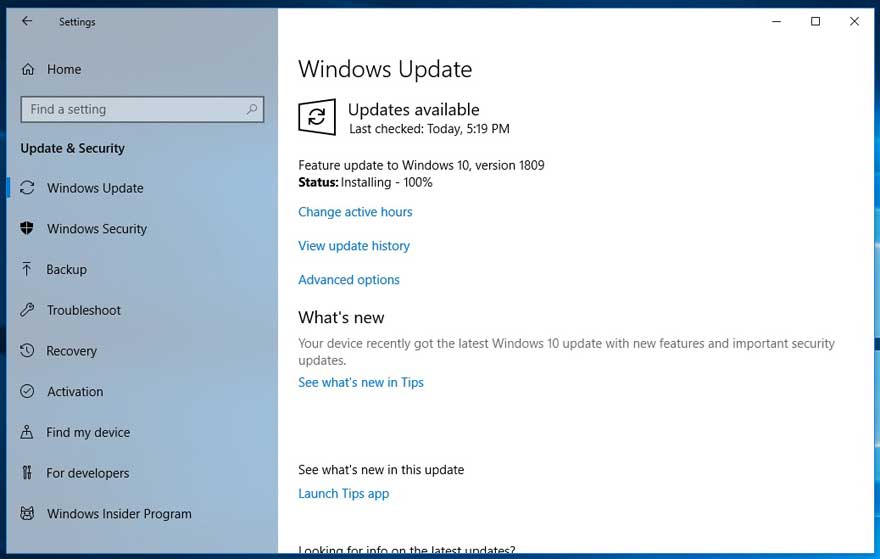
It took half a dozen “Check for updates” but it is showing up on Windows Update for me.
Windows 10 update history updated.
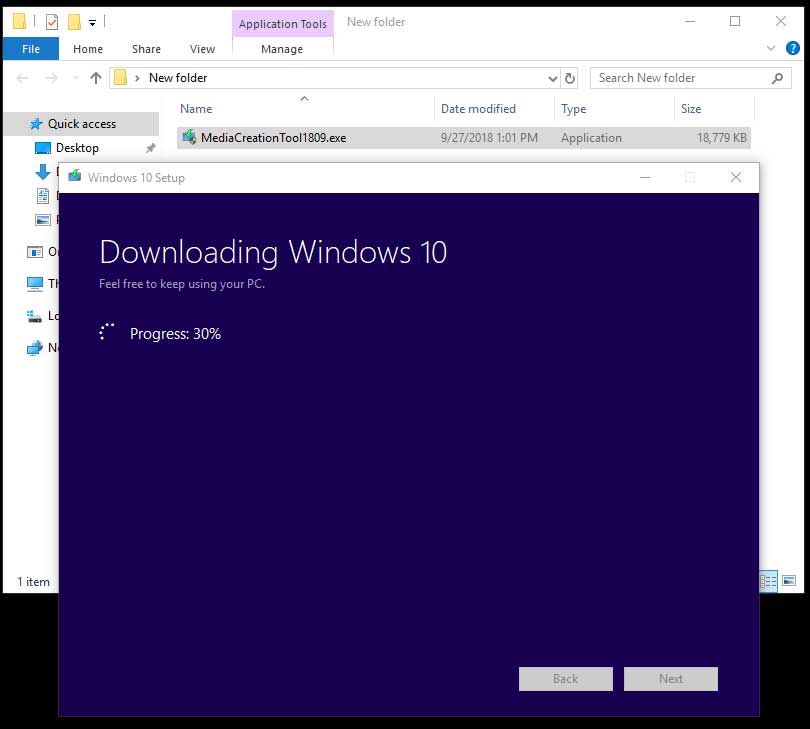
1809 Media Creation Tool is live.
Find out what’s new in Windows and Office in October

This post will be updated as news comes out.

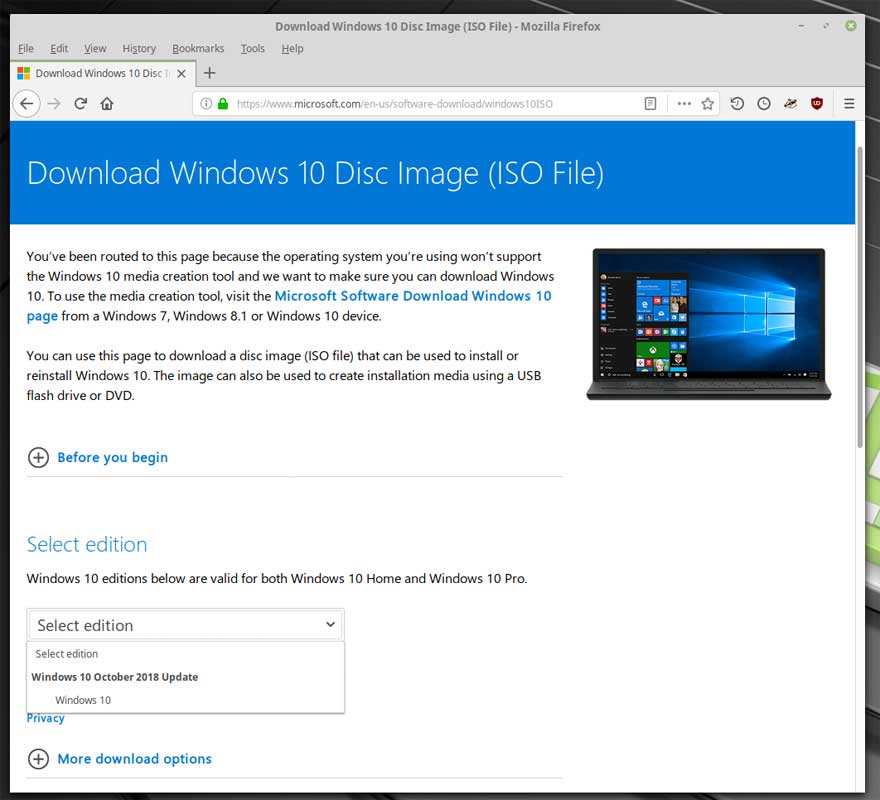
Official Download Page: https://www.microsoft.com/en-us/software-download/windows10ISO

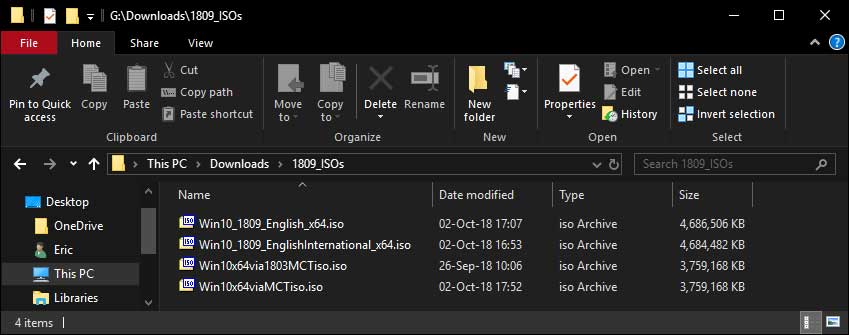
ISOs:
Links may change at any time.
EN-US, x64:
https://software-download.microsoft.com/sg/Win10_1809_English_x64.iso?t=817bbaae-0315-460c-9626-43568e7f8e70&e=1538574542&h=021093a58665ad333c036bd14185d24a
EN-US, INTERNATIONAL, x64
https://software-download.microsoft.com/pr/Win10_1809_EnglishInternational_x64.iso?t=7c769231-a5d3-4460-9791-5b84446e9399&e=1538575517&h=102cd82c393e07d2ddaf95dde30665b1

Other builds here: https://tb.rg-adguard.net/public.php

Tagged With: Windows 10

Win10 1809 Media Creation Tool Is Out

September 27, 2018, 13:00(EDT) By Eric (a.k.a. TweakHound)

win10_logo

http://software-download.microsoft.com/download/pr/MediaCreationTool1809.exe
This tool is now live.

Guide on how this works. Ignore the first two lines and Download button:
https://www.tweakhound.com/2015/11/12/download-windows-10-th2-iso-and-create-media/

Pastebin: Windows 10 October 2018 Update, Version 1809 ESD
Download links to 1809 ESD files.

Tagged With: Windows 10

« Previous Page
Next Page »

Primary Sidebar

Popular Posts

Tweaking Windows 10

Software I Use – 2021 Edition

Timer Tweaks Benchmarked

Win10 – Get Auto-Login Back

Recent Posts

  • Patch Tuesday
  • Monday News
  • Patch Tuesday
  • Weekend News
  • Weekend News
  • Patch Tuesday
  • Friday News
  • Patch Tuesday
  • Using Wise Disk Cleaner
  • Using Cleanmgr+
buywin10th2

Tags

  • Android
  • Backup
  • Beer
  • Computer Hardware
  • Computer News
  • Cool Tools
  • Freeware
  • How-To's
  • Linux
  • Off Topic
  • openSUSE
  • Playlists
  • Privacy
  • Security
  • Software
  • This Site
  • vacation
  • Veterans
  • Windows 10
  • Windows 11
  • Windows 7
  • Windows 8
  • Windows Vista
  • Windows XP

Catagories

  • Android
  • Backup
  • Beer
  • Computer Hardware
  • Computer News
  • Cool Tools
  • Freeware
  • Freeware Machines
  • How-To's
  • Linux
  • News From The Web
  • Off Topic
  • openSUSE
  • Privacy
  • Security
  • Software
  • Tweak Guides
  • Veterans
  • Windows
  • Windows 10
  • Windows 11
  • Windows 7
  • Windows 8
  • Windows Vista
  • Windows XP

TweakHound - Optimize Your Computing Experience! TweakHound - Optimize Your Computing Experience!

Copyright 2002-2025 by Eric Vaughan All material contain here is the property of the materials owner. Windows, Windows XP, Windows Vista, Windows Seven, Windows 8, Windows 10, Windows 11, Microsoft, and all associated logos are trademarks/property of Microsoft. You may not use or copy any material from tweakhound.com without expressed written permission. Hotlinking to any material within this site is forbidden. Privacy Policy