• Skip to primary navigation
  • Skip to main content
  • Skip to primary sidebar

TweakHound

Computer stuff...

  • Home
  • Windows XP
  • Windows Vista
  • Windows 7
  • Windows 8
  • Windows 10
  • Windows 11
  • Linux
  • Tweak Guides
  • Site Info
    • About
    • About Me
    • TweakHound’s World
    • Contact
    • My Computers
    • Old Articles
    • Privacy Policy
    • Old Index
    • Advanced Search

Eric (a.k.a. TweakHound)

AMD / ATI Catalyst 11.6 Drivers Are Out

June 15, 2011, 18:34(EDT) By Eric (a.k.a. TweakHound)

AMD / ATI Catalyst 11.6 drivers are available for XP, Vista, and Windows 7. Linux 11.6′s available here.

Tagged With: Computer Hardware

Fun With Audio Players

June 15, 2011, 18:30(EDT) By Eric (a.k.a. TweakHound)

New article up: Fun With Audio Players

Tagged With: This Site

Fun With Audio Players

June 15, 2011, 18:27(EDT) By Eric (a.k.a. TweakHound)

***PLEASE SEE – Fun With Audio Players – 2015***

“Everyone talks about rock these days; the problem is they forget about the roll.” Keith Richards

The last several years whenever anyone brings up which audio player software to use, the focus seems to be on low resource usage.
I’m guilty of it too.
I’ve been getting back into having a little fun listening to music on the computer.
I thought I would post an article on this topic. This article is really a collection of screen shots and links.
Hopefully you’ll see something you like and check out some of the links.
For those new to this topic. Many audio players have two things you can do to the interface: skin it, and add a plugin.
Skins change the look of the interface. Plugins can add sound and visual enhancements.
Some of the screen shots are large so I’ve thumbnailed them. Click on the small pic for a larger one.

Load up your current audio player with your favorite tunes, put on your rock-n-roll shoes, grab an adult beverage and check out the screen shots.

The order is kinda by popularity, except my  2 favorites are last.

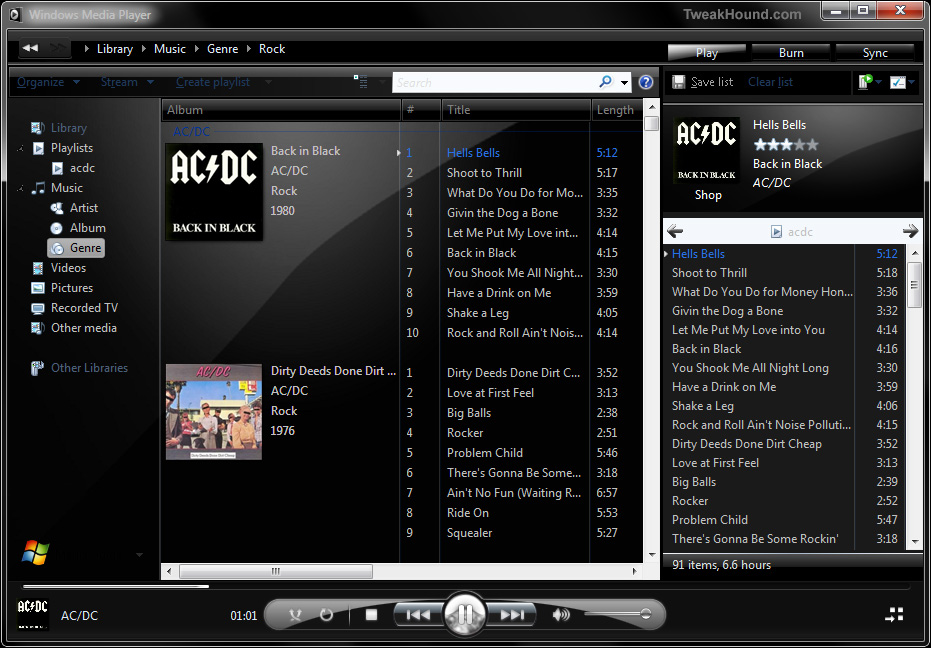
1 – Windows Media Player 12
WMP 12? Yup, you can skin it. WMP 12 skins here, other WMP versions here.

(click image for larger pic)

wmp12black


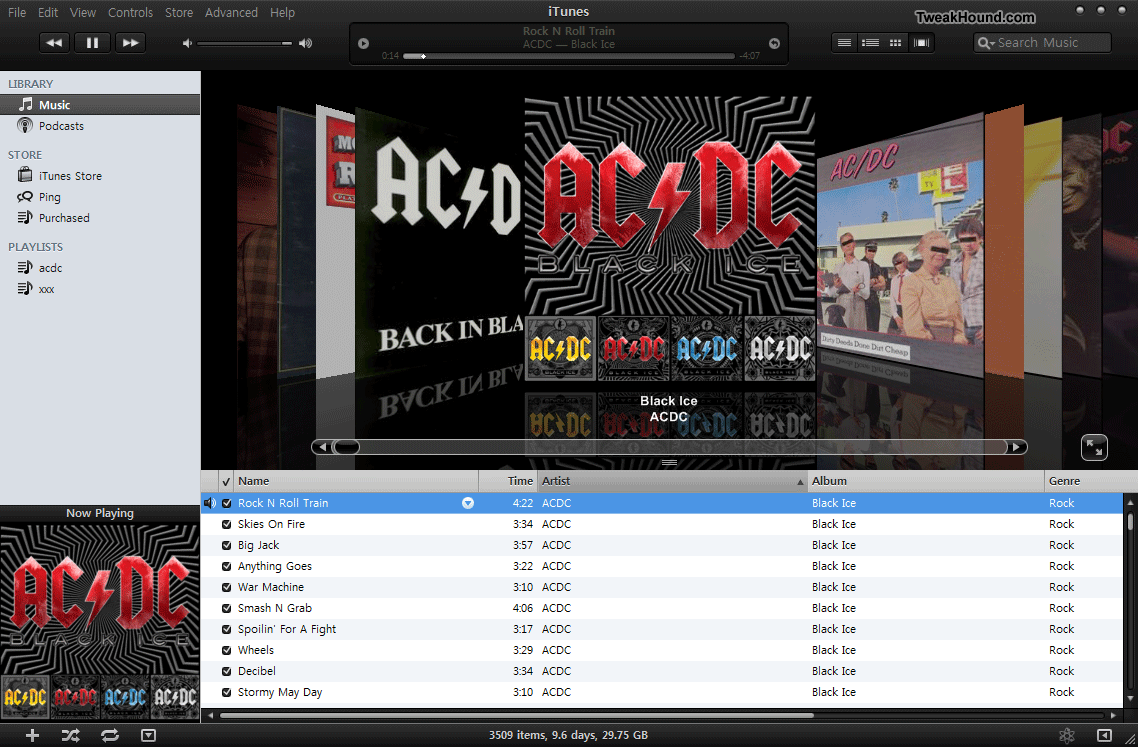
2 – iTunes

Snaz up the cruddy interface. iTunes skins here. (make sure the skin corresponds to the version of iTunes your are running).

(click image for larger pic)


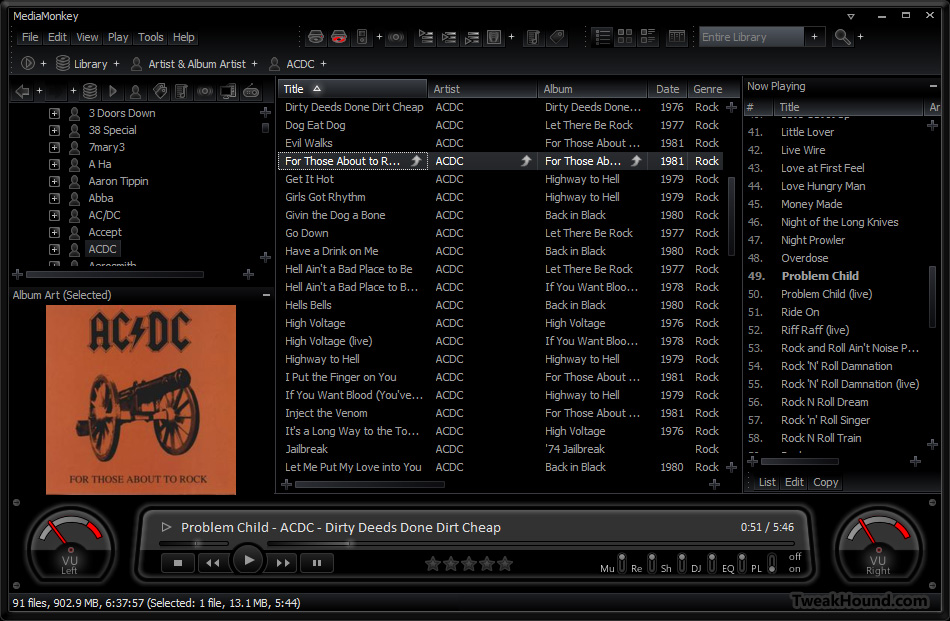
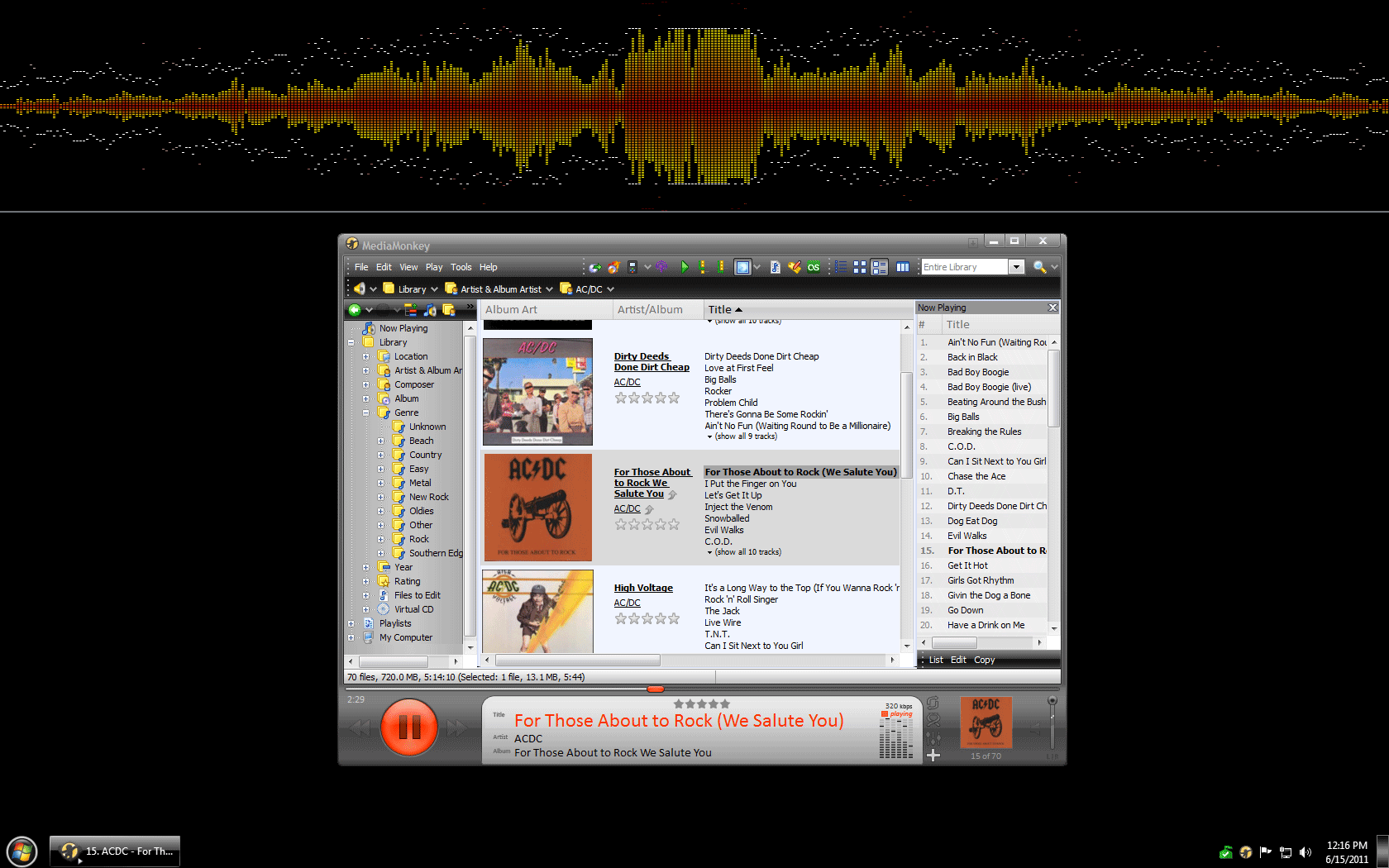
3 – MediaMonkey

Skins available here.

Vision VU skin (click image for larger pic)

You can even add some Winamp plugins. (click image for larger pic)


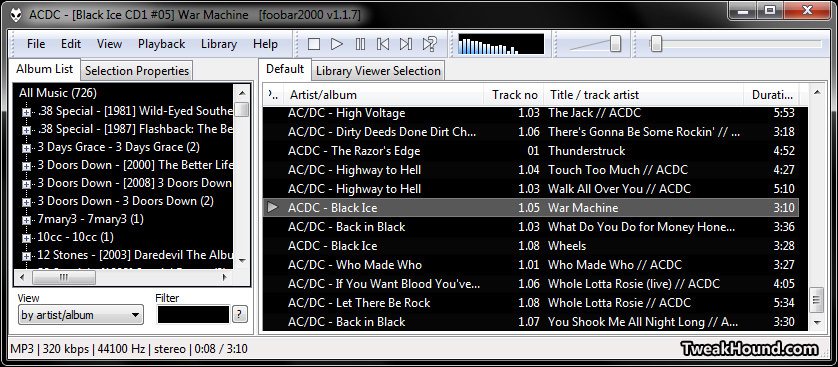
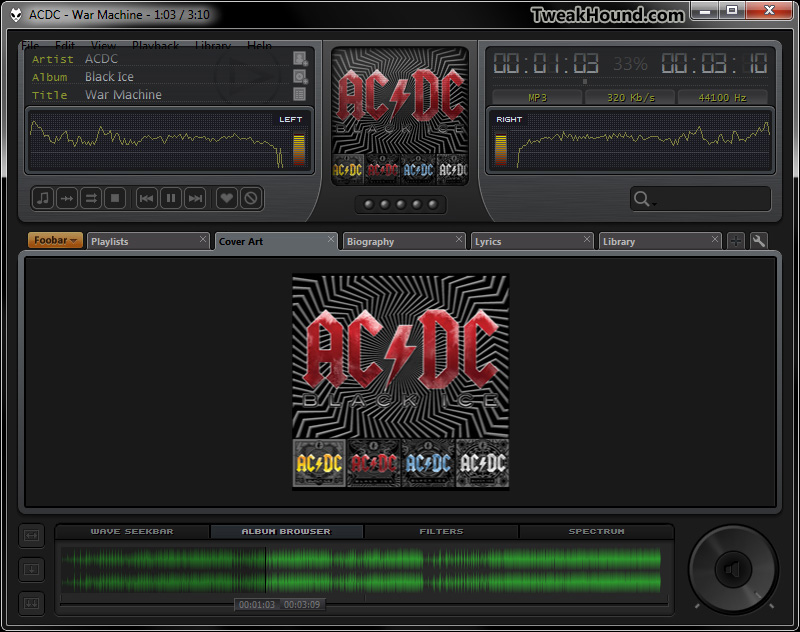
4 – Foobar

Skins here.

Default screen. Nasty!

Foobar Tech 1.4 Skin


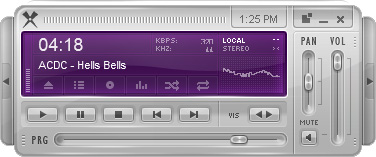
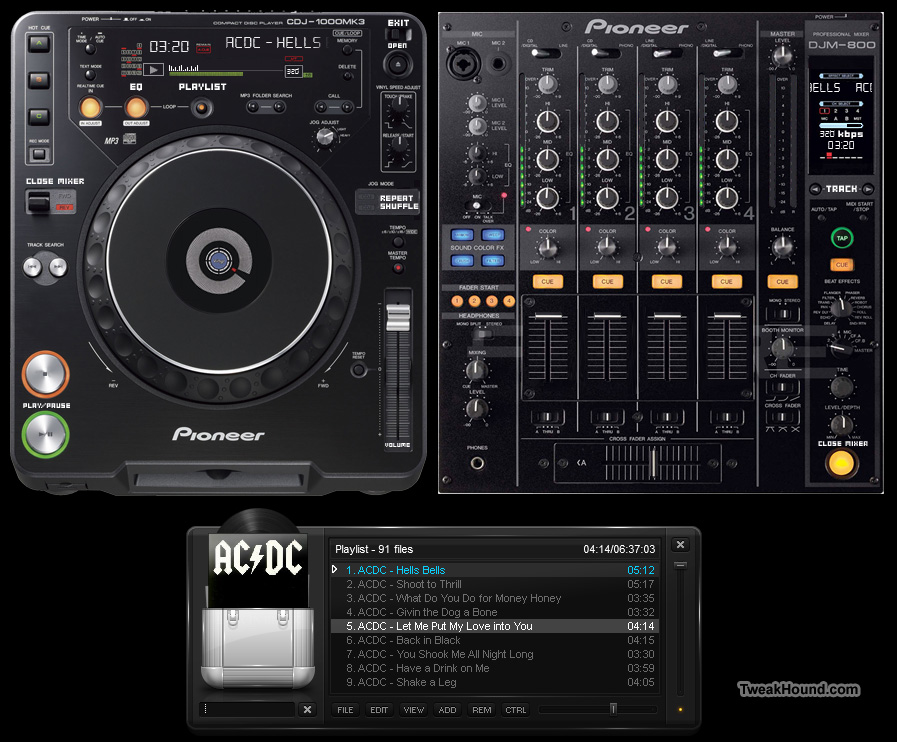
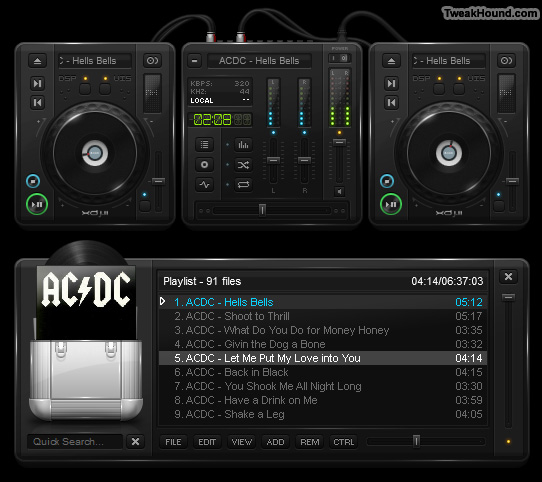
5 – Xion

Skins here.

Default screen.


CDJ 1000 skin (click image for larger pic)


XDJ 2 skin.


MY FAVORITES

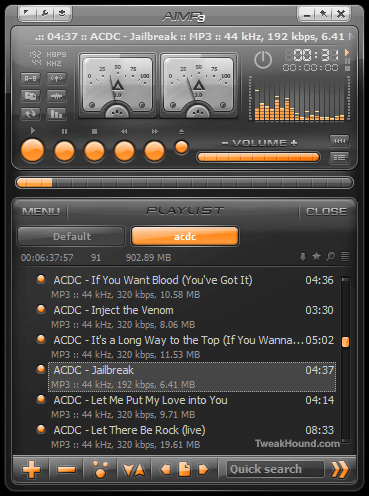
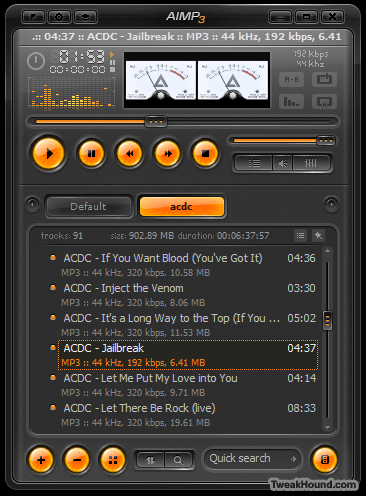
Runner-Up: AIMP3

Sleek, beautiful, compact, and fast.

Currently in Beta. Original AIMP2 page (U.S.). Russian page (Translated by Google) with updated Beta info and downloads.


My Favorite: Winamp

Yes the “old”  and much maligned Winamp.

Why? Switch between modern and classic skins, plugins galore, Android for Winamp w/ syncing…

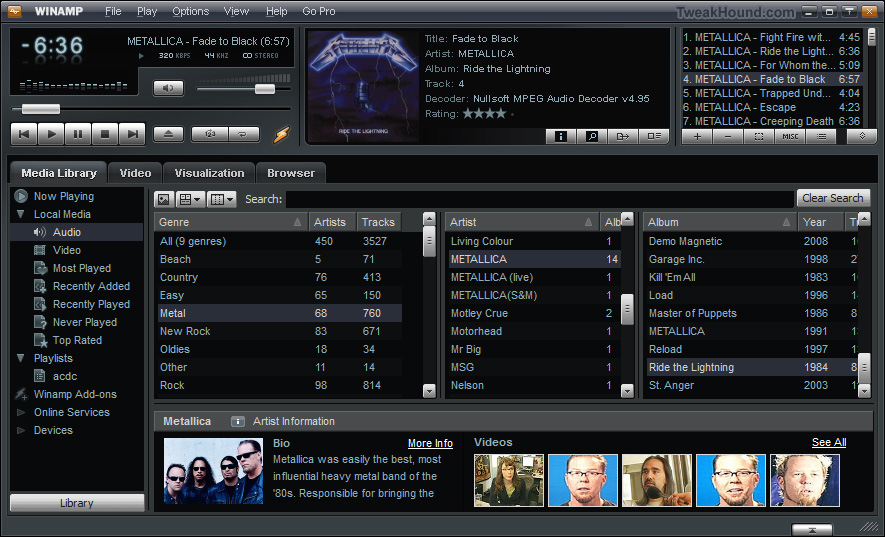
The default skin with all the modern features. (click image for larger pic)


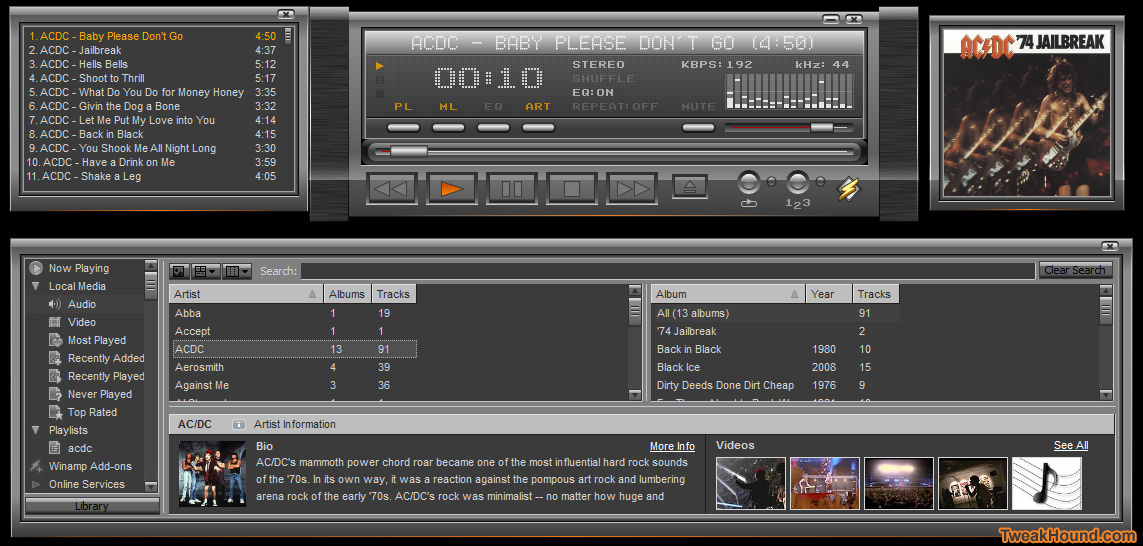
Modern skin Quinto. (click image for larger pic)

ws1


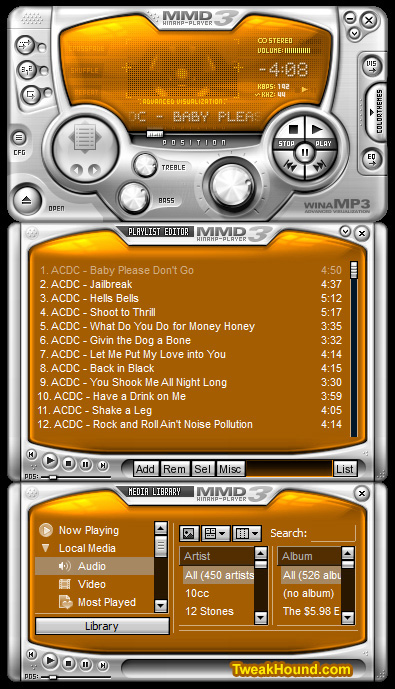
Winamp skin MMD3. It’s colorizable!


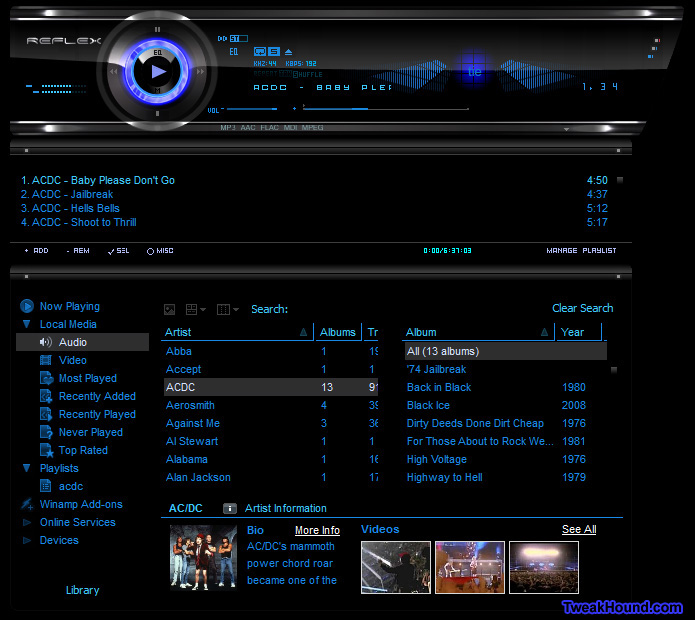
Winamp skin S7Reflex.


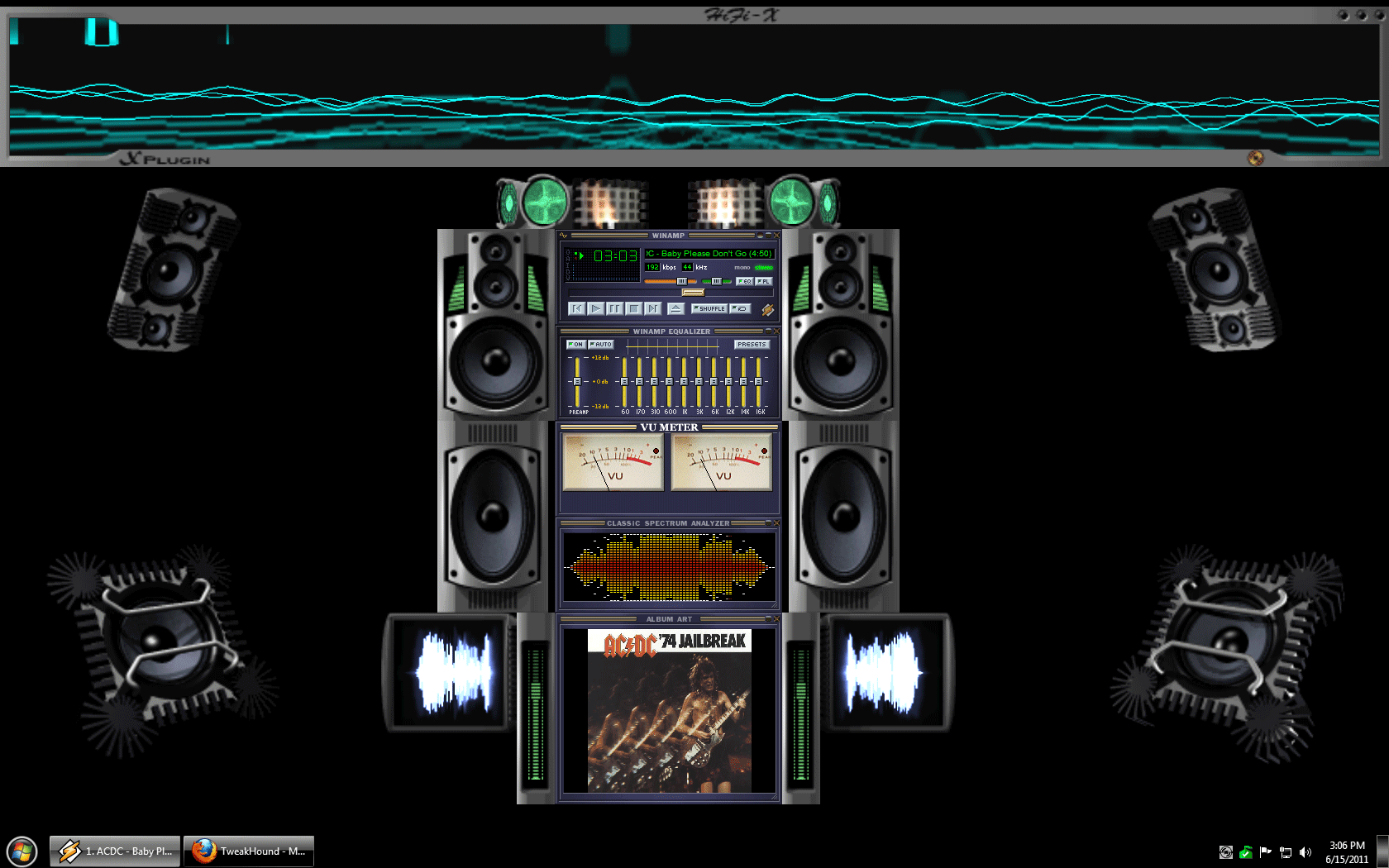
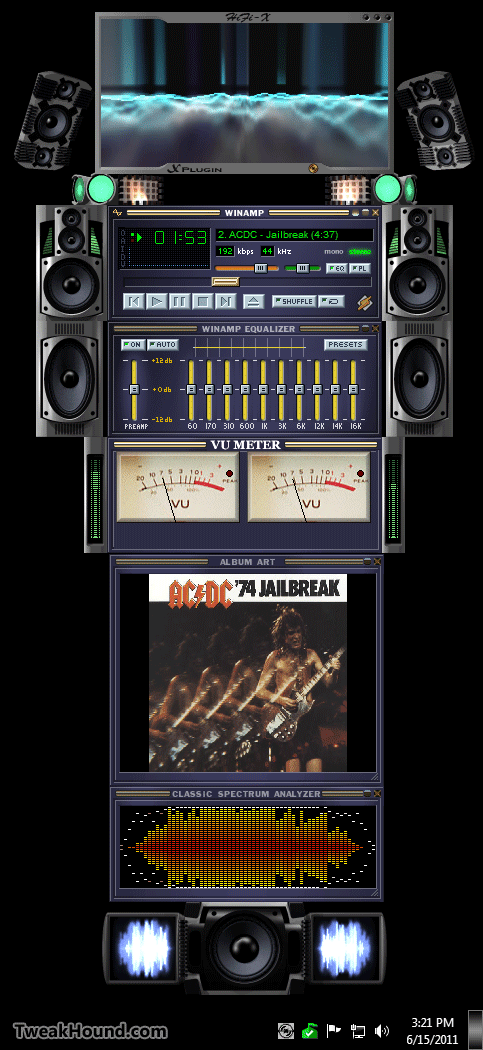
Now for my favorite Winamp setup:

– Classic skin

– I use the Vizualisation Mux plugin. It allows me to run all the plugins below (tip: configure each plugin before adding to and running this one)

– Classic Spectrum Analyzer

– Stereo Analog VU Meter

– X-Plugin

Full screen (click image for larger pic)


Sidebar style.


Hope you have some fun listening to music too!

Ditch Those CD's! A Guide To Using USB Flash Drives

June 15, 2011, 10:35(EDT) By Eric (a.k.a. TweakHound)

New reader inspired article up:
Ditch Those CD’s! A Guide To Using USB Flash Drives
Page 1 – Article Intro, Flash Drive Booting, Advanced USB Drive Formatting
Page 2 – Install Windows 7 or Windows Vista From A USB Flash Drive
Page 3 – Install Windows XP From A USB Flash Drive
Page 4 – Install a Linux Operating From A USB Flash Drive or Boot from one or more Linux Live CD’s on a USB Flash Drive
Page 5 – Utility And Rescue Bootable USB Flash Drive
Page 6 – Portable Apps And USB Flash Drive PC Toolbox
Page 7 – What I Use & Other USB Info

Tagged With: Computer Hardware, How-To's, Linux, openSUSE, This Site, Windows 7, Windows XP

Adobe Reader X, Adobe Flash & Shockwave Players Updated

June 14, 2011, 18:44(EDT) By Eric (a.k.a. TweakHound)

Security Fixes. Get them from Major Geeks to avoid the Adobe Download Manager:
Adobe Flash
Adobe Reader X
Adobe Shockwave

Tagged With: Software

Time To Run Windows Update

June 14, 2011, 14:28(EDT) By Eric (a.k.a. TweakHound)

A whole lotta updates today! Microsoft Security Bulletin Advance Notification for June 2011
windows update june 2011

Tagged With: Computer News

Backup Your Phone Contacts

June 11, 2011, 15:29(EDT) By Eric (a.k.a. TweakHound)

I wrote a quick guide for my friends on this topic (mostly just links on how-to). I’m the only Geek among them. The article is unnecessary for my fellow Geeks I know.
Backup Your Phone Contacts

Tagged With: This Site

Backup Your Phone Contacts!

June 11, 2011, 15:25(EDT) By Eric (a.k.a. TweakHound)

Lately there seems to have been a rash of broken, lost, or stolen phones amongst my friends.
For many of you this means lost contacts.
In an endeavor to save you this problem in the future I have prepared the following quick guide (mostly just links on how-to).
As a side note. Some of you that have lost your contacts may in fact have had the below solutions already running without your knowledge.
Running the restore feature of the below apps could restore your contacts.
Bottom line is that every phone has an option and/or method for you to backup and restore your contacts.

How To backup Your Phone Contacts

Apps
There are several apps that will backup contacts for iPhones, Blackberrys, and Android phones.
Search your particular app store for:
iDrive – The “lite” version is free. Does iPhone, Blackberry, Android.
MyBackup Pro – $5 in the Android Market.
Titanium Backup – $6 in the Android market. Requires ROOT (if you don’t know what that is then you don’t want this).
There are of course other backup apps. You’ll just have to search your App Store / Market. Be sure to read the reviews!

iPhone
When you get an iPhone you’ve committed yourself to having to use iTunes to manage your phone from a computer.
http://support.apple.com/kb/HT1766

Android
Droids are built to use Gmail (rather the OS is). If you’ve got a droid get a Gmail account.
You can configure your phone to sync automatically.
Although your phone isn’t going to look exactly like the pic below, the steps to turn this feature on will be similar enough for you to figure it out.
dxcontactsback

Carriers

AT&T
AT&T uses an application called Mobile Backup.
https://mobilebackup.att.com/jebber/public/att/faqs.html
It works with most AT&T phones EXCEPT iPhones.

Sprint
Sprint uses an application called Mobile Sync.
http://ecenter.custhelp.com/app/answers/detail/a_id/850/~/access-sprint-mobile-sync-online-after-you%27ve-registered

Tmobile
Same deal as AT&T.
http://support.t-mobile.com/doc/tm23951.xml;jsessionid=wts6BW3IIB8Ef8_4Fs

Verizon
Verizon uses an application called Backup Assistant.
http://support.vzw.com/how_to_use/backup_assistant.html
for iPhone:
http://support.vzw.com/how_to_use/transfer_contacts/iphone_vz_transfer.html

———-

FWIW – I’ve got a rooted Droid X on Verizon. I use Gmail sync and Titanium Backup (I also export those contacts from Gmail to a .csv file to my computer). I’m currently not using the Backup Assistant.

iTunes 10.3

June 7, 2011, 18:18(EDT) By Eric (a.k.a. TweakHound)

Download Be sure to see Ed Bott’s – The unofficial guide to installing iTunes 10 without bloatware

Introducing iTunes in the Cloud beta. The music you purchase in iTunes appears automatically on all your devices. You can also download your past iTunes purchases. Where you want, when you want.

Adobe Flash Player Security Update

June 6, 2011, 19:17(EDT) By Eric (a.k.a. TweakHound)

Download Adobe Flash Player
Security update available for Adobe Flash Player
Release date: June 5, 2011
Platform: All Platforms

An important vulnerability has been identified in Adobe Flash Player 10.3.181.16 and earlier versions for Windows, Macintosh, Linux and Solaris, and Adobe Flash Player 10.3.185.22 and earlier versions for Android. This universal cross-site scripting vulnerability (CVE-2011-2107) could be used to take actions on a user’s behalf on any website or webmail provider, if the user visits a malicious website. There are reports that this vulnerability is being exploited in the wild in active targeted attacks designed to trick the user into clicking on a malicious link delivered in an email message.

Tagged With: Software

« Previous Page
Next Page »

Primary Sidebar

Popular Posts

Tweaking Windows 10

Software I Use – 2021 Edition

Timer Tweaks Benchmarked

Win10 – Get Auto-Login Back

Recent Posts

  • Weekend News
  • Thursday News
  • New Drivers
  • Patch Tuesday
  • Weekend News
  • Patch Tuesday
  • Tuesday News
  • Weekend News
  • Sunday News
  • Patch Tuesday
buywin10th2

Tags

  • Android
  • Backup
  • Beer
  • Computer Hardware
  • Computer News
  • Cool Tools
  • Freeware
  • How-To's
  • Linux
  • Off Topic
  • openSUSE
  • Playlists
  • Privacy
  • Security
  • Software
  • This Site
  • vacation
  • Veterans
  • Windows 10
  • Windows 11
  • Windows 7
  • Windows 8
  • Windows Vista
  • Windows XP

Catagories

  • Android
  • Backup
  • Beer
  • Computer Hardware
  • Computer News
  • Cool Tools
  • Freeware
  • Freeware Machines
  • How-To's
  • Linux
  • News From The Web
  • Off Topic
  • openSUSE
  • Privacy
  • Security
  • Software
  • Tweak Guides
  • Veterans
  • Windows
  • Windows 10
  • Windows 11
  • Windows 7
  • Windows 8
  • Windows Vista
  • Windows XP

TweakHound - Optimize Your Computing Experience! TweakHound - Optimize Your Computing Experience!

Copyright 2002-2025 by Eric Vaughan All material contain here is the property of the materials owner. Windows, Windows XP, Windows Vista, Windows Seven, Windows 8, Windows 10, Windows 11, Microsoft, and all associated logos are trademarks/property of Microsoft. You may not use or copy any material from tweakhound.com without expressed written permission. Hotlinking to any material within this site is forbidden. Privacy Policy