 Windows 8 disk cleanup introduced a new cleanup option called Windows Update Cleanup.
Yesterdays Windows updates included an update to add this option to Windows 7.
This cleanup option can regain you significant disk space in Windows 7 and Windows 8 will benefit as updates pile up.
This article will show you how to use this option in both Windows 7 and 8.
[Read more…] about Windows Update Cleanup For Windows 7 And Windows 8
Windows 8
Windows 8.1 Account Settings
 With Windows 8.1 Microsoft seems to want everyone in the cloud.
Traditionally home users had a local account. Windows 8 introduced another option, the Microsoft account.
In 8.1 Microsoft made it more difficult to have a non-Microsoft account.
In this article I will explain the differences and your options.
Sections:
Local And Microsoft Accounts Defined
– Local Account
– Microsoft Account
– Which should you use, a Local or Microsoft Account?
– Accessing Account Settings
Signing On With A Local Account During A Clean Installation
Signing Up For A Microsoft Account After Installation
Using The Windows Store When You Use A Local Account For Sign-In
Switch To A Local Account
[Read more…] about Windows 8.1 Account Settings
Windows 8 Custom Menus & Stuff
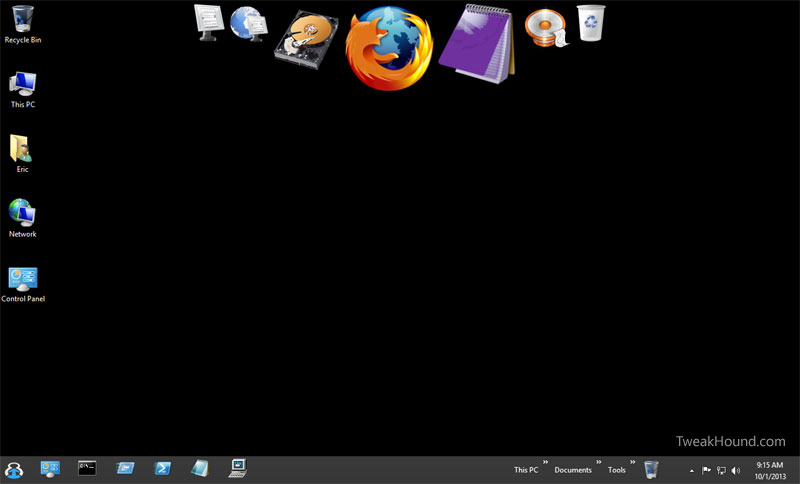
 There are many ways to create custom menus and more in Windows 8. Below are my guides to some of those options:
Using Start8
Using RocketDock
Creating Desktop Icons
Creating Toolbars In Windows 8
Pin Items To The Taskbar In Windows 8
Pin Items To The Taskbar In Windows 8
 Pinning apps to the desktop taskbar in Windows is not new but Windows 8 with its goofy Metro screen introduced some complexity into it. [Read more…] about Pin Items To The Taskbar In Windows 8
Creating Toolbars In Windows 8
You can create multiple menus on your taskbar in Windows 8.
In fact you could create enough so that you would not miss the old Windows 7 start menu.
[Read more…] about Creating Toolbars In Windows 8
Using RocketDock
RocketDock is a free OS X style launcher for Windows. It is highly customizable. [Read more…] about Using RocketDock
Using Start8
Start8 is a popular Start Menu program for Windows 8. This article is intended to show you its configuration options. [Read more…] about Using Start8
Creating Desktop Icons
>A quick guide on creating desktop icons for Windows 7 and Windows 8.
[Read more…] about Creating Desktop Icons
Windows 8.1 Pricing
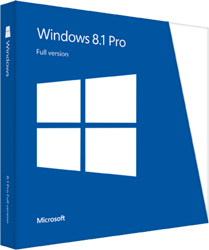
 Pricing and Packaging for Windows 8.1 at The Microsoft Blog
As far as I can tell, no change from Windows 8.
Packaging isn’t so gawd awful ugly.
Windows 8.1 RTM And SSDs
If you are running Windows 8.1 RTM on an SSD I need your help.
[Read more…] about Windows 8.1 RTM And SSDs