
• Skip to primary navigation
  • Skip to main content
  • Skip to primary sidebar

TweakHound

Computer stuff...

  • Home
  • Windows XP
  • Windows Vista
  • Windows 7
  • Windows 8
  • Windows 10
  • Windows 11
  • Linux
  • Tweak Guides
  • Site Info
    • About
    • About Me
    • TweakHound’s World
    • Contact
    • My Computers
    • Old Articles
    • Privacy Policy
    • Old Index
    • Advanced Search

Tweaking Windows 7

February 23, 2013, 12:26(EST) By Eric (a.k.a. TweakHound)

Maintaining Your Computer

Maintaining your computer means:

  • Receiving updates when available
  • Checking for problems and fixing them
  • Optimizing hard drives.

Receiving updates when available.

We covered Windows Update settings earlier but what about all those 3rd party programs?

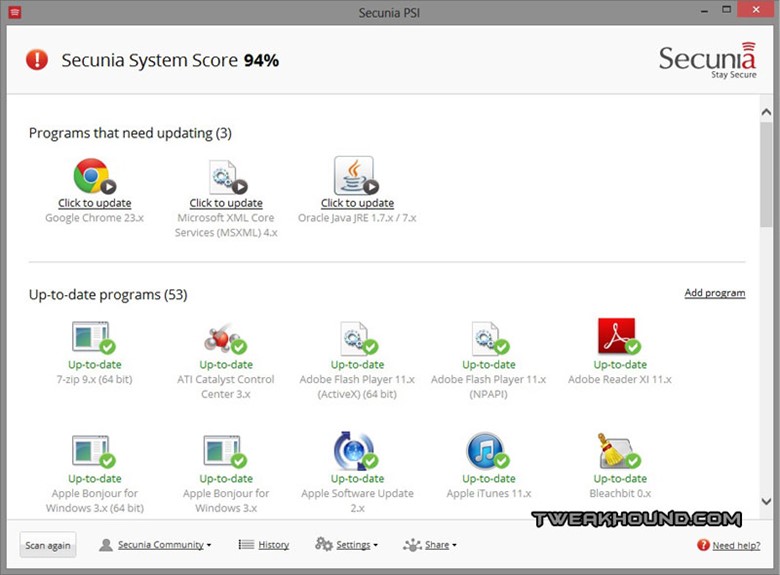
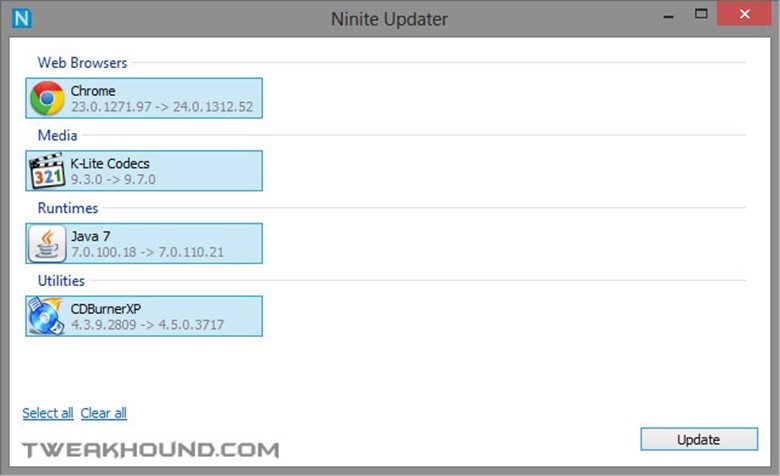
Most programs have built-in update scheduler that will eventually update themselves. I prefer to install updates (especially security related) when available. There are 2 programs I recommend for this; Secunia PSI and Ninite Updater. I use the default schedule of weekly for Secunia and daily for Ninite.


Secunia PSI

Download & Info

Program description:

The Secunia Personal Software Inspector (PSI) is a free computer security solution that identifies vulnerabilities in non-Microsoft (third-party) programs which can leave your PC open to attacks. Simply put, it scans software on your system and identifies programs in need of security updates to safeguard your PC against cybercriminals. It then supplies your computer with the necessary software security updates to keep it safe. The Secunia PSI even automates the updates for your insecure programs, making it a lot easier for you to maintain a secure PC.


This is an excellent, free program. However it only shows you what needs updating and provides download links.
 

Ninite Updater

Ninite Updater is one of the few pay-for programs I recommend. Current price is $10 and IMHO is worth every penny. It covers fewer programs than does Secunia PSI but it downloads and installs the programs it supports.

Program description:

All software updaters tell you when new versions are available. With Ninite Updater it’s just one step to automatically download and install all your updates in the background. Other updaters just give you links to installers which you need to download and run by hand for each and every app.


Checking For Problems


Windows 7’s Own Performance And Information Tools
Located at: Control Panel\All Control Panel Items\Performance Information and Tools\Advanced Tools
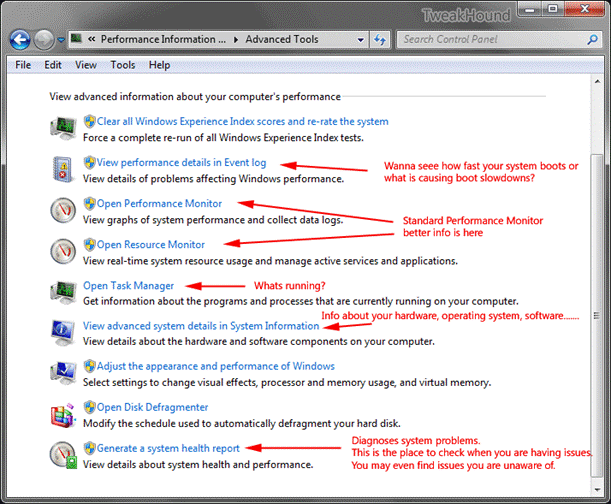
 

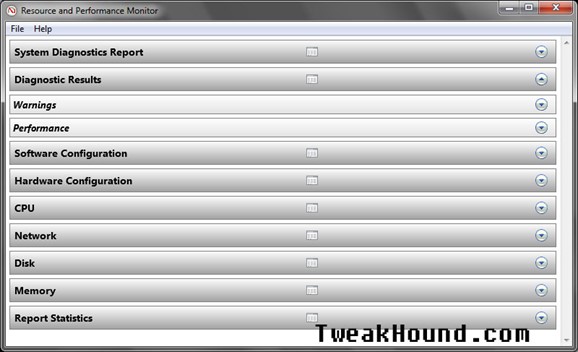
Generate a system health report

This is the one stop problem finding shop.

Description:

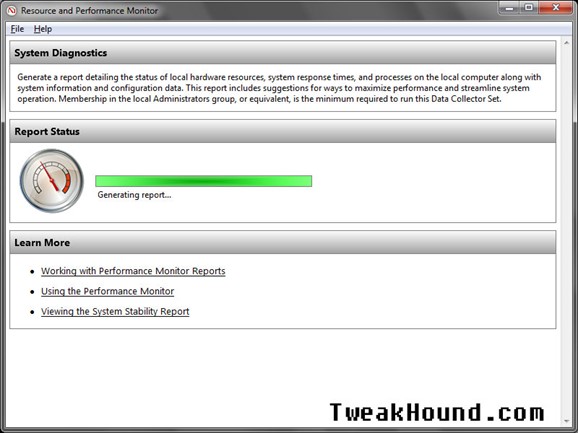
Generate a report detailing the status of local hardware resources, system response times, and processes on the local computer along with system information and configuration data. This report includes suggestions for ways to maximize performance and streamline system operation. Membership in the local Administrators group, or equivalent, is the minimum required to run this Data Collector Set.


Reliability Monitor

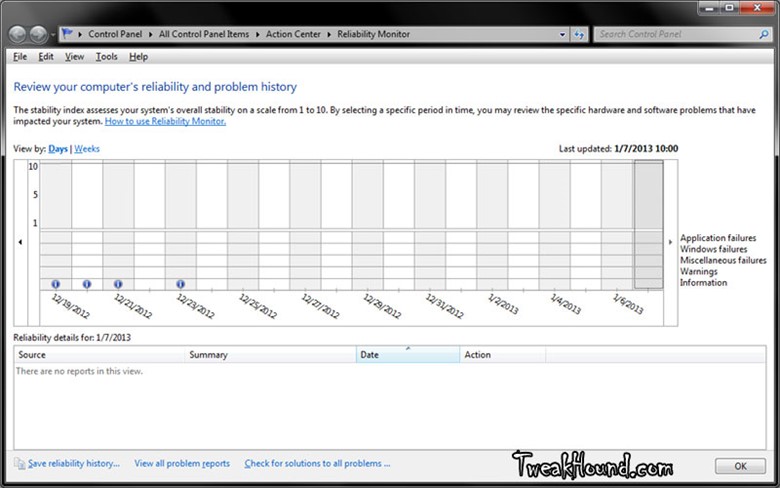
Within the Action Center there is a tool called Reliability Monitor. From the help file:

What is Reliability Monitor?

Reliability Monitor is a tool for advanced users that measures hardware and software problems, and other changes to your PC. It provides a stability index that ranges from 1 (the least stable) to 10 (the most stable). You can use the index to help evaluate the reliability of your PC. Only critical errors, such as app and PC crashes, affect the stability index.

The Action Center is noticeable on the Desktop by the flag icon in the Taskbar. To get there click on it and choose Open Action Center (or type Action Center in the Search box via the Search charm). A wealth of information is available via help (Settings > Help) by typing Action Center. Once there click on the Maintenance arrow and then View reliability history.
NEXT >

Pages: Page 1 Page 2 Page 3 Page 4 Page 5 Page 6 Page 7 Page 8 Page 9 Page 10 Page 11 Page 12 Page 13 Page 14 Page 15 Page 16 Page 17

Tagged With: Windows 7

Primary Sidebar

Popular Articles

Windows 10

Tweaking Windows 10

My Windows 10 Tweaks

Windows 10 Privacy Settings

Win10 Diagnostics Tracking Service Gone?

Windows 10 Advanced Disk Cleanup

Win10 Customize Installation Options

Windows 10 Dark Theme

Win10 Wallpapers, Graphics, etc.

All Windows 10 Articles

Windows 8

Tweaking Windows 8.1

Advice On Installing Windows 8.1

Clean Install Windows 8.1

Cleanup After Windows 8.1 Upgrade

Create Shutdown, Restart, Logoff Tiles For Windows 8

Tweaking Windows 8

Install Windows 8 – Clean Install With Upgrade Media

Install Windows 8 – Upgrade

Windows 8 – Cleaning Up After You’ve Upgraded

Windows 8 Freeware Machine

Windows 8 SSD Settings, Etc.

How To Resize Your Windows 8 Partition

Create Windows 8 Recovery Media

Windows 8 – Elevated Command Prompt

How To Fix The Windows Bootloader

Windows 7

Installing Windows 7

Tweaking Windows 7

Windows 7 Diagnostics Tracking Service

The Windows 7 Freeware Machine

The Windows 7 Pagefile And Running Without One

Bad Tweaks

SSD Tweak Guide (sort of)

The noguiboot (no GUI Boot) Tweak

NtfsMemoryUsage=2 Tweak

More Windows 7 articles here.

Windows Vista

Installing Windows Vista

Tweaking Windows Vista

More Windows Vista articles here.

Windows XP

eXPired - The Last Windows XP Guide You'll Ever Need

The Right Way To Install Windows XP

Super XP Tweaking Guide

The Freeware XP Machine

Bad Tweaks

More XP Articles here and here.

Backup

Backup Article Greatest Hits – Vol. 1

Other

Cataloging Your Music Collection

Finding Good Album Art

Converting Vinyl Records To Digital Music – A Non-Audiophiles Guide

Windows All-In-One Recovery Flash Drive

SSD Tweak Guide (sort of)

Raidmax Blackstorm Case Review

Disk Partitioning

Ditch Those CD's! A Guide To Using USB Flash Drives

Checking Your Disks For Problems

Bad Tweaks

More articles here

Tags

Android Backup Beer Computer Hardware Computer News Cool Tools Freeware How-To's Linux Off Topic openSUSE Playlists Privacy Security Software This Site vacation Veterans Windows 7 Windows 8 Windows 10 Windows 11 Windows Vista Windows XP

TweakHound - Optimize Your Computing Experience! TweakHound - Optimize Your Computing Experience!

Copyright 2002-2025 by Eric Vaughan All material contain here is the property of the materials owner. Windows, Windows XP, Windows Vista, Windows Seven, Windows 8, Windows 10, Windows 11, Microsoft, and all associated logos are trademarks/property of Microsoft. You may not use or copy any material from tweakhound.com without expressed written permission. Hotlinking to any material within this site is forbidden. Privacy Policy