German website Heise Online shows a great little tweak that allows you to block adware with Windows Defender.
[Read more…] about Tweak: Block Adware With Windows Defender
Happy Thanksgiving
 No news today. I just wanted to wish you all a Happy Thanksgiving.
I hope you all have something or someone to be thankful for.
http://www.history.com/topics/thanksgiving
More Windows 10 News
 Why TH2 Was Pulled
Betanews reports TH2 was pulled because of a bug where “Some settings may not have been retained when applying the November update“. In the KB Microsoft mentions that “a few settings preferences may have inadvertently not been retained for advertising ID, Background apps, SmartScreen Filter, and Sync with devices.” It was and is way more settings than that but whatever.

TH2 ISOs Are Back
Official Threshold 2 ISOs are now back and downloadable via the Media Creation Tool.
Guide here.
Win10 Uninstalling Programs?
From Reddit / Reddit via Betanews via Ghacks. Some users report Win10 is uninstalling some programs with consent.
Random Tuesday Stuff…
 DiagTrack
My post on DiagTrack was picked up by a number of places including Forbes, Betanews, and Softpedia.
Paul Thurrott seems to be rather upset about “articles like this”. I’m honored!
I wonder what he thinks about this?!
I should note, again, that I did not make this discovery alone. I had help from a reader.
CCleaner Monthly Update
Download
Release Notes
***Pay attention during install. May attempt to install unwanted programs.
FYI – I use the portable version.
Release Notes v5.12.5431 (24 Nov 2015)
– Improved Firefox 42 Cache cleaning.
– Improved Google Chrome Download History cleaning.
– Improved Skip UAC on Windows 10.
– Improved detection and cleaning of portable browsers.
– Optimized cleaning rules loading routine.
– Improved localization and language support.
– Minor GUI Improvements.
– Minor bug fixes.
Aw man, I want one.
Star Trek Communicator prototype was a final frontier too far for Google

Lucas Out
George Lucas is done with Star Wars. He gave us episodes 4,5, and 6 but he also gave us episodes 1,2, and 3, and, Jar Jar Binks. Still, that’s too bad.
Radeon Software Crimson Edition
 Reader Kelly let me know that AMD released their Radeon Software Crimson Edition drivers. This replaces the Catalyst drivers.
Download
For a full breakdown see: Anandtech – AMD’s Radeon Software Crimson Driver Released: New Features & A New Look
These are available for Linux too.
Monday Random Stuff…
 Playing a little catch-up today!
DWS Lite 1.6
Destroy Windows Spying updated.
“FINAL VERSION Spy fully functional blocks at the moment. For the program will be released only bug fixes, and minor changes after this release.”
7-Zip
My go-to Swiss army knife of file extractors has released its 1st non-beta in 5 years!
(Thanks to David M. for the heads up!)
Samsung 850 EVO 1TB Firmware
User A.G. reports that he just got a notification that firmware version EMT02B6Q was available for his drive despite the fact it was reported released in September.
A quick Google search shows a few other folks asking about it this week too. If you have one of these you may want to fire up the latest SSD Magician and check.
Stuff From Around The Web…
TrueCrypt is safer than previously reported, detailed analysis concludes
Administrative Tools in Windows 10
Fedora 23 Xfce review
Windows 10 pilot rollouts will surge in early 2016, says Gartner
Comcast injects copyright warnings into browsers, raising privacy concerns
13 Years Ago, My Review Of Mandrake Linux 9.0
 I’ve been doing this site for quite a while. If you haven’t been coming here for years you may not know this site hasn’t always been done in WordPress. I used to do it in Frontpage, then Expression Web and by hand. Since I’ve got better things to do than coding a website by hand I switched to WordPress.
Anywho, take a gander at the old site and my first experience with Linux:
TweakHound Reviews Mandrake 9.0 A “Newbie”ginning posted 11-19-02
Old Main Page
https://web.archive.org/web/*/tweakhound.com
Win10 Clean Install On My Main PC
 I had done a few clean installs on my main rig but was waiting for TH2 for my “final”. This PC had previously been a dual-boot Windows 8.1 / Window 7 PC. I had upgraded 8.1 to Win 10.
[Read more…] about Win10 Clean Install On My Main PC
Windows 10 TH2 ISOs Pulled
Microsoft has pulled the new Threshold 2 ISO’s. Ed Bott has the full story.
Note: They have not pulled TH2, just the ISOs. TH2 is still available via Windows Update.
Bottom line there is a bug or bugs in the ISOs. Rather than find it and fix it Microsoft wants you to install the first Win10 build ISO and then download and reinstall another 2-4 gigs of files and update. Is Win10 becoming a tragic comedy?
Where to get TH2 ISOs and ESDs:
1: WZOR
ESDs: https://cloud.mail.ru/public/2xE4/5k5wdRDSu
ISOs: https://cloud.mail.ru/public/AwAA/N9RXzm6eU
2: Torrents: http://umtorrent.com/usearch/windows%2010%2010586/?field=seeders&sorder=desc
Authors note: This story appeared all over the web overnight. As near as I can figure Ed Bott is the original source. “Journalists” often don’t source or barely source their information anymore. Many of them choose to just rewrite the original article without adding anything and post it as their own work. Disgusting.
Windows 10 Privacy Settings
************ This version is now expired. Updated version here: https://www.tweakhound.com/2020/12/30/tweaking-windows-10-version-20h2/
Windows 10 Privacy Settings
A companion guide for:
TweakHound’s

Tweaking Windows 10
Version 4.0, last edited 17 May, 2018
Windows 10 Privacy Settings
Page 1 – Intro, Windows Insider Program, Use A Local Account
Page 2 – Windows 10 Built-In Privacy Settings
Page 3 – Telemetry, Cortana
Page 4 – Update & Security, Windows Defender
Page 5 – Services, Microsoft Browsers
Page 6 – Remove Ads And Annoyances
Page 7 – Apps To Tweak Privacy Settings
Windows 10 does a lot of communicating with Microsoft servers. Many people find this to be somewhere between an annoyance to an outright invasion of privacy. Some folks suspect it’s even worse than that. For its part, Microsoft steadfastly insists that they do not invade your privacy, that any information sent back to Microsoft is “anonymous”, and that it is for your own good. I will leave it up to you to decide.
This section will show you your privacy options, the settings I use, and 3rd party apps that can help you configure your settings.
It should be noted that turning off some settings can hamper the ability of some built-in and Microsoft Store apps to function properly. Since I don’t use these things I haven’t run into a single issue.
Windows Insider Program
This is a neat program for those that want updates before everyone else or Geeks that live on the bleeding edge. It also sends the maximum amount of data back to Microsoft. If privacy is a concern, then don’t use this.
More info: https://insider.windows.com/
Use A Local Account
If you are using a Microsoft Account and privacy is a concern you should switch to a Local Account. Be warned you will lose syncing. If this is important to you then skip this.
More info: http://windows.microsoft.com/en-us/windows-10/getstarted-microsoft-account
Let switch to a Local account:
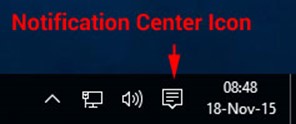
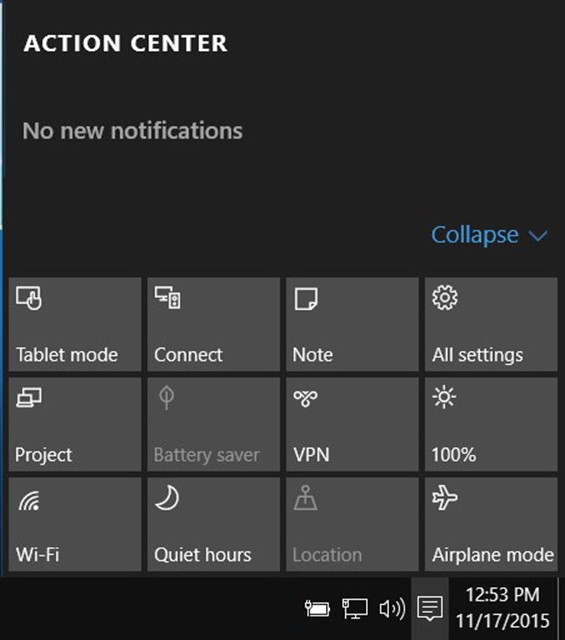
Choose All settings
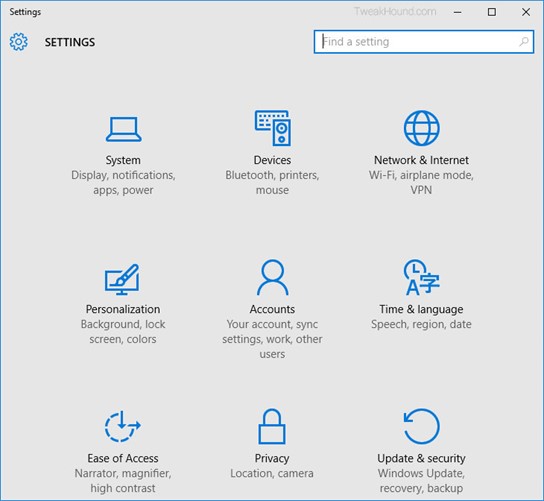
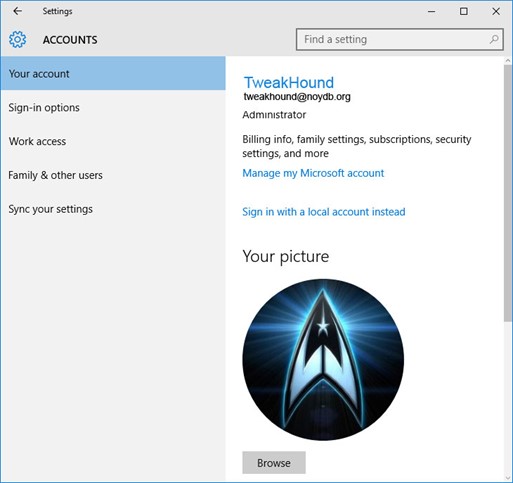
Choose Accounts
Choose Sign in with a local account instead
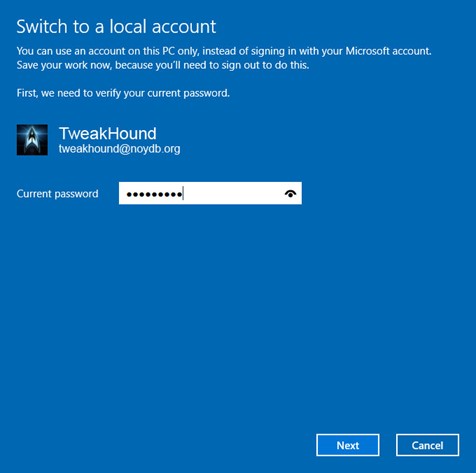
Enter current user password
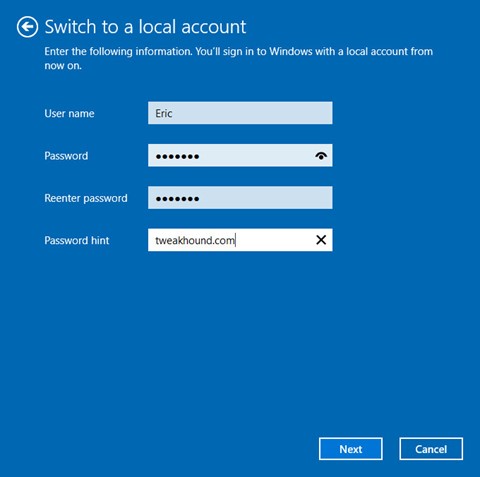
Enter the new User name, Password, and Password hint.
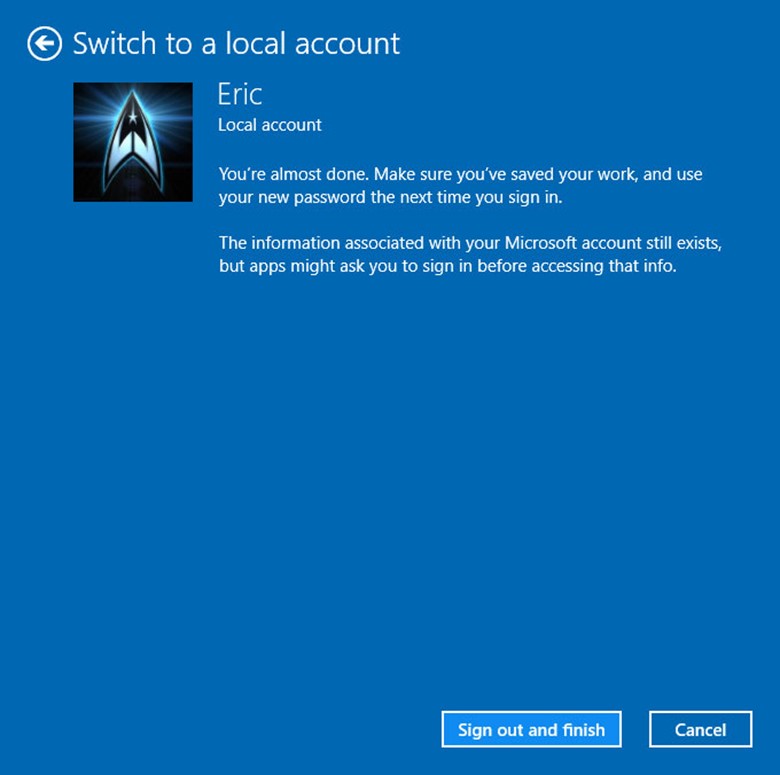
Sign out and finish.