 The workaround to download Windows 8.1 surfaced over the last few days.
Origin unknown (That means credit / blame ain’t mine).
Lots of places have posted the instructions to download but left you hanging after that.
Thats where this post comes in.
[Read more…] about Clean Install Windows 8.1
How-To's
Gid Rid Of Windows 8.1 Help Stickers
 Depending on your point-of-view these things can be useful or highly annoying. [Read more…] about Gid Rid Of Windows 8.1 Help Stickers
Upgrading To Windows 8.1 – In Pictures
 Here is a walkthrough of upgrading to Windows 8.1. Including a tip or 2.
[Read more…] about Upgrading To Windows 8.1 – In Pictures
Cleanup After Windows 8.1 Upgrade
Upgrading to Windows 8.1 leaves behind files that you can optionally clean up after install. [Read more…] about Cleanup After Windows 8.1 Upgrade
Create Shutdown, Restart, Logoff Tiles For Windows 8
 There are a couple of ways to create these tiles but I thought y’all might enjoy this.
[Read more…] about Create Shutdown, Restart, Logoff Tiles For Windows 8
Windows 8.1 – View Libraries In Explorer
 Windows 8.1 removed Libraries from the navigation pane in explorer. Here is how to get it back.
(note – This guide will become part of the upcoming revision of Tweaking Windows 8)
[Read more…] about Windows 8.1 – View Libraries In Explorer
Windows Update Cleanup For Windows 7 And Windows 8
 Windows 8 disk cleanup introduced a new cleanup option called Windows Update Cleanup.
Yesterdays Windows updates included an update to add this option to Windows 7.
This cleanup option can regain you significant disk space in Windows 7 and Windows 8 will benefit as updates pile up.
This article will show you how to use this option in both Windows 7 and 8.
[Read more…] about Windows Update Cleanup For Windows 7 And Windows 8
Windows 8.1 Account Settings
 With Windows 8.1 Microsoft seems to want everyone in the cloud.
Traditionally home users had a local account. Windows 8 introduced another option, the Microsoft account.
In 8.1 Microsoft made it more difficult to have a non-Microsoft account.
In this article I will explain the differences and your options.
Sections:
Local And Microsoft Accounts Defined
– Local Account
– Microsoft Account
– Which should you use, a Local or Microsoft Account?
– Accessing Account Settings
Signing On With A Local Account During A Clean Installation
Signing Up For A Microsoft Account After Installation
Using The Windows Store When You Use A Local Account For Sign-In
Switch To A Local Account
[Read more…] about Windows 8.1 Account Settings
Windows 8 Custom Menus & Stuff
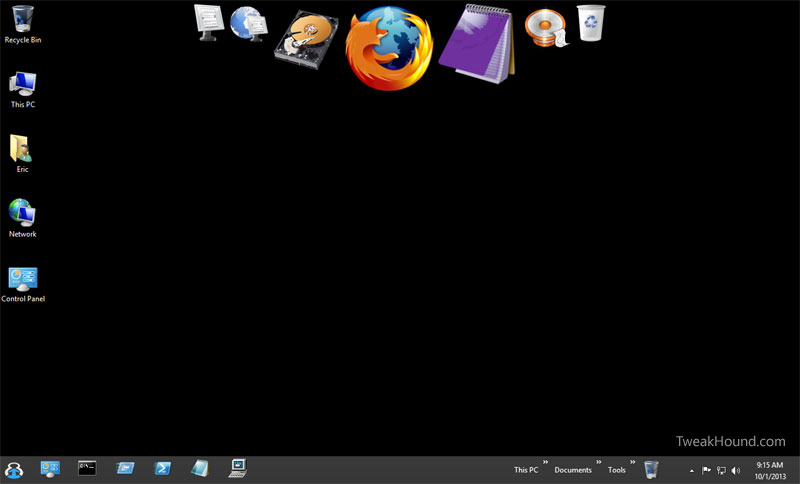
 There are many ways to create custom menus and more in Windows 8. Below are my guides to some of those options:
Using Start8
Using RocketDock
Creating Desktop Icons
Creating Toolbars In Windows 8
Pin Items To The Taskbar In Windows 8
Pin Items To The Taskbar In Windows 8
Pinning apps to the desktop taskbar in Windows is not new but Windows 8 with its goofy Metro screen introduced some complexity into it. [Read more…] about Pin Items To The Taskbar In Windows 8